Path parameter "repositorySlug" value must not be null #44

Description

How to reproduce
-
Install the app. Don't login.
-
Open a Travis CI notification email (Successful or failure build)
-
Tap the top most link pointing to your repository, e.g.
dkhmelenko/Varis-Androidhttps://travis-ci.org/dkhmelenko/Varis-Android?utm_source=email&utm_medium=notification
-
From the bottom the apps dialog slides up and offers
(Varis-Android-Icon) Open with Build details. TapJust once -
An empty
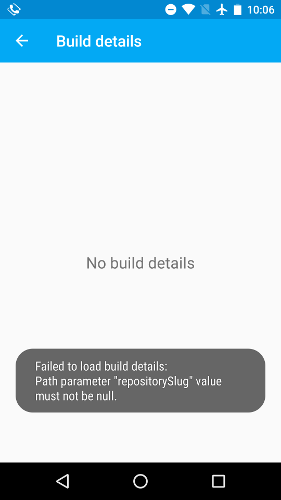
Build detailsscreen opens. A Toast message shows:Failed to load build details: Path parameter "repositorySlug" value must not be null.