Buttons Block: "Problem displaying block" error for button blocks with custom colors or gradient backgrounds #2260

Description

Steps to reproduce:
- On the web, create a new post and add a buttons block.
- Add a button and select the outline style in block settings.
- Add a button and select a theme background and text color in the block settings.
- Add a button and select a custom background and text color in the block settings.
- Add a button and select a linear gradient background color in the block settings.
- Add a button and select a radial gradient background color in the block settings.
- Publish the post.
- In the app, open the post in the editor and check to see if the button colors are rendered.
Result: button blocks with custom colors or gradient backgrounds are not rendered in the block editor in the app and instead show a "Problem displaying block" error.
| WP.com block editor | WP.com block settings | WPAndroid block editor |
|---|---|---|
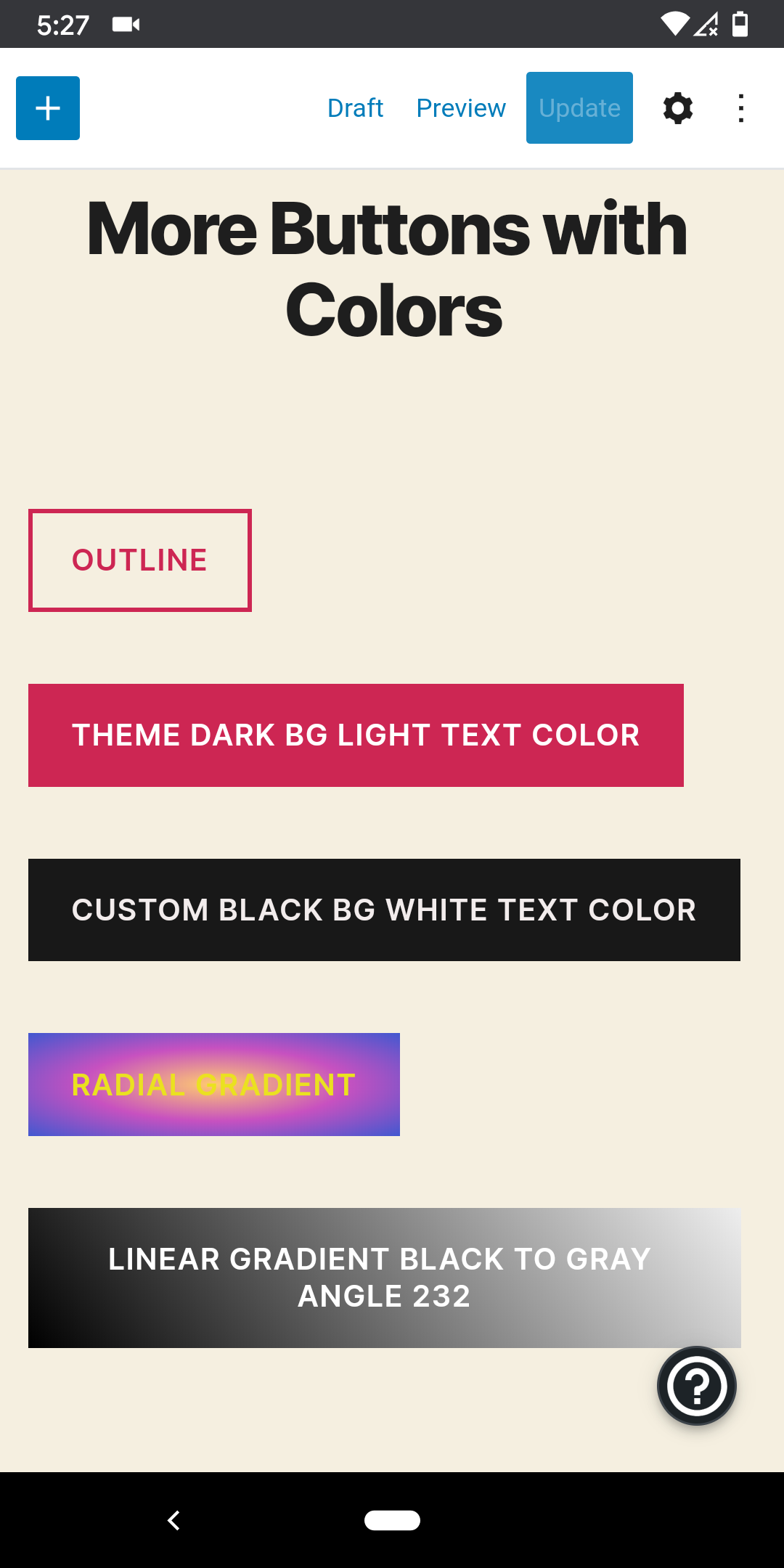 |
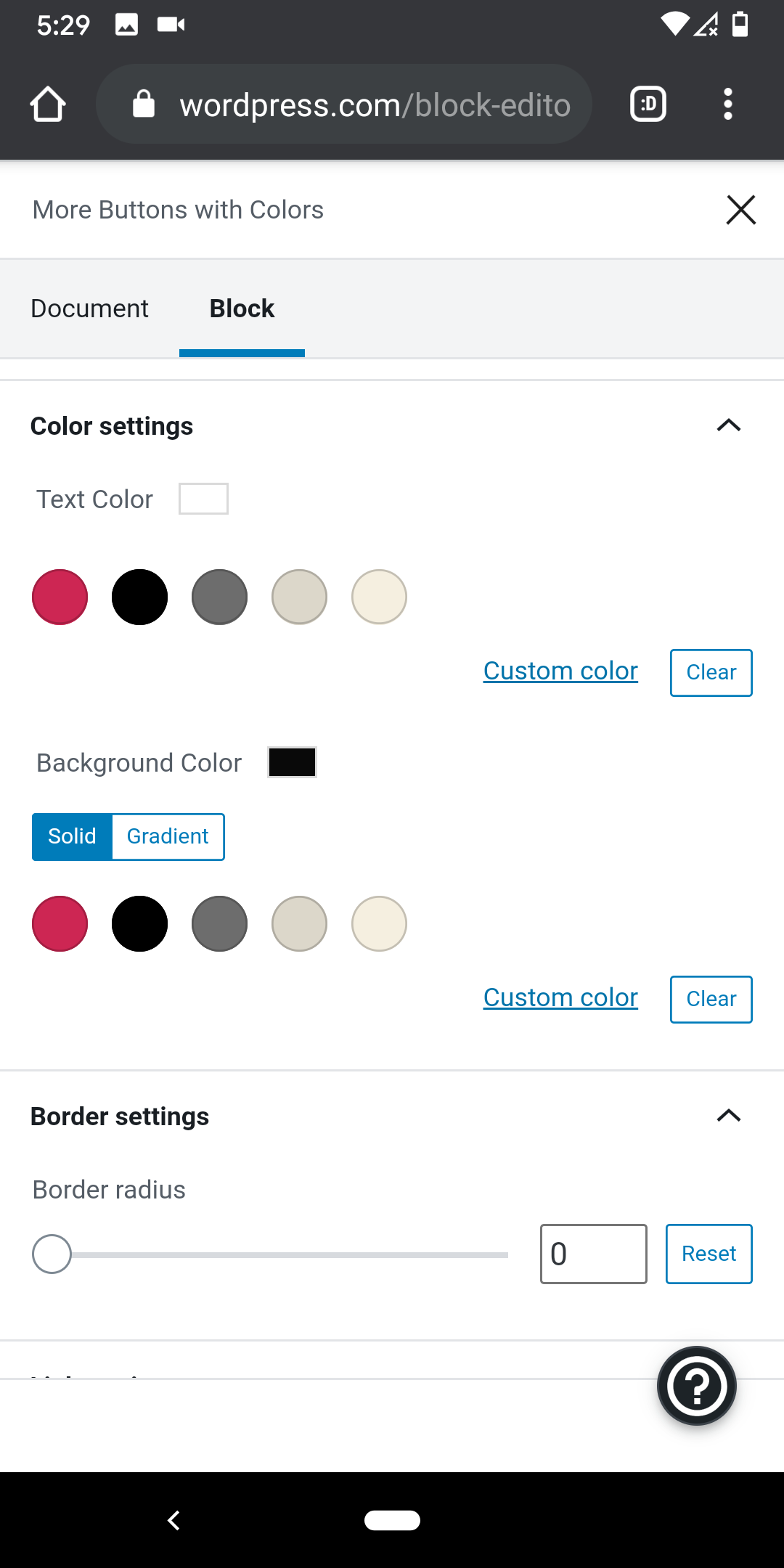 |
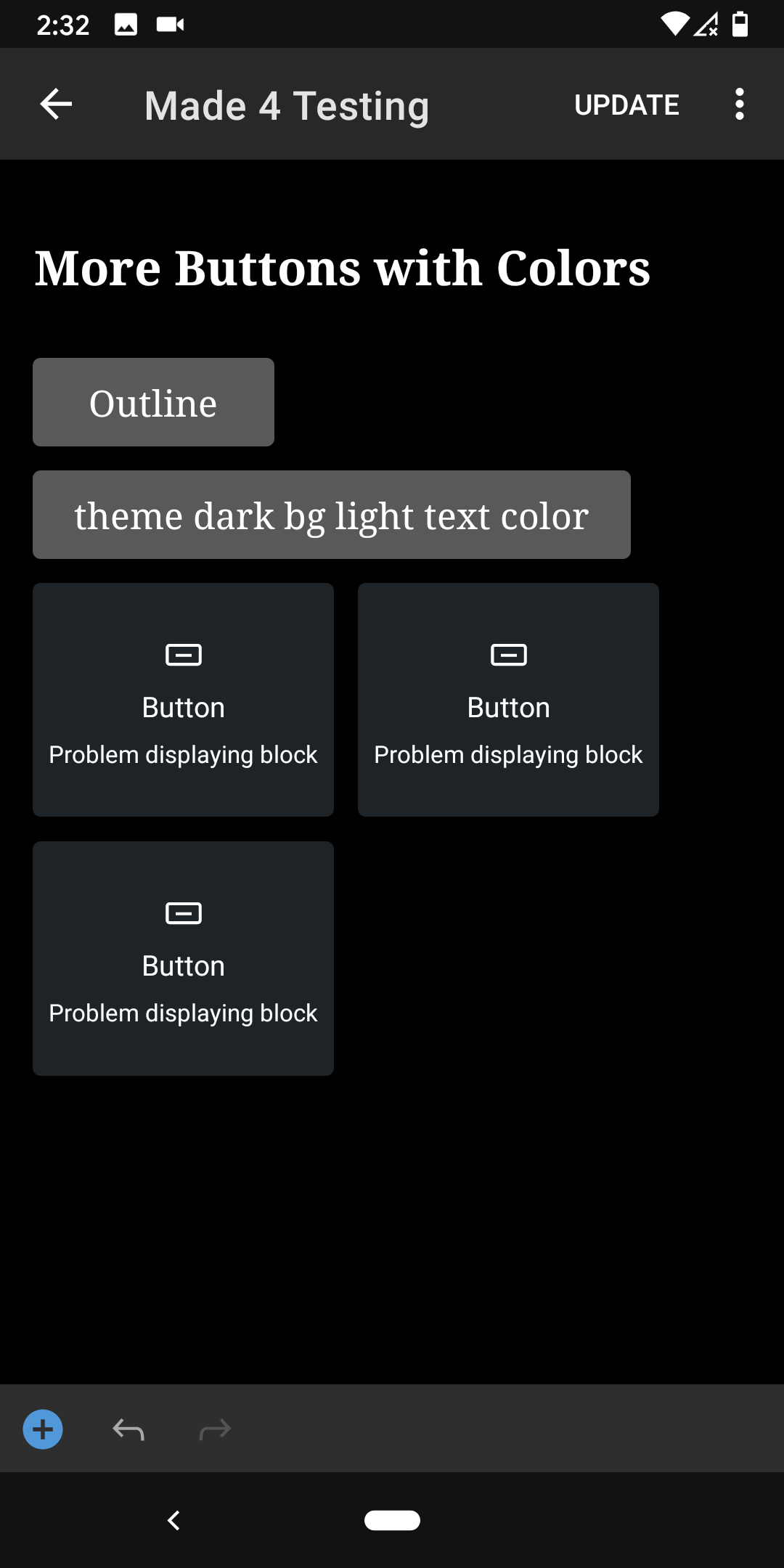 |
Tested with WPAndroid 14.8-rc-3 on Pixel 3 Android 10 (seen in screenshots above) and with WPiOS 14.8.0.2 TestFlight beta on iPhone 11 iOS 13.4.1, both apps were tested using a WordPress.com Free site.
Note: see test cases TC016, TC017, TC018, TC019 at Buttons Block - Test Cases.