
This application is designed to look and act like the Display Properties settings dialog that was available in Windows XP and available as late as Windows 7. See Issues & Compatibility.
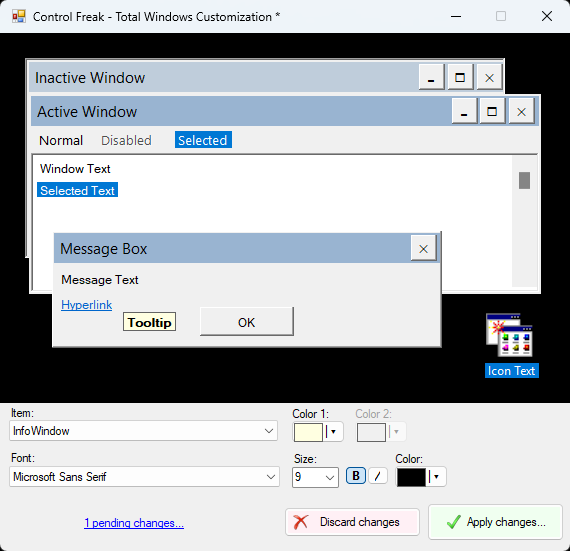
In Windows 8, while this GUI wasn't there, the registry settings behind them still were and setting their values would alter the windows look and feel.
Unfortunately, starting with Windows 10 1607, some of these setting began to be ignored (such as the height of a window title bar being instead determined by the size of the title bar font) and by Windows 11 23H2, almost all of these setting are ignored by windows. At the time of writing this, setting these settings alone only affect certain ('classic'-style) windows, works only intermittently, and for the times that it does work, they only last as long as that user desktop session, being reset after every logoff or reboot.
In order to work around these restrictions and to extend the life of this application and its functionality, this application implements a little trick: In addition to setting the (largely ignored) registry key values, behind the scenes it creates a Windows theme file with all of the relevant, equivalent theme values set, and installs it.
- If you are running Windows 8 or earlier, this application should work as intended for you.
- Windows 10 and Windows 11 users, you might find this application works intermittently or with mixed results. Unfortunately, this is beyond my control.