It is required to implement a Unix shell program. A shell is simply a program that conveniently allows you to run other programs. Read up on your favorite shell to see what it does.
Your shell must support the following commands:
- The internal shell command "exit" which terminates the shell
- Concepts: shell commands, exiting the shell.
- System calls: exit()
- A command with no arguments
- Example: ls, cp, rm …etc
- Details: Your shell must block until the command completes and, if the return code is abnormal, print out a message to that effect.
- Concepts: Forking a child process, waiting for it to complete and synchronous execution.
- System calls: fork(), execvp(), exit(), waitpid()
- A command with arguments
- Example: ls –l
- Details: Argument 0 is the name of the command.
- Concepts: Command-line parameters.
- A command, with or without arguments, executed in the background using &.
- Example: firefox &
- Details: In this case, your shell must execute the command and return immediately, not blocking until the command finishes.
- Concepts: Background execution, signals, signal handlers, processes and asynchronous execution.
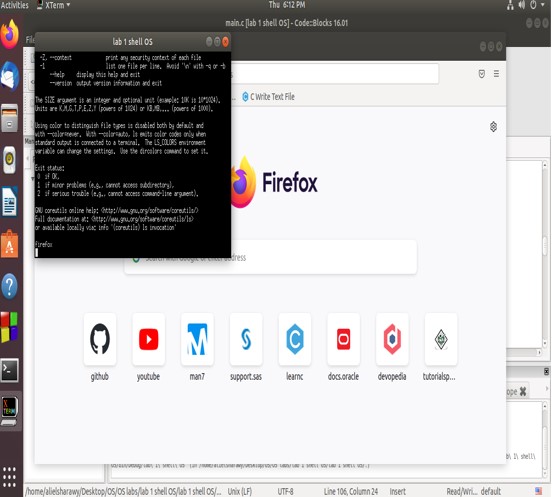
- Requirements: You have to show that the opened process will be nested as a child process to the shell program via opening the task manager found in the operating system like the one shown in figure 1. Additionally you have to write in a log file (basic text file) when a child process is terminated (main application will be interrupted by a SIGCHLD signal). So you have to implement an interrupt handler to handle this interrupt and do the corresponding action to it.
- Shell builtin commands
- Commands: cd & echo
- Details: for the case of:
- cd: Cover all the following cases (assume no spaces in path):
- cd
- cd ~
- cd ..
- cd absolute_path
- cd relative_path_to_current_working_directory
- echo: Prints the input after evaluating all expressions (assume input to echo must be within double quotations).
- echo "wow" => wow
- export x=5
- echo "Hello $x" => Hello 5
- cd: Cover all the following cases (assume no spaces in path):
- Expression evaluation
- Commands: export
- Details: Set values to variables and print variables values. No mathematical operations is needed.
- Export Details: Accept input of two forms, either a string without spaces, or a full string inside double quotations.
- Example:
- export x=-l
- ls $x => Will perform ls -l
- export y="Hello world"
- echo "$y" => Hello world
- The command shell should take the user command and its parameter(s), i.e., “ls” and “–l” in this example, and convert them into C strings. (Recall that a C string terminates with a null string, i.e., \0.)
- The command shell should create a child process via fork().
- The child process passes the C strings—the command and parameter(s)—to execvp().
- The child exits if execvp() returns error.
- The parent process, i.e., the command shell, should wait, via waitpid(pid_t pid, int *statusPtr, int options) , for the child process to finish.
- The command shell gets the next command and repeats the above steps. The command shell terminates itself when the user types exit.
- No zombie process should ever exist, you can read more about zombie processes and how to handle them at the Reading & Resources section.
In case a user wants to execute the command in background (i.e. as a background process), he/she writes & at the end of the command. For example, a user command can be:
firefox &In this case, The command shell should not wait for the child by skipping the Step 5.
You should keep a log file (basic text file) for your shell program such that whenever a child process terminates, the shell program appends the line “Child process was terminated” to the log file. To do this, you have to write a signal handler that appends the line to the log file when the SIGCHLD signal is received.
- In main function we define SIGCHLD signal to interrupt when background child terminate as parent will not wait for it so we handle this interrupt in handle child exit and write in the console and login text file.
- We set environment (current directory) to the program file location.
- Then we loop and scan the command and parse it according to spaces and if we find “quote we parse the whole string till “quote found as 1 string.
- We count number of words in command.
- After parsing we check first word of program if exit we exit the program else we call shell function and loop to scan another command.
- In shell function we check for first word of command so if we found echo or export or cd we call execute built in command function else we call execute command.
- For echo command we check for $ sign to search in variable array to get index of value location in value array so we get its value.
- For export command we check if variable exist to update its value else we insert new variable to array and add its value in value array at arr index variable which point to available end position in array.
- For cd we call chdir to change directory.
- For non-built command we check for & sign at end of command to set background flag in order not to wait child.
- Then we define array of char pointers to pass execvp parameters.
https://www.youtube.com/watch?v=EhtORM6YZMc