This is a Google Apps Script that automates the daily sign-in process for Arknights: Endfield (SKPORT/Gryphline). It runs automatically on Google's servers, so you don't need to keep your computer on.
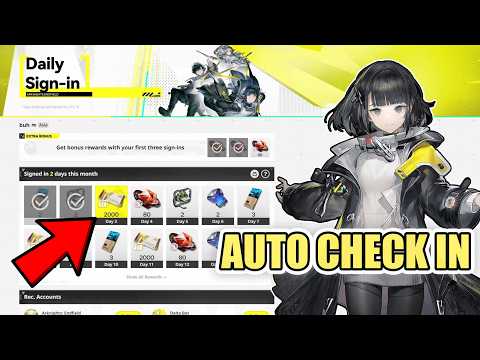
- ✅ Auto Check-in: Runs automatically every day (set to 3:00 AM UTC+7 / Asia/Jakarta).
- 🔒 Secure: Runs within your private Google Account.
- 💬 Discord Notifications (Optional): Sends a message to your server with the check-in status and rewards gained.
The website uses httpOnly cookies that cannot be copied via standard browser consoles. You need to extract the token manually using Developer Tools.
- Open the Endfield Sign-in Page.
- Log in with your Hypergryph/SKPORT account.
- Open browser DevTools by pressing F12 (or right-click anywhere > Inspect).
- Reload the page (F5) while DevTools is open to ensure cookies are captured.
- Navigate to the Application tab in the DevTools window (you may need to click
>>to see it). - In the left sidebar, expand Cookies → select https://game.skport.com (or
.skport.com). - Find the cookie named
ACCOUNT_TOKENin the list. - Copy the Value of that cookie.
⚠️ IMPORTANT: Keep this token secret. Do not share it with anyone. It gives access to your account.
- Go to script.google.com.
- Click + New Project.
- Delete any code currently in the editor (e.g.,
function myFunction...). - Paste the provided script code into the editor.
- At the top of the script, find the configuration section:
const ACCOUNT_TOKEN = "PASTE_YOUR_TOKEN_HERE";
- Paste your token inside the quotation marks.
If you want to receive a notification on Discord when the script runs:
- Open Discord and go to your server.
- Right-click the text channel where you want notifications.
- Select Edit Channel → Integrations → Webhooks.
- Click New Webhook.
- (Optional) Rename it to "Endfield Bot" and give it an avatar.
- Click Copy Webhook URL.
- Go back to your Google Script and find:
const DISCORD_WEBHOOK_URL = "";
- Paste the URL inside the quotation marks.
- If you do not want notifications, leave this variable empty:
"".
- If you do not want notifications, leave this variable empty:
- Save the script (Floppy disk icon or Ctrl+S). Give the project a name (e.g., "Endfield Daily").
- In the toolbar dropdown menu (next to "Debug"), select
setupDailyTrigger. - Click Run.
- Authorization:
- Google will ask for permission to run. Click Review Permissions.
- Select your Google Account.
- You will likely see a screen saying "Google hasn’t verified this app" (because it's a custom script you just made).
- Click Advanced (bottom left) -> Go to [Project Name] (unsafe).
- Click Allow.
- Check the Execution Log at the bottom. It should say:
✅ Trigger set! The 'main' function will run daily between 3 AM and 4 AM (UTC+7).
Q: The script failed with "Token Expired". A: The ACCOUNT_TOKEN may expire after a few weeks or months, or if you log out of the website manually. Simply repeat Step 1 to get a new token and update the script variable.
Q: How do I test if it works right now? A: In the script editor, select the function main from the dropdown and click Run. Check the logs or your Discord channel for the result.
Q: How do I stop the script? A: To stop it from running, go to the Triggers icon (alarm clock) on the left sidebar of the script editor and delete the trigger listed there.