Now customise your Windows task bar colours and looks with this little tool.
😉. Always wanted that clear taskbar? Now you can do it!
😏. Wanna go back to Windows 7 like translucency? Yes, yes, that's an option.
🤔. Like the Windows 10 fluent Design? that's an option too.
😍. And the best part? It's Simple.
NOTE: (07.03.22) Colours is incompatible with newer versions of TranslucentTB. Last known working version is Version 4 Hotfix 5 It is possible to rework some stuff to get it working, but there's really no incentive for me currently, as I'm the only user LOL.
NOTE: (02.03.23) And... It's broken. Windows 11 Version 22H2 (KB5022913) update broke TranslucentTB (yes, even the new version). Well, a rewrite was long overdue I guess. 🥲
This is just an automation tool and the functionality it provides can be done by hand as well, although, that's time taking and slow.
To use it, you'll need :
- TranslucentTB by Charles Milette
Because TranslucentTB has it's limitations.
‣ All advanced controls have to be modified via it's config file.
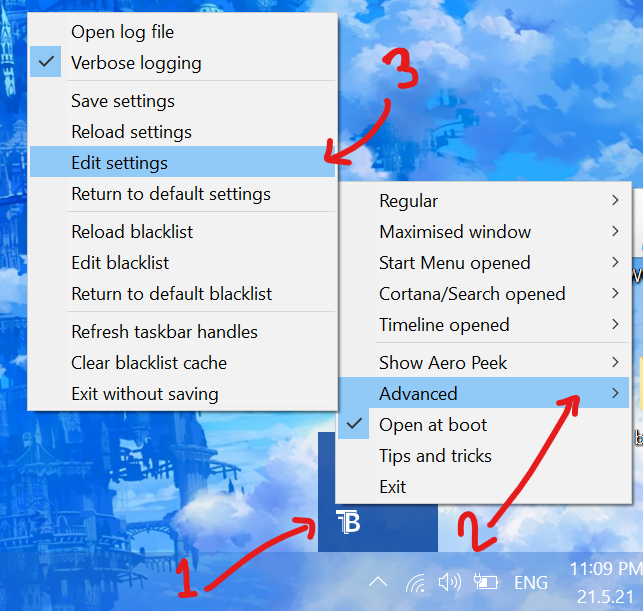
‣ Once the Style of taskbar is set (say you have Normal blur with an orange colour.)
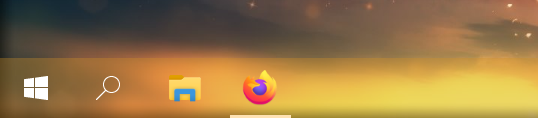
And then you change the wallpaper to, say, something Blue. TranslucentTB CANNOT change the taskbar colour automaticlly, unlike native Windows where you can you leave the "Automatically pick an accent colour from my background" and forget about it. For doing so with TranslucentTB you'll have to manually look for a colour of your choice/choose from windows personalization colour palette, THEN find the HEX value of that colour, and THEN manually input that in every colour field of the TranslucentTB config file.

This is exactly what "Colours" tries to automate
◦ Ability to detect accent colour from Registry.
◦ A simple intuitive UI for changing taskbar style.
◦ A robust colour picker for all your colouring needs.
◦ Months of work for something no one's gonna look at. (Oh hey, it works on Windows 11 as well)
I'm still very new to application developement, and because of my bad programming skills, some security checks might trip here and there. Like :
‣ Chrome flagging Colours as unsafe. I think it's because of lack of signature or something on my application. I'm still figuring this out and it should get fixed in the future.
‣ Windows flagging it as unsafe to run. Again, due to lack of signature.
I'm still learning to avoid bad programming practices. I'm afraid till then even some antiviruses might flag it. I can assure you of safety, but you don't have to take my word for it. Feel free to review and compile the code yourself! 🙂 Speaking of...
Autoit code is relatively easy to compile. All you need is the autoit compiler which comes with the autoit package. You can get autoit from : https://www.autoitscript.com/ Once Autoit runtime is installed, you can run the script directly, or compile it.
Downloadthe required file from this repository. (either GUI or Non-GUI version)DownloadandInstallAutoit- Open
Compile Script to .exe (x64)(reccomended) orCompile Script to .exe (x86) Selectthe script file which you want to convert to .exeSelectan icon (optional)- Click
Convert - Enjoy!