Read this in other languages: English, 한국어
This repository contains a Node/Express sample app to illustrate how you can automate Okta admin tasks with Okta Event Hook and APIs.
The example I used for building app is about automatically removing the group membership of users assigned to 'time-bound' groups where your membership is given only for a certain period. (1, 10 or 30 days) There is no native menu from Okta admin to schedule the group membership removal, but we can build the automation ourselves with Okta Event Hook and Okta APIs.
There are two types of triggers this automation is based upon: Okta Event Hook and Cronjob.
According to Okta Developer website:
Event Hooks are outbound calls from Okta, sent when specified events occur in your org. They take the form of HTTPS REST calls to a URL you specify, encapsulating information about the events in JSON objects in the request body. These calls from Okta are meant to be used as triggers for process flows within your own software systems.
Simply put, Okta will tell your web service whenever certain identity-related events occurs in your org. We use Okta Event Hook to be notified when users are added to groups.
To receive the event from Okta Event Hook, you have to expose your API endpoint to the Internet with TLS encryption (meaning you have to have https, and the address should not be localhost:3000.) To do this easily in your local environment, you can use ngrok. More about it further below.
According to node-cron github page:
The node-cron module is tiny task scheduler in pure JavaScript for node.js based on GNU crontab. This module allows you to schedule task in node.js using full crontab syntax.
The module will help us to perform certain tasks repeatedly at a given schedule (everyday at 1 AM, or every 5 minutes, etc.) We may use node-cron to check and remove expired group membership from users everyday at 1 AM. (Our test will run much often, twice a minute.)
I chose to use csv because this is more familiar to the most of IT ops/admin (at least in Korea) while setting up DB can sometimes be too much of a hassle. You can definitely do this with any DBMS too.
The csv read/write module I wrote here (csvReadWrite.js) has flexibility to handle any csv files with different data in it, but the shape of the data needs to be an object that has dataKeys array and data array to be written to csv correctly. data array will have objects that has all the keys shown in dataKeys as its elements. Below is the example data object:
{
    dataKeys: ['userName', 'userId', 'groupName', 'groupId', 'expireOn'],
    data: [
            {
                userName: 'test1@test.com',
                userId: '1234',
                groupName: 'group1',
                groupId: '234gs',
                expireOn: '09/01/2021'
            },
            {
                userName: 'test2@test.com',
                userId: '2324',
                groupName: 'group1',
                groupId: '234gs',
                expireOn: '08/20/2021'
            },
          ]
}
There are two csv files that our automation will read and write.
One is groupsWithDuration.csv where we have a list of groups in Okta that has membership expiration requirement. The file also has duration column where you specify the group membership duration in days. The other is membersExpireOn.csv where we start with no data, but when Okta Event Hook will tell us there is a group membership added, we will record the userName, userId, groupName, groupId and calculate the expireOn date based on duration info from groupsWithDuration.csv file.
Once the automation runs, it will create log csv files in the log folder only when there are members excluded from groups.
Node.js is for JavaScript runtime and express is for building the simple but powerful web server to communicate to Okta Event Hook. Node and express have great community where you can find amazing libraries to make your life so much easier. Check package.json for the great packages I used for this project.
You need to have Node.js in your machine. You can download one that fits your environment here. Once you have Node.js installed, you can clone or just download this repo as a .ZIP file and extract.
Open up your command or terminal window, move to the root folder of the project (where you find this README.md file) and enter the below to install dependencies.
npm install
Once this is done, create .env file from sample.env
cp sample.env .env
Update .env file based on your own info. BASE_URL is the address of your Okta org (for example, https://acme.okta.com) To create your OKTA_API_TOKEN, go to your Okta admin page and go to Security > API > Tokens. As for SECRET you can type in random (long) string. This will be used to create your credential for basic authentication of Okta Event Hook. (More details will follow.)
If you are running this project in your local machine, you need to make your web server available in the Internet so that Okta Event Hook can communicate. The easiest way is use tunneling service like ngrok. It has a free tier and easy to install. Please go to ngrok website to download and install it. Once done, you can run ngrok with the below command
./ngrok http 3000
Run the below commend to start the cron-task and express web server
npm start
The cron schedule is set in cronTask.js file in src folder. For the test purpose, the task will run twice every minute. (0 and 30 seconds in every minute.) You can change that based on crontab syntax. For more information on crontab syntax, here is a good explanation. If you want to make the cronjob run everyday at 1AM, the syntax is 0 1 * * *
Now you need to set up a few things in your Okta org to fully test the automation.
Create groups with time-bound membership. It would be better if you start those group names with a certain convention, like timed-test1-10days or something so that you can easily search the group later.
Once you create those groups, add one or two test users into one of the groups. You can use the log for these activities later.
Come back to this project and add those groups in groupsWithDuration.csv in data folder. Make sure there is no multiple groups with the same name.
In Okta Admin, go to Workflow > Event Hooks and click 'Create Event Hook' button.
'Name' can be anything. I chose to name the hook 'Node - Event Receiver' as I can receive multiple types of events with a single hook.
'URL' is the address you see in ngrok console (something like https://abcde1234.ngrok.io) plus your endpoint set with express (In our case, /oktaEvents). So the full address will be something similar to https://abcde1234.ngrok.io/oktaEvents. One thing to take note is that this address changes every time you restart ngrok. So you need to update this field accordingly.
For 'Authentication field', enter 'authorization'
'Authentication secret' is BASE64 encoded string of your basic auth setup. The default username is admin and the pasword is one that you have set in .env file as SECRET so the key itself is BASE64 encoded string of admin:{your SECRET string}. Easy way to get this string is go any of online BASE64 encoder and get the encoded text. (You put something like admin:1234 and will get something like YWRtaW46MTIzNA==)
As for 'Authentication secret' you need to put the credential like this: Basic YWRtaW46MTIzNA==
You don't need 'Custom header fields' for now, so only field left is 'Subscribe to events'. Find User added to group event (it is a part of --Group Events--) and select.
Okta will ask you to verify the endpoint. Before sending the event info, Okta wants to make sure that the endpoint is really belonging to you. If you set everything, Okta will successfully verify the endpoint.
Now you can click 'Actions' button next to the Okta Event Hook you have created and select 'Preview' to deliver test requests. Select 'Event Type' and there are system log event records within 24 hours that you can use to preview the JSON payload that will be sent to us.
When you click 'Deliver Request' button at the bottom, you will see in ngrok console POST /oktaEvents 200 OK log and in our own localhost console (where you run npm start command) you will see a more detailed log message.
Once you have done above and open membersExpireOn.csv file, you will be able to see there is new entry in the file. Our automation will receive the message from Okta whenever an user is added to a group, and filter the message to update the csv file only when the group is matching to what we have in groupsWithDuration.csv.
The cronjob checks everyday this file to see if there is a membership that is expired. Now to test whether our automation will fetch a call to Okta API endpoint to remove the group membership when there is a member with expired group membership, let's manually edit the expireOn date of a member added just now in membersExpireOn.csv to be today or yesterday. (During the file manipulation, make sure that you remain the text encoding to be UTP-8 and the file will be stored in .csv format.)
As mentioned, the crontab is set to run the script twice per minute, so you will be able to see the result almost immediately. The cron task will pick up and tell you (via console.log) that the user's membership is removed. The membersExpireOn.csv file will be updated to exclude the user information, and the log will be stored in membershipRemoved-{today}.csv file in log folder.
Congratulation! The automation works as intended in your environment. Now you may try different stuff to make it work better for you.
There are a few possible options to run this automation. Depending on your experience and available resources, you may find it easier to set up a small EC2 instance in AWS and run this, or you may prefer to use some serverless options such as Glitch.
When you use serverless options though, it is important to understand you may need to upgrade your plan to make it always running so that whenever Okta Event Hook is sending the request, it will receive and respond on time. Most of free tier options of serverless services will hibernate the service after a few minutes of inactivity, and it usually takes a few minutes to wake up the service.
The code is structured to be useful when you have some other automation needs:
- The csv file read and write logic can be used for other csv files as long as they have proper headers.
/oktaEventsendpoint can have multiple events, and according to the type of event, you can add more functions to make this automation to do different things.- The cron task is wrapped as a function, so you can add any many functions if needed to the same schedule.
- There is a small consideration to be mindful for the API rate limit. (
checkLimitAndDelayfunction infetchHandlers.jsfile) The process that requires to call Okta API will hold until the next rate limit reset time if there is less than 5 calls left till the rate limit.
While I work at Okta, this is more of my personal pet project. This repo is not an official okta product in any sense. It started with a few script samples to help a couple of customers and partners to quickly pick up and use for their custom automation requirements, and I put some extra efforts recently to make it a bit more structured and generic.
The other motivation is to show how flexible Okta can be if you have very basic programming skills. Okta is already a good SaaS product out-of-the-box with a lot of cool stuff, but with Okta Hooks and APIs you basically can do pretty much anything you want if you dare to add a few line of custom code to weave the things yourself. Let Okta do the heavy lifting and you just need to code enough to tell it what to do. I am from project manager world who is relatively new to the actual coding. So, if I can do this, you can definitely, too!
The current automation setup here is a bit different from my script for the original customer requests. I made it intentionally compatible to one of the Okta Workflows Templates. You can find the Workflows template that will do almost the same, but without coding!
There is no-code alternative to achieve this kind of custom automation, which is called 'Okta Workflows.' According to Okta website:
Okta Workflows makes automating business processes — like deprovisioning a user and transferring their files or nudging inactive customers to take action — simple. Use our library of connectors that includes Box, Slack, Salesforce, Marketo, OneTrust and more, or call APIs to customize your workflow.
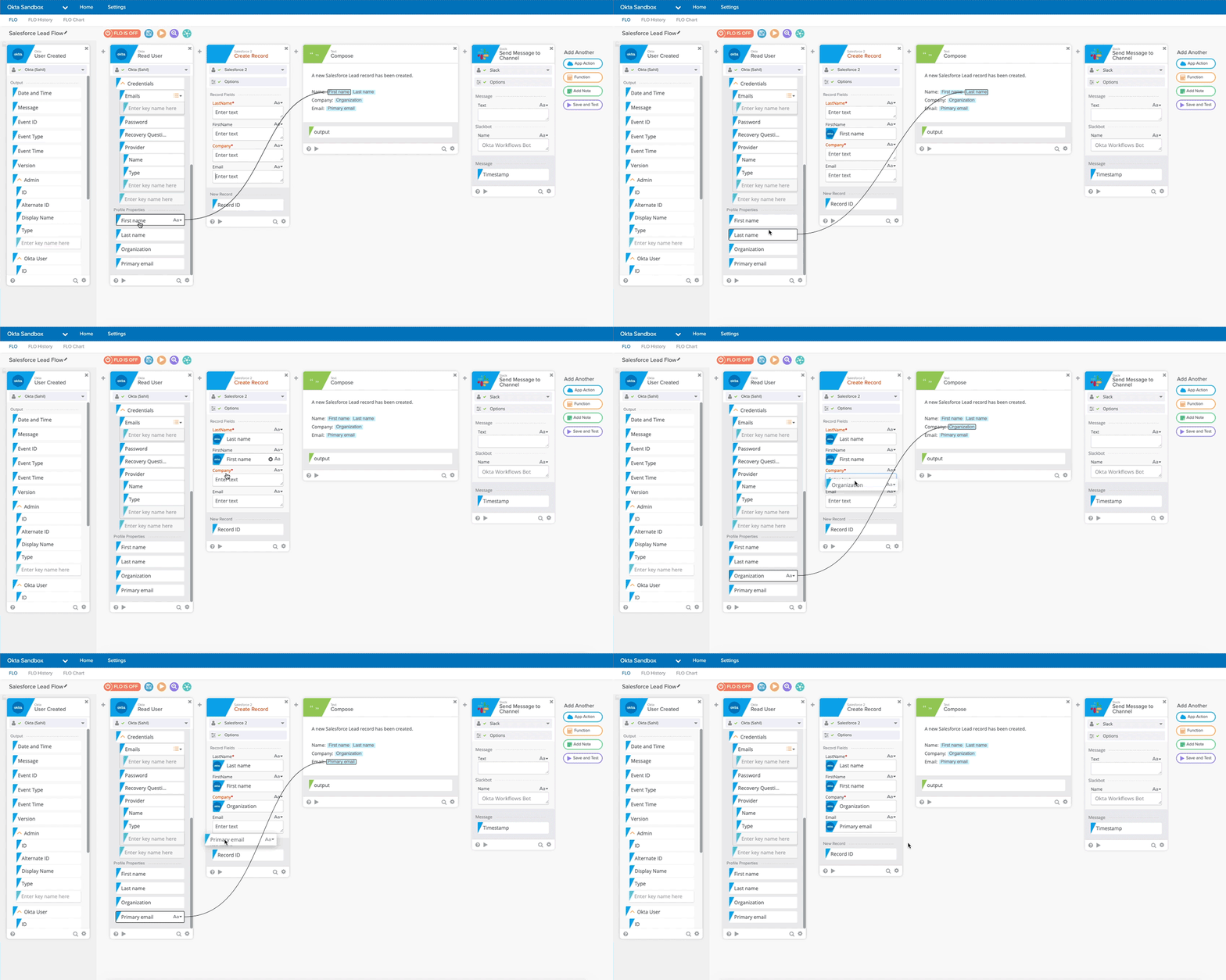
Workflows retains the flexibilities of custom logic, while minimizing the maintenance requirements of the environment and code itself. I highly recommend to look into this if you have a lot of custom requirements revolving around identity and access management in your organization!