

fg-shop is a shop online project. It has 2 platforms which are php and android. Use model MVP for Android and MVC for Web PHP
You need to install Android Studio and git locally. The project is based on web PHP mvc model not used framework and app android. Understanding and learning this knowledge in advance will greatly help the use of this project.


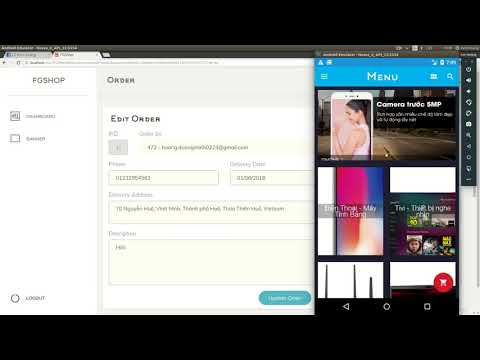
- ADMIN Login
  - Manage user authorization (Add, edit, delete)
  - User management (Add, edit, delete)
  - Manage images (Add, edit, delete)
  - Brand management (Add, edit, delete)
  - Manage product types (Add, edit, delete)
  - Product management (Add, edit, delete)
  - Banner management (Add, edit, delete)
  - Manage orders (Add, edit, delete)
- API
  - Pay data to json (API) for app android to use
- General function
  - Register / Login
    - Default (username, password)
    - Facebook
    - Google
- Customers are not logged in
  - View products
  - Banner
  - See product details
  - View the number of ratings and favorites.
- Customers have login
  - Includes functions of customers not logged in
  - Comment-Rating
  - Add products to cart
  - ...etc...
# clone the project
git clone https://github.com/KenHoang16CDTH12/FGShop-OpenSource.git
After downloading, go to the database directory with the FGShop.sql file,
# Database

1. Install phpmyadmin for mysql

2. Create database FGShop

3. Import database FGShop.sql
Move the WEB directory to the localhost directory
# WEB

1. Open folder with sublimetext

2. Edit file Web/FGShop/system/config/config.php (change Config)

3. Edit file Web/FGShop/admin.php (change URL)

4. Edit file Web/FGShop/api.php (change URL)

5. Open browser with url 'http://localhost/.../FGShop/admin.php?controller=user&action=login'

6. Account default username: admin & password: 123456
Import project on Android Studio
# ANDROID

1. Go to Common.java

2. Edit SEVER_NAME.
If you find this project useful, you can buy author a glass of juice 🍹
Copyright (c) 2018-present FGDev