A modern, Docker-powered local web server manager for Windows.
An intuitive alternative to XAMPP & WAMP, built with .NET (WPF).


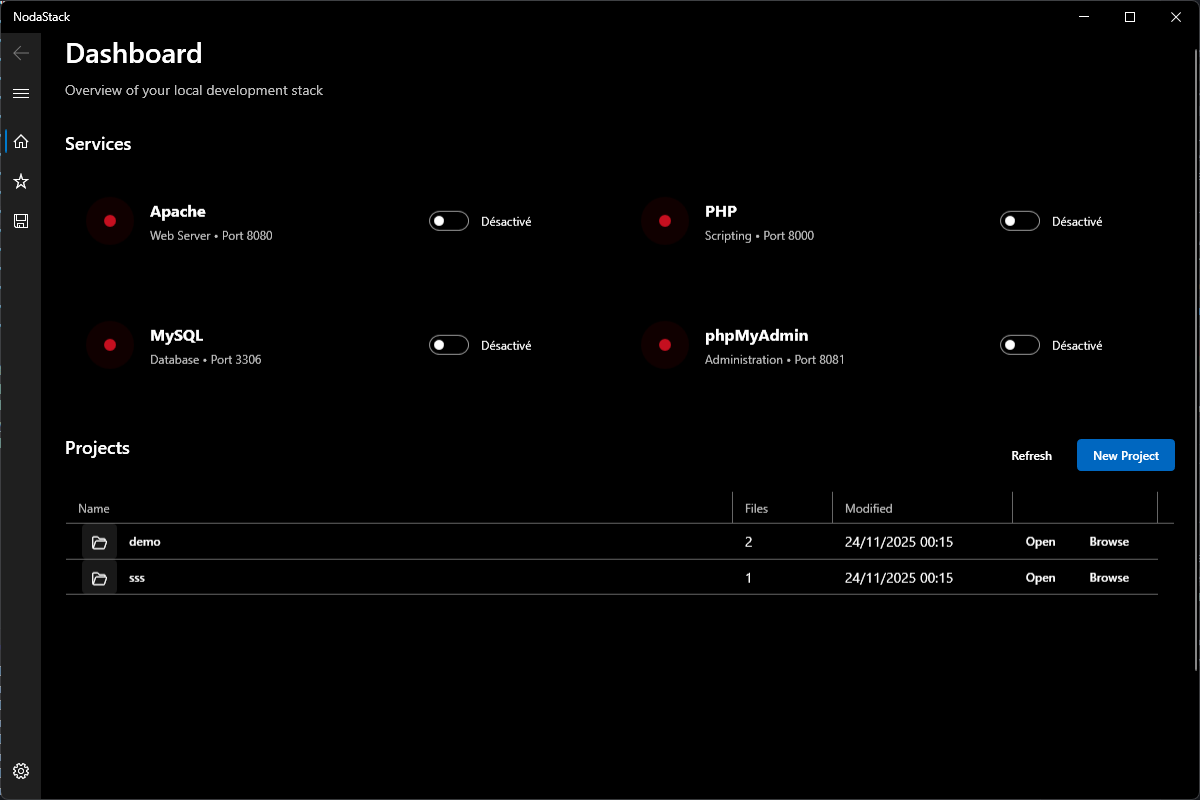
- One-Click Services: Launch Apache, PHP, MySQL, and phpMyAdmin instantly.
- Docker-Powered: Leverages the power and isolation of Docker, without the complexity.
- Project Management: Easily create, manage, and browse projects in your
wwwdirectory. - Modern UI: A clean and intuitive WPF interface with light and dark modes.
- Real-time Monitoring: Built-in logging and service status indicators.
- Lightweight & Portable: Use the installer or just run the portable version.
The codebase is organized into two main projects:
- NodaStack.Core – Contains domain models shared across the application.
- NodaStack – The WPF interface referencing the core library.
This separation keeps core logic independent from the user interface and paves the way for additional front‑ends or services.
- Installation
- Usage
- Getting Started for Developers
- Contributing
- Support the Project
- License
For most users, the easiest way to get started is to download the latest release.
- Go to the Releases Page.
- Download the
NodaStack-Setup.exefor a full installation orNodaStack-Release.zipfor a portable experience. - Run the installer or extract the zip file and launch
NodaStack.exe.
Requirements:
- Windows 10/11 (x64)
- .NET 9 Runtime (the installer will prompt you if it's missing)
- Launch NodaStack: Open the application.
- Start Services: Click the
Startbuttons for Apache, PHP, or MySQL as needed. The status indicators will turn green. - Create a Project: Type a name in the "New Project" box and click
Create. Your new project folder will appear in thewwwdirectory. - View Your Project: Select a project from the list and click
Open in Browserto open it in your browser.
Interested in contributing or running the development version?
Requirements:
- Windows 10/11 (x64)
- .NET 9 SDK
- Docker Desktop
- Git
# 1. Clone the repository
git clone https://github.com/Laxyny/NodaStack.git

# 2. Navigate to the project directory
cd NodaStack

# 3. Build the project
dotnet build
Press F5 in Visual Studio or VS Code to launch the application with the debugger.
Contributions are welcome! Whether it's bug reports, feature requests, or code contributions, please feel free to get involved.
Please read our CONTRIBUTING.md file for guidelines on how to contribute.
If you find NodaStack useful and want to support its development, you can:
- ⭐ Star the repository on GitHub.
- ☕ Buy me a coffee to help fund development.

Your support is greatly appreciated and helps keep the project alive and thriving!
This project is licensed under the MIT License. See the LICENSE file for the full text.
© 2025 Nodasys — Crafted with ❤️ by Kevin GREGOIRE.