简体中文 | English

一个跨平台的Label Plus
用户手册
·
反馈问题
·
提交建议
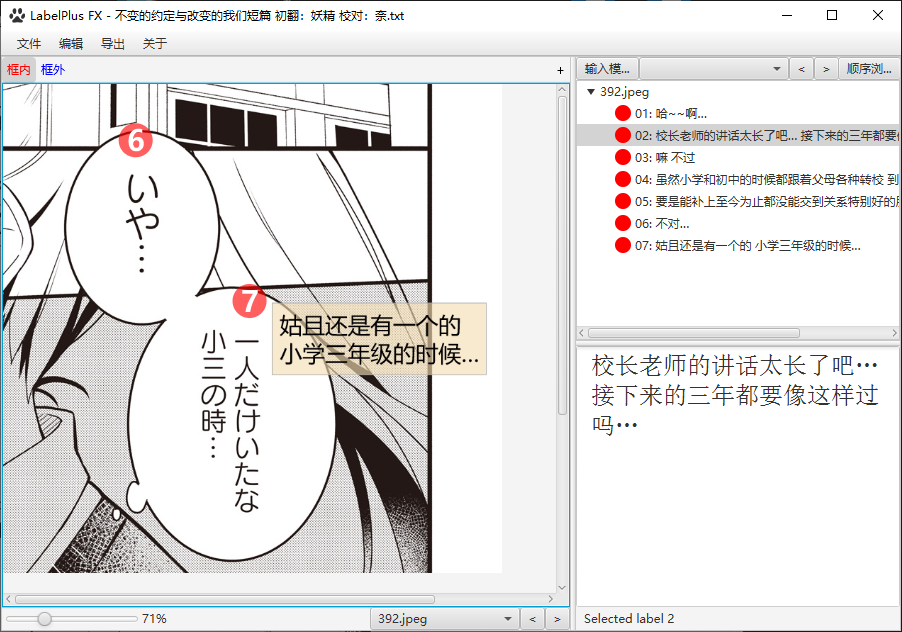
本项目受到 LabelPlus的启发。
复制本项目并启动需要以下几个简单的步骤
-
Liberica JDK 21 (完整版本) : 用于主应用程序;
-
[可选] Visual Studio 2019 : 用于Windows IME JNI接口;
- 克隆仓库
git clone https://github.com/Lost-Swords/LabelPlusFX_New.git-
运行Maven命令
package -
运行脚本,
build.bat(Windows)或者build.sh(Mac) -
启动
LabelPlusFX\LabelPlusFX.exe
在IDE中可以执行
exec:java@run命令,启动LPFX
Label Plus FX的功能设计基于 LabelPlus
开源社区因贡献而变得如此美好,充满学习、启发和创造。非常感谢您所做的任何贡献
- Fork项目
- 创建功能分支 (
git checkout -b feature/AmazingFeature) - 提交更改 (
git commit -m '添加了一些很棒的改进') - 推送到分支 (
git push origin feature/AmazingFeature) - 发起拉取请求
本项目基于原版LabelPlusFX修改,并继续根据AGPLv3许可证分发。有关更多信息,请参见LICENSE页面。
Meodinger Wang - @Meodinger_Wang - meodinger@qq.com
项目链接: https://github.com/Meodinger/LabelPlusFX
叶町 - kanaumachi@gmail.com
仅以此仓库及代码,献给提灯喵汉化组,献给lpfx伟大的创造者喵喵@Meodinger_Wang