This is my first CLI tool. I created it to quickly set up C++ / OpenGL projects and work in a lightweight VSCode environment.
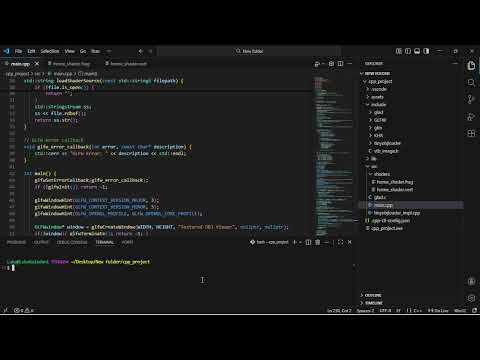
Watch the demo on YouTube → Click Here
- Initialize a new C++ project folder
- Create standard project directories:
src,include,lib, and.vscode - Generate
tasks.jsonfor building and running in VSCode - Generate
c_cpp_properties.jsonfor IntelliSense and compiler configuration - Supports custom C++ standard, compiler, and libraries
- Node.js (v14+ recommended)
- npm
- g++ or another compatible C++ compiler
- VSCode (optional but recommended for using the generated tasks)
Clone or download the project, then go into the project folder and run:
npm install -g .This installs the CLI globally so you can use it from anywhere.
If you are developing the CLI, you can use:
npm linkThis creates a global symlink so your changes update automatically.
cpp-starter-cli initYou will be prompted for:
- Project name (default:
cpp_project) - C++ standard (default:
c++17) - Compiler command (default:
g++) - Libraries (comma-separated, default:
opengl, glfw, glad, glm, tinyobjloader, stbimage)
Supported libraries:
- opengl
- glfw
- glm
- glad
- tinyobjloader
- stbimage
Example:
? Project name: my_game
? C++ standard: c++17
? Compiler command: g++
? Libraries (comma separated): glfw,glm,glad,tinyobjloader,stbimageAfter completion, your project structure will look like:
your-project/
├── src/
├── lib/
├── include/
└── .vscode/
    ├── tasks.json
    └── c_cpp_properties.json
cpp-starter-cli buildcpp-starter-cli runcpp-starter-cli init
cd your-project
cpp-starter-cli build
cpp-starter-cli runTo use the listed libraries, you need to download them manually and copy them into the include and lib folders.
Works best on Linux and other systems using g++ or compatible compilers.
This project is licensed under the MIT License.