
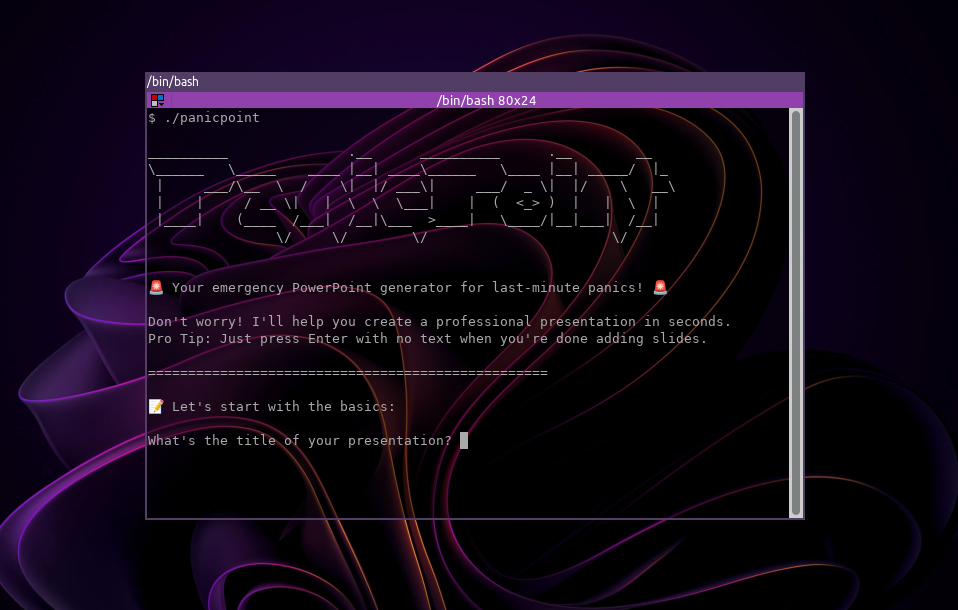
PanicPoint is designed to help you quickly create presentations (PPTX files) while you're in a rush. Whether you're preparing for a sudden meeting, last-minute presentation, or any other situation where time is of the essence, PanicPoint is here !
This project enabled me to understand how to manage XML in Rust.
- Quick and Easy: Generate PowerPoint presentations in a few seconds.
- Rust-Based: Built in Rust, ensuring speed.
- Cross-Platform: Works on Windows, macOS, and Linux.
Choose your platform to download the correct build:
Make sure to mark the file as executable on Linux:
chmod +x panicpoint- This is the steps to build PanicPoint on Linux. It's pretty similar on windows, but some things may be different : please refer to Rust docs.
Before you install PanicPoint, ensure you have the following installed:
- Rust (version 1.80.0 or later): You can install Rust from https://www.rust-lang.org/.
Start by cloning the PanicPoint repository:
git clone https://github.com/Malwprotector/panicpoint.git
cd panicpointTo build the PanicPoint application, use the following command:
cargo build --releaseThis will compile the code and generate the executable in the target/release/ directory.
Once the build is complete, you can run PanicPoint:
./target/release/panicpointHere's a breakdown of how PanicPoint works and how Rust features are leveraged:
The application starts by displaying a welcome message and then prompts the user for:
- A presentation title
- A series of slides, each containing:
- A title
- Either paragraph text or bullet points
User input is handled via standard input/output using Rust’s std::io library with robust flushing and trimming to ensure clean and intuitive terminal interactions.
Once the slides are collected, the program builds a valid PowerPoint file structure in a temporary directory (temp_pptx). This involves:
- Creating the required Office Open XML directory structure and files:
_rels/.rels,ppt/presentation.xml,ppt/_rels/presentation.xml.rels,docProps/core.xml, and others.- Separate XML files for each slide.
- Writing well-formed XML files conforming to the
.pptxspecification usingstd::fs::Fileandstd::io::Write.
For each slide, the program creates:
- A specific
slideN.xmlfile, whereNis the slide number. - Appropriate content inside the slide:
- Paragraphs are wrapped in
a:ttags insidea:p. - Bullet points use XML tags to represent list items with consistent formatting.
- Paragraphs are wrapped in
PowerPoint requires internal file linking via .rels files, so:
- The main
presentation.xmlreferences all slides. - Each slide has its own
.relsfile to link to shared components like slide layouts or styles. - A minimal slide master is created to meet the
.pptxformat requirements.
The entire folder structure is zipped using the zip crate:
- A
ZipWritercollects all files in order, preserving their relative paths. - The
.pptxfile is created.
After generating the file:
- The temporary
temp_pptxdirectory is deleted. - The user is notified of the successful creation and file location.
Rust’s Result and the thiserror crate are used to handle errors gracefully.
PanicPoint relies on the following Rust crates:
chrono = "0.4"
zip = "0.6"
thiserror = "1.0"
walkdir = "2.3"
These are automatically installed when you build the project with cargo build.
Contributions are welcome! If you have any ideas for improvements or encounter bugs, please feel free to open an issue or submit a pull request.
If you encounter any issues or bugs while using PanicPoint, please report them on the GitHub Issues page.