
A comprehensive collection of stunning hover effects created with HTML, CSS, and JavaScript. This repository showcases various hover effect techniques that web developers can implement in their projects.
Live Demo: https://manthanthakor.github.io/HoverFX/
HoverFX is a library of modern, engaging hover effects that can enhance user experience on websites and web applications. From simple transitions to complex 3D effects and interactive animations, this collection provides ready-to-use code snippets for developers.
- Responsive Design: All effects work across different screen sizes
- Copy Code Functionality: Easily copy code snippets with one click
- Variety of Effects: Multiple categories of hover animations
- Modern UI: Clean interface with easy navigation
- Well-Documented: Clear documentation for each effect
Transform elements with depth and perspective for immersive 3D interactions.

Inspired by anime aesthetics, these effects bring dynamic character to web elements.

Simple yet powerful hover transitions for everyday web elements.

Modern frosted glass aesthetic with transparency and blur effects.
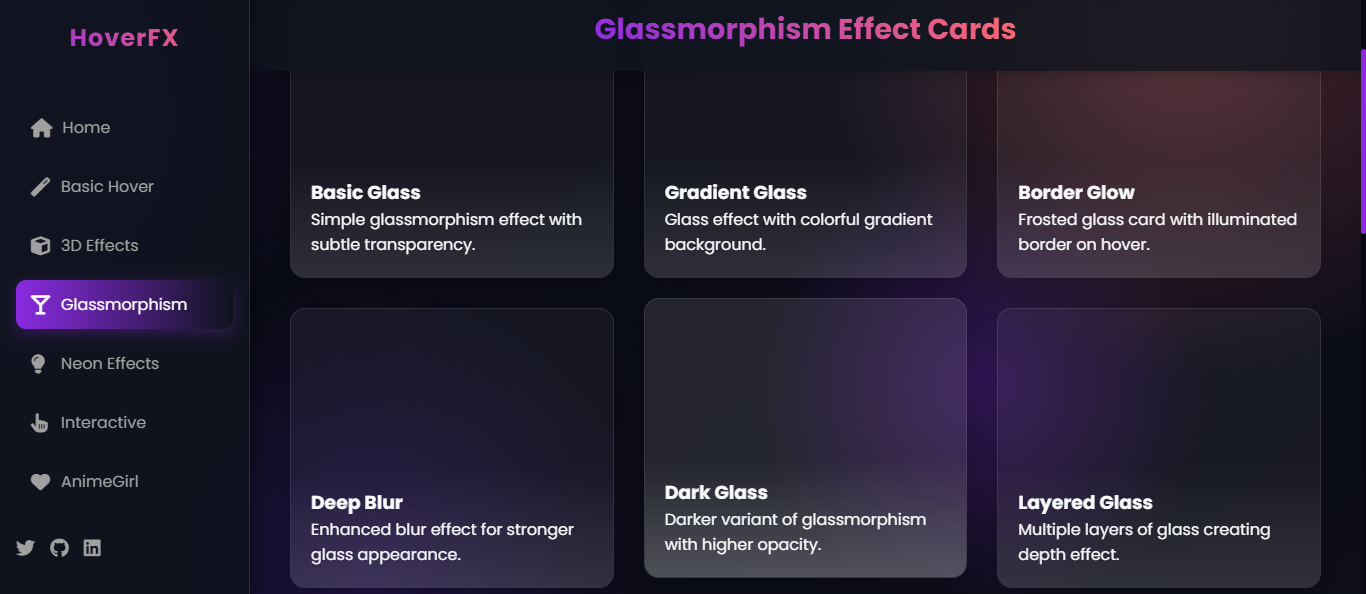
Vibrant glowing effects reminiscent of neon lights.

Advanced hover effects with dynamic user interactions.

- HTML5
- CSS3 (with animations and transitions)
- JavaScript (ES6+)
- Font Awesome (for icons)
-
Clone the repository:
git clone https://github.com/ManthanThakor/HoverFX.git -
Navigate to the project directory:
cd HoverFX -
Open
index.htmlin your browser or use a local server:# Using Python's simple HTTP server python -m http.server -
Browse through the categories and effects.
-
To use an effect in your project:
- Click on the "Copy Code" button for the desired effect
- Paste the HTML, CSS, and JS code into your project
- Add any required dependencies (like Font Awesome)
Contributions are welcome! If you'd like to add a new effect or improve an existing one:
- Fork the repository
- Create a new branch (
git checkout -b feature/amazing-effect) - Add your effect
- Commit your changes (
git commit -m 'Add some amazing effect') - Push to the branch (
git push origin feature/amazing-effect) - Open a Pull Request
This project is licensed under the MIT License - see the LICENSE file for details.
- GitHub: ManthanThakor
- Website: HoverFX Demo
- Inspired by various modern web design trends
- Thanks to the open-source community for continuous inspiration
- Font Awesome for providing excellent icons