Resound is a Soundcloud clone that emulates its music player. Users can play any song that appears on the page and control playback with the song player.
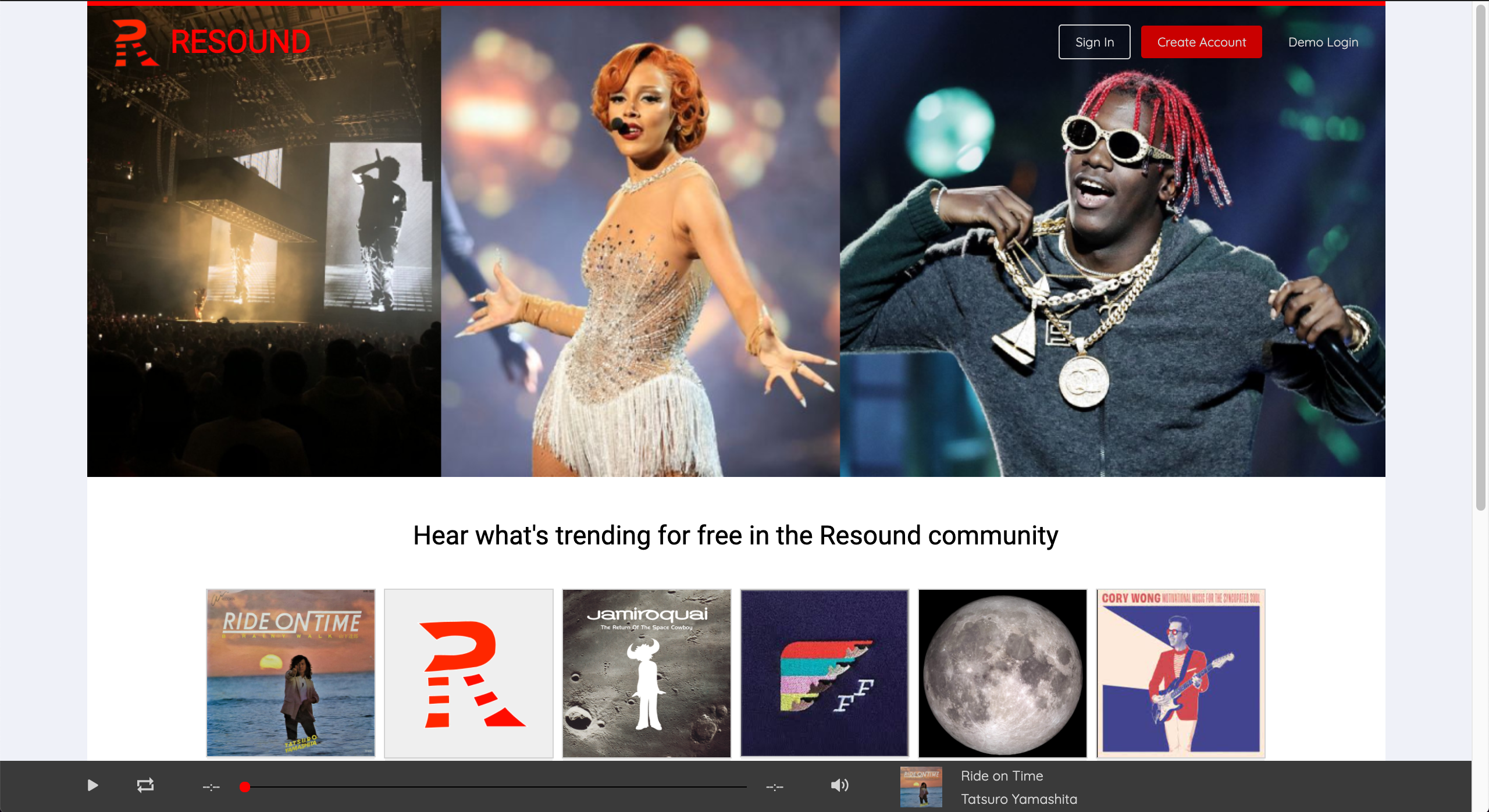
The application was built using a rails backend that accessed the database and managed http requests connected to a frontend that used React-Redux to build the app.
AJAX requests are used for database accession to provide an uninterrupted user experience.
The audio player allows users to control the audio by pausing and playing the media, choosing where in the song to start, changing the volume, and looping the song. A main feature of the soundcloud player is its persistence as one navigates different pages. The resound player does the same, as all pages are made via frontend routes that do not send an http request.
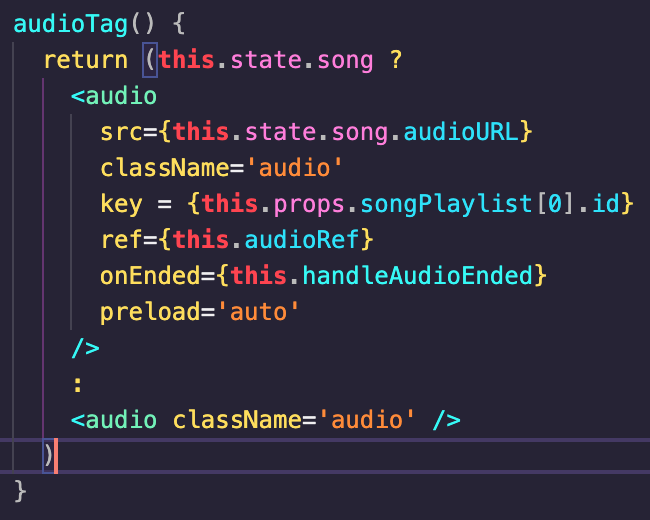
The player uses an html audio tag, controlling it with buttons and sliders connected via Refs in React. The reference, this.audioRef, points to the audio tag, allowing me to manipulate it:
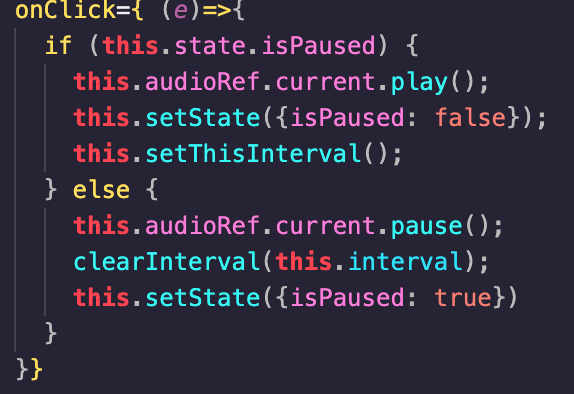
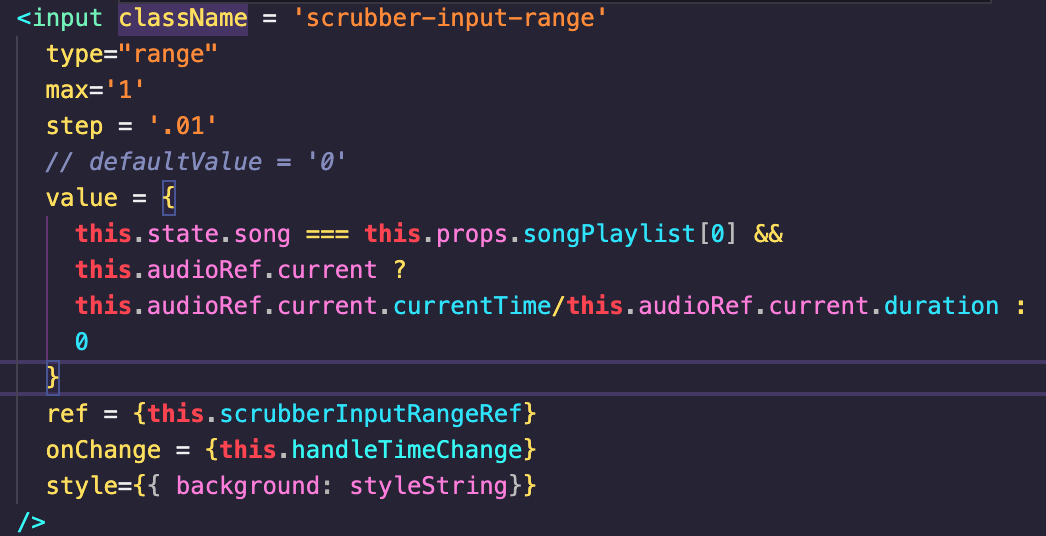
I use .play(), .pause(), as well as accessors like .currentTime, the current location of the song, to manipulate the player. The callback function above is used in the play button, while currentTime is used as a getter in the time display and a setter in the scrubber component.

I ran across some difficulties using the audio tag: some functionalities like autoplay are not available. A main challenge was that the audio tag was not updating after renders. The solution was to add a unique key property that would register as a change of state for the audio tag to trigger a rerender. I realized later on that some properties go unnoticed by the audio element. One cannot change the song of the audio tag with a simple update of the src attribute: it is necessary to pause and reload, the song in the audio tag.
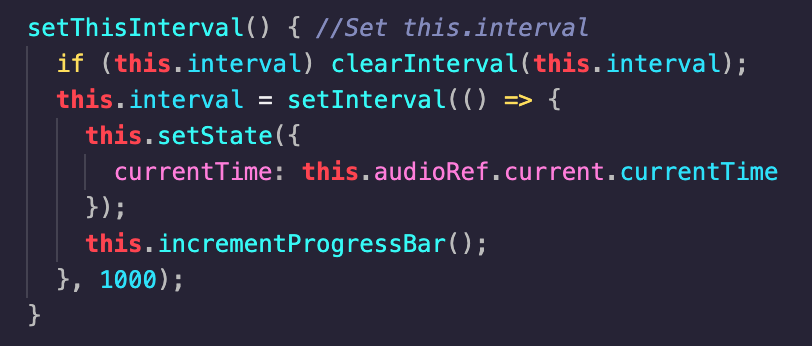
To have a media scrubber that progresses forward as the song plays, one must constantly render the component and update its position accordingly. The scrubber uses an input tag of type range, whose value attribute can be updated. At the componentDidMount() function that occurs after the component mounts onto the DOM, a setInterval is called, executing a setState for the state's currentTime property every second. The id of the interval is stored in this.interval to manage it.
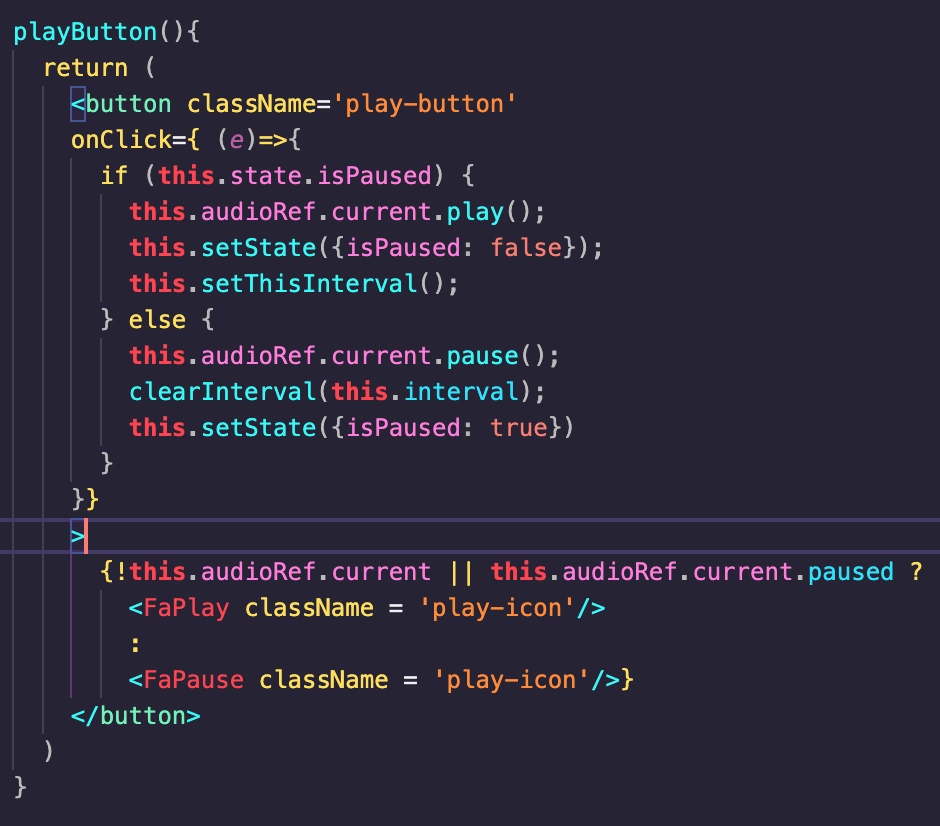
This solves the issue of the scrubber moving, but more fine tuning is needed. The pause button has it's own setState that modifies this.state.isPaused, which toggles the play button. If the play button is used, the audio stops, but not necessarily the scrubber. The scrubber updates every second, while the play button updates when pressed. If someone pauses the audio a half second after the scrubber rerenders, it would take a half second to show the correct time position, making the player look unresponsive. I remedy this by taking the current interval, clearing it, and creating a fresh, new one after the play button is pressed. In the onPressed callback below, setThisInterval() is called, which creates a new interval. This means that the this.state.isPaused and the this.state.currentTime values are updated in sync, making the scrubber follow the play button.
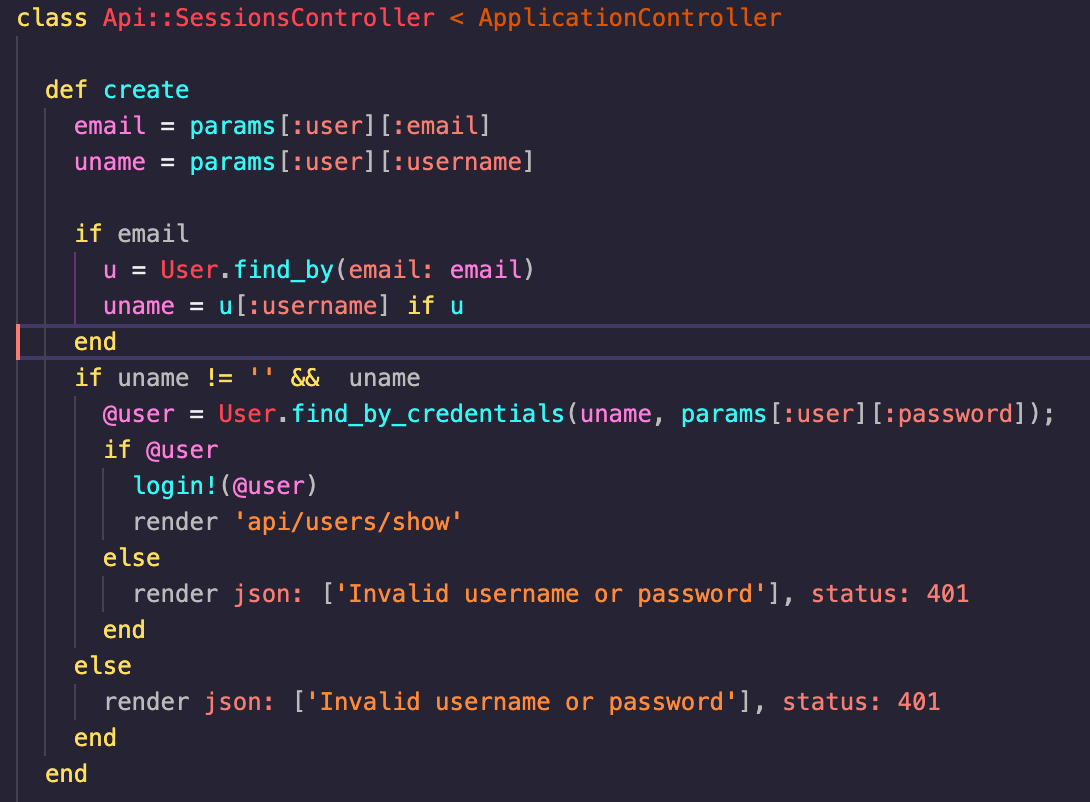
Users can use forms to login and sign up to the site. For a login, when the form is submitted, an AJAX call is sent with the data to the backend, where he username and password combination is checked to see if the user exists and the password matches. If so, a session token is created and stored, allowing the user to remain logged in even after reloading the page. Like soundcloud, Resound also allows one to use either a username or password to login.
- A song page that allows you to access info on a song and comment on it
- A user page that allows you to see the tracks and albums created by them
- A playlist feature