
Edit content from front-end.
http://octobercms.com/plugin/samuell-contenteditor
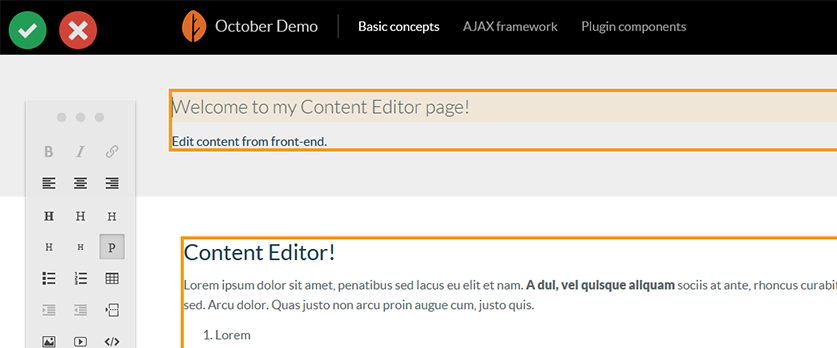
- Drop the Content Editor component to a CMS page.
- Check if you have
{% framework %}and{% scripts %}inside layout for working ajax requests and{% styles %}for additional css - Use this code in your page code and link the editor to a content file or set name to autocreate new file
Simple example:
{% component 'contenteditor' file="filename_in_content.htm" %}- file - Content block filename to edit, optional. If doesnt exists it will autocreate
- fixture - Fixed name for content block, useful for inline texts (headers, spans...)
- tools - List of enabled tools, comma separated (for all default tools use
*or leave empty to get all tools defined in settings of Content Editor) - class - Class for element, mostly useful for fixtures
Example:
{% component 'contenteditor' file="filename_in_content.htm" fixture="h3" tools="bold,italic" class="my-class" %}bold=> Bold (b)italic=> Italic (i)link=> Link (a)small=> Small (small)align-left=> Align leftalign-center=> Align centeralign-right=> Align rightheading=> Heading (h1)subheading=> Subheading (h2)subheading3=> Subheading3 (h3)subheading4=> Subheading4 (h4)subheading5=> Subheading5 (h5)paragraph=> Paragraph (p)unordered-list=> Unordered list (ul)ordered-list=> Ordered list (ol)table=> Tableindent=> Indentunindent=> Unindentline-break=> Line-break (br)image=> Image uploadvideo=> Videopreformatted=> Preformatted (pre)
Inspired by Editable plugin and using Content tools editor http://getcontenttools.com.