Item spawner
the Item spawner tool allows you to spawn any item from the game instantly. You can use this tool to obtain items easily, obtain normally unobtainable items, and browse through all items in the game.
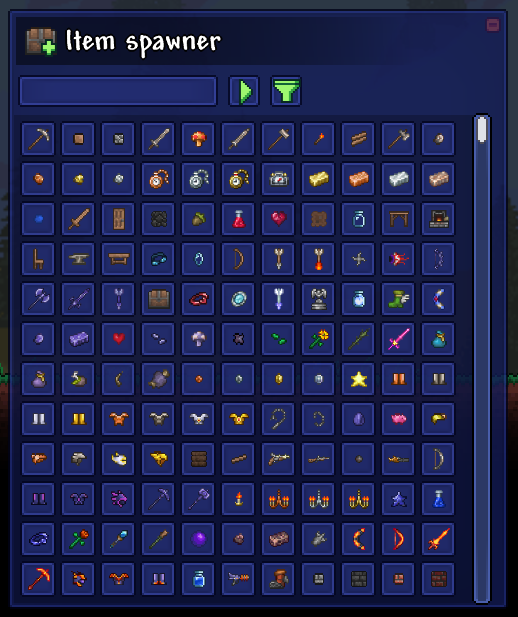
When you first open the item editor, you will see a browser window appear. This window is broken up into 4 main parts.
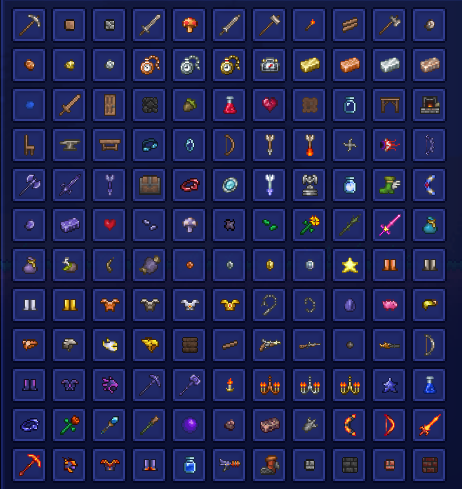
The item list is the main part of the item spawner. It contains a grid of buttons, each with an associated item. You can interact with these buttons in various ways to spawn items.
-
Left clicking with an empty cursor will put a full stack of that item on your cursor
-
Right clicking with an empty cursor will put a single item of that type on your cursor
-
Holding right click will add more of that item to your cursor until you release it
-
Shift-left clicking will spawn an entire stack of that item ontop of you
-
Shift-right clicking will spawn a single item of that type ontop of you
Note that you can only create items from the item list, you cannot place items into it like a normal inventory slot.

The search bar allows you to search for items by name. Click on the search bar to select it, then type the name of the item you want to search for. The item list will update to show only items with your search term in their name as you type.

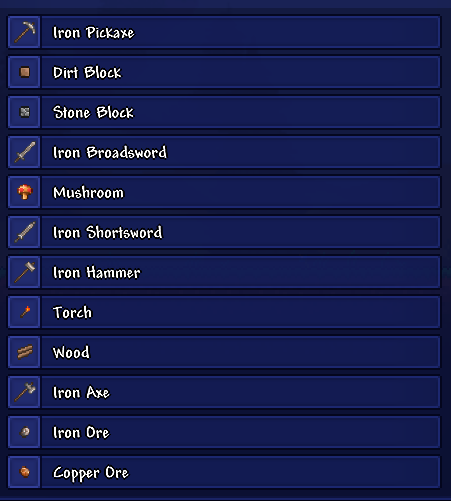
This button can be pressed to transiton the browser into list view mode. In this mode, the item list will display items as a list with their names displayed instead of a grid of icons. You can click this button again to toggle back to icons.

You can click the filter button to expand the filter panel. From the filter panel, you can click on the various filter icons to apply filters to the item browser. The item grid will update in real time to show only items that pass through all of your selected filters. Filters include:
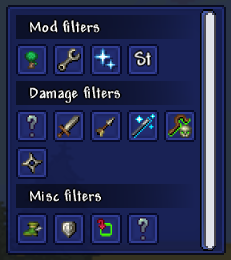
Mod filters - Only items from the selected mod will be shown. One is generated for each mod you have loaded that adds at least 1 item.
Damage filters - Filter items by their damage type, or if they have damage at all.
Accessory - Items that can be equipped as accessories
Armor - Items that grant defense
Placeable - Items which place tiles or walls in the world
Deprecated - Unobtainable items from the base game
-
If you want to modify the stats of the items created by the item spawner, check out the Item editor tool.
-
If it seems like items are missing, be sure to check the filter panel. You may have a filter on!