A lightweight web-based port forwarding manager with a simple UI. Supports both socat and iptables forwarding methods.
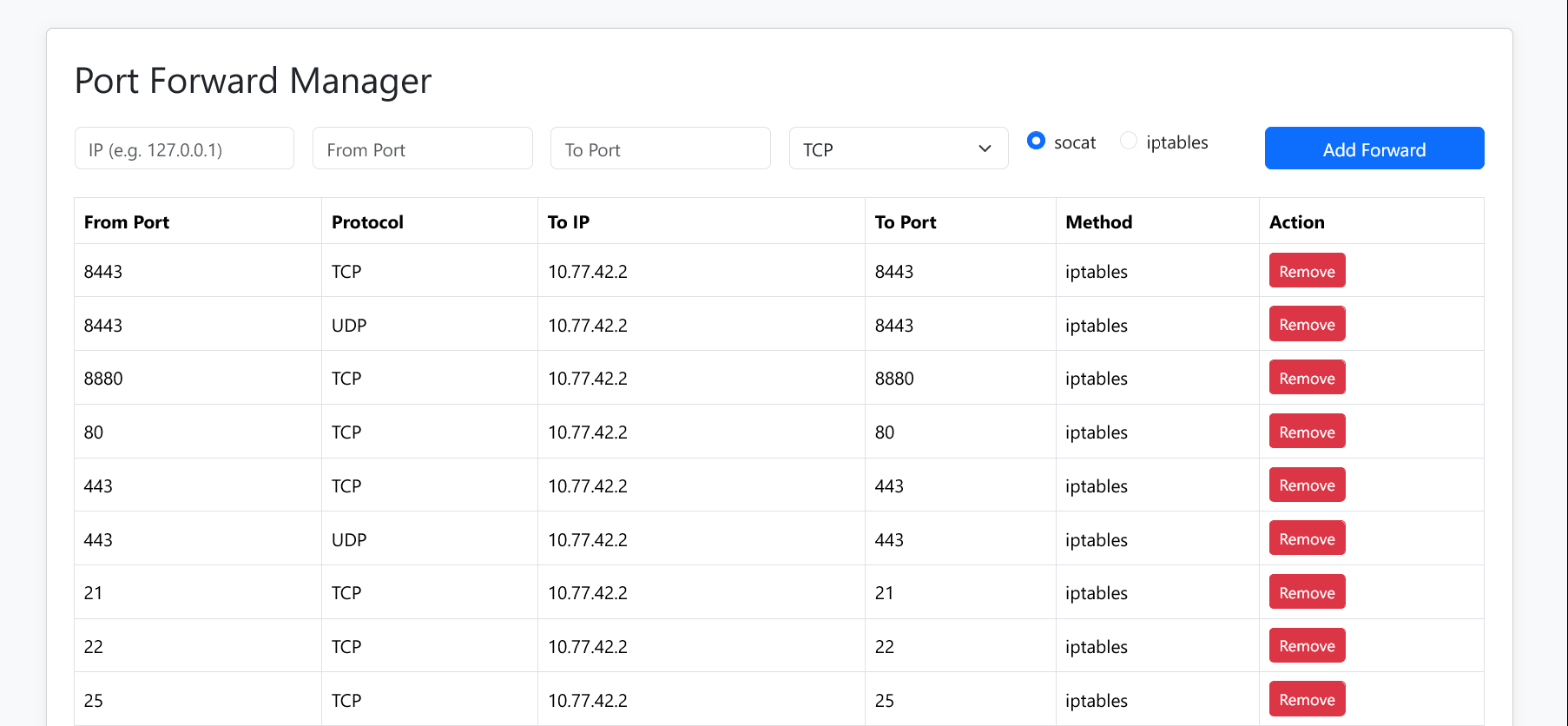
- 🔁 Forward TCP/UDP ports from your public server to internal IPs
- ⚙️ Choose between
socat(userland; hiding the connecting user's IP) - or
iptables(kernel-level; mantaining the connecting user's IP) - 🖥️ Simple web interface for managing port mappings
- 💾 Automatically persists and restores port mappings on restart
- 🔐 HTTP basic auth protection
- 🧪
.env-based configuration
-
🧪 socat is simple and works out of the box — it proxies traffic in userland, which means:
- ✅ No special network setup required on the destination host
- ❌ Original client IP is not preserved (the destination sees traffic coming from the forwarding server)
-
🛠️ iptables forwards packets at the kernel level, preserving the original client IP — but:
⚠️ The destination host must route responses back through the forwarding server- ✅ This typically means setting the forwarding server as the default gateway on the destination machine
- ❌ Without that, connections will fail due to asymmetric routing
Use iptables if you need to see the real client IP on your internal services.
Use socat if you want it to just work without messing with network routes.
- Node.js
socat(installed and available in/usr/bin/socat)iptables(for kernel-level forwarding)- Root privileges (for binding privileged ports and modifying iptables)
Clone the repository and install dependencies:
cd /opt/
git clone https://github.com/shishcat/portforward.git
cd portforward
npm installCreate a .env file in the root directory:
PORT=webuiport
AUTH_USER=yourusername
AUTH_PASS=yourpassword
SERVER_PUBLIC_IP=your.public.ip.addressnode app.jsOr run it in the background with systemd (see below).
Create /etc/systemd/system/portforward.service:
[Unit]
Description=Port Forward Web Manager
After=network.target

[Service]
Type=simple
User=root
WorkingDirectory=/opt/portforward
ExecStart=/usr/bin/node app.js
Restart=always
RestartSec=3
Environment=NODE_ENV=production

[Install]
WantedBy=multi-user.target
Enable and start:
sudo systemctl daemon-reexec
sudo systemctl enable --now portforwardTo report any security-related issue, please contact: me@shish.cat