dgenerate is a scriptable command-line tool (and library) for generating/editing images and processing animated inputs with AI.
Whether you're generating or editing single images, batch processing hundreds of variations, or transforming entire videos frame-by-frame, dgenerate provides a flexible, scriptable interface for a multitude of image generation and editing tasks.
For the extensive usage manual, manual installation guide, and API documentation, visit readthedocs.
- Generate images using a number of popular model architectures such as: SD, SDXL, SD3, Flux, and Kolors
- Batch process multiple parameter combinations combinatorially to generate variations
- Run large models on limited hardware with inference optimizations and quantization
- Utilize models from HuggingFace and CivitAI for generation
- Advanced prompt weighting (LPW), SD-WebUI (Common syntax), InvokeAI syntax, and
llm4gen(SD1.5 only) - Control Nets, T2I Adapters, IP Adapters, LoRA, and Textual Inversion (embeddings)
- Text to image, image to image, and inpainting
- Diffusion-based image upscaling
- Easily chain image processors together for advanced scripted image manipulation
- Utilize built-in image processors for edge detection, depth mapping, segmentation, feature detection, and more
- Run upscaling / image restoration models such as ESRGAN, SwinIR, etc... via spandrel
- Run image processors generically on any image
- Transform videos into artistic non-temporally consistent animations
- Process GIF, WebP, APNG, MP4, and any other video format supported by av (ffmpeg)
- Memory-efficient, streamed processing of video content from disk
- Apply image processors to any animated input, for example upscaling / classification / mask generation
- Utilize the built-in shell language to script generation tasks, work in REPL mode from the Console UI
- Write scripted workflows with intelligent VRAM/RAM memory management, garbage collection, and caching
- Write plugins such as image processors, prompt weighters, shell language features, etc. in Python if desired
Download an install wizard for your platform from the releases page for a hassle-free setup into an isolated Python environment.
- GPU: NVIDIA (CUDA 12.1+), AMD (ROCm on Linux), or Apple Silicon
- Python: 3.11 to 3.13
- OS: Windows, macOS, or Linux
Note: CPU rendering is possible but extremely slow unless the given model is tailored for it.
Perfect for automation and batch processing:
dgenerate stable-diffusion-v1-5/stable-diffusion-v1-5 --prompts "a cute cat" --inference-steps 15 20 30

dgenerate --file workflow-config.dgen# launch the Console UI
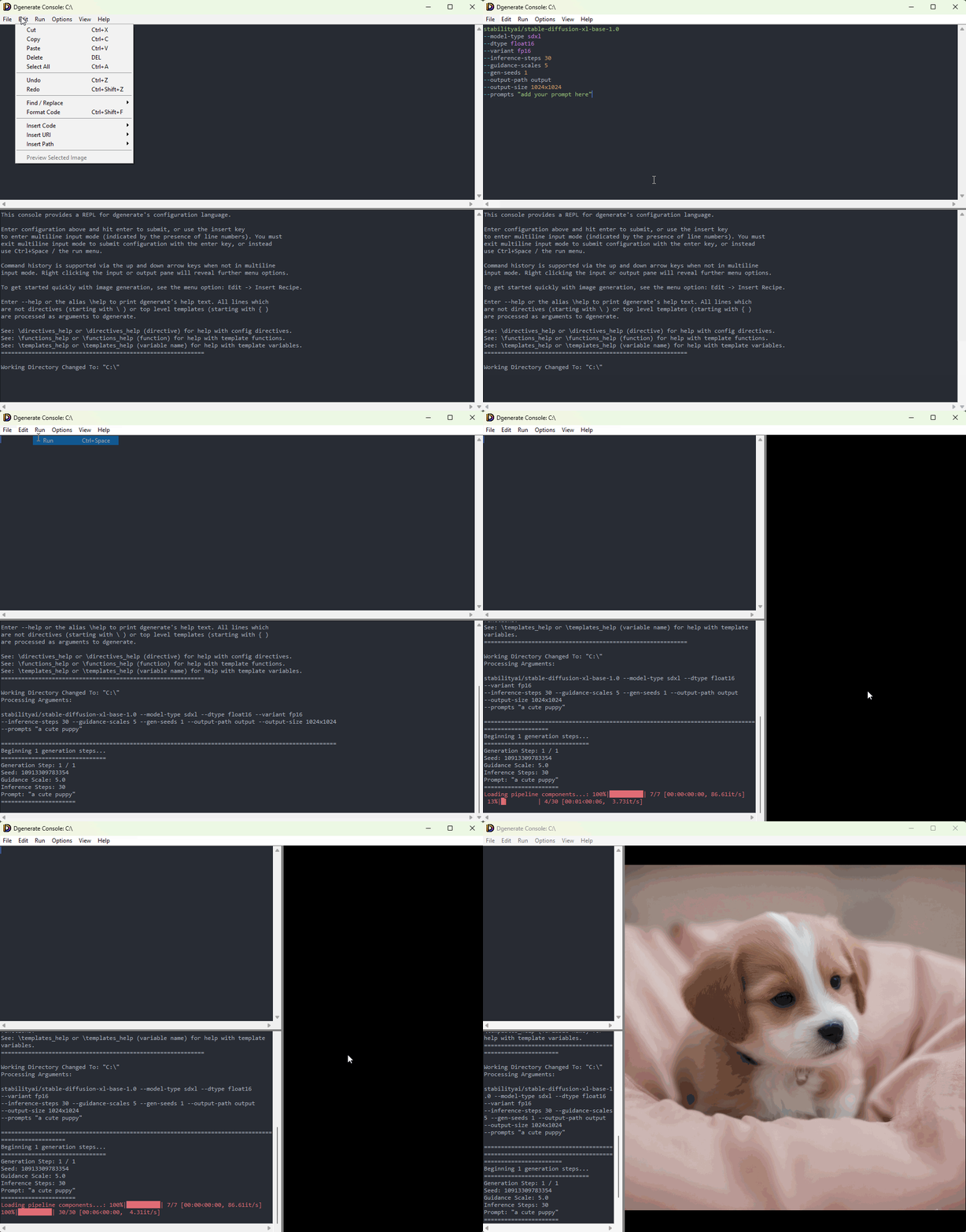
dgenerate --consoleFeatures a syntax-highlighting console / editor:
- REPL / code editor for the built in shell language to assist with building complex workflows
- OpenGL accelerated image preview, featuring smooth zoom / pan, and bounding box / coordinate picker
- Various templating utilities (recipes, and URI builders) for quickly creating scripts and working interactively
- In editor documentation for all arguments, and built in image processors / plugins
- Lightweight multiplatform Tkinter-based UI