Turn your coding progress into publishable posts, blogs, and docs.
CodeDraft is a Visual Studio Code extension that turns your everyday coding, commits, refactors, and bug fixes , into ready-to-publish drafts. No context switching, no blank page. Share your work effortlessly while staying in your coding workflow.
Why CodeDraft Exists: Most developers ship valuable work every day, and never talk about it. CodeDraft makes publishing a byproduct of coding, not an extra task.
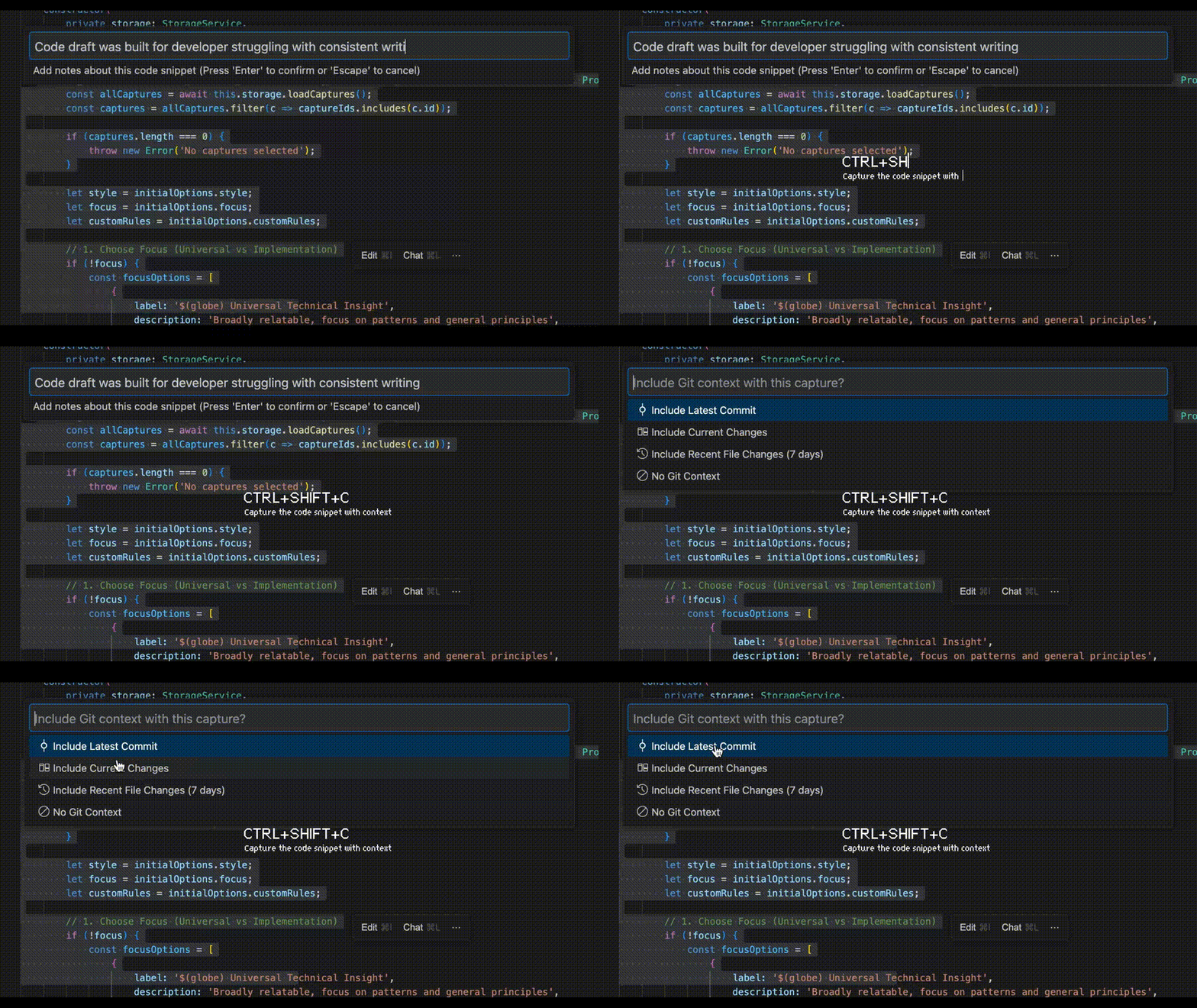
Press Ctrl + Shift + C to capture a code snippet and record key notes during your coding session.
CodeDraft automatically includes surrounding context so nothing important is lost.
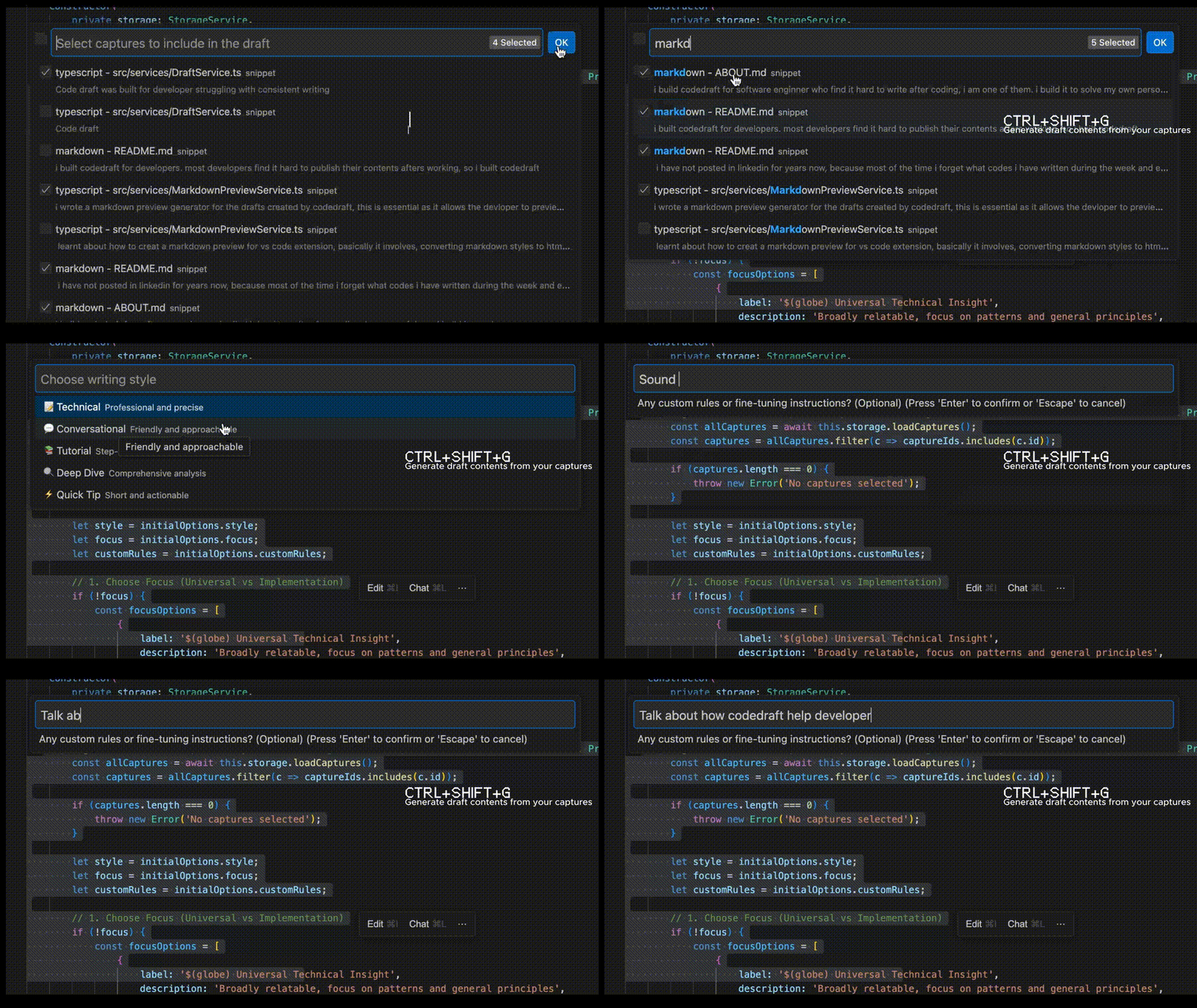
When you’re ready, press Ctrl + Shift + G.
CodeDraft analyzes your captured snippets, notes, and Git context to generate a structured draft.
Review the generated draft, then copy the Markdown and post it to your blog, LinkedIn, or docs.
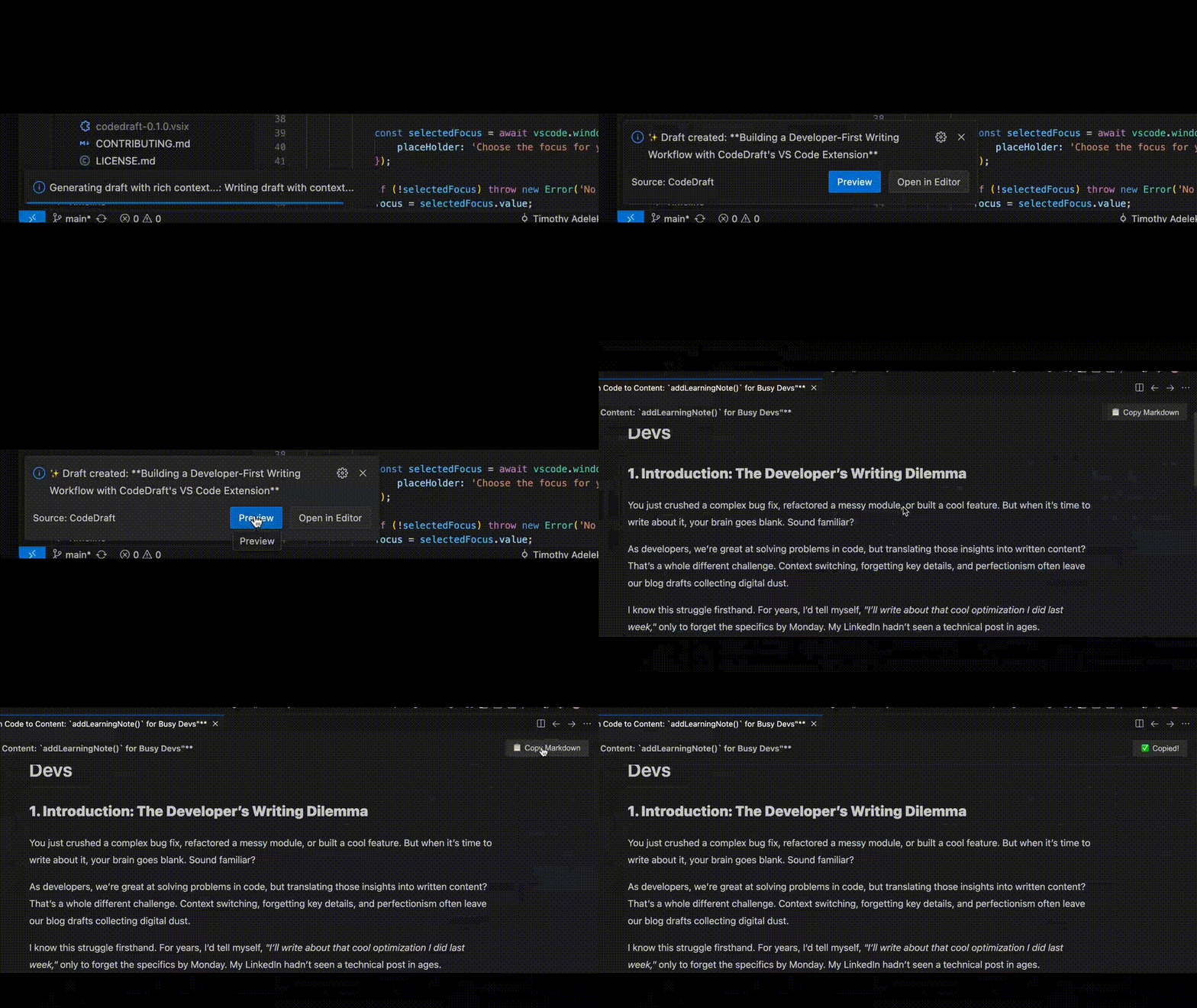
- Publishable Drafts, Fast: Generate full Markdown drafts or outlines from your recent code changes in seconds.
- In-Flow Capture: Select code or commit changes, and capture them for drafting without leaving VS Code.
- Git Integration: Pull context from your commits, project structure, and file history automatically.
- Proactive Draft Suggestions: After meaningful changes like bug fixes or refactors, CodeDraft nudges you with suggested drafts.
- Local or Cloud AI: Generate drafts using local AI (Ollama) or cloud AI providers (OpenAI, Anthropic, Grok).
- Offline-First: Keep your drafts private and work locally with Ollama if desired.
Install CodeDraft from the VS Code Marketplace.
For local AI generation and privacy:
- Download and install Ollama.
- Run
ollama run llama3in your terminal. - In VS Code settings, set
CodeDraft: AI Providertoollama. - You can also use your Cloud AI provider of choice, (Gemini, OpenAI, Anthropic, Grok, etc.)
- Capture Change: Select code or files, right-click and choose CodeDraft: Capture Change (
Cmd+Shift+C). - Generate Draft: Click the CodeDraft icon in the Activity Bar and hit Generate Draft (
Cmd+Shift+G). - Copy & Share: Review the Markdown draft and copy it directly for your blog, LinkedIn, or docs.
CodeDraft is configurable via VS Code Settings (Ctrl+,):
| Setting | Description | Default |
|---|---|---|
codedraft.ai.provider |
AI service (ollama, openai, anthropic, grok) | ollama |
codedraft.ai.model |
Model name (e.g., llama3, gpt-4o) |
llama3 |
codedraft.ai.endpoint |
API endpoint for local AI | http://localhost:11434 |
codedraft.capture.surroundingLines |
Number of lines captured around a selection | 10 |
Contributions welcome! See CONTRIBUTING.md for guidelines.
CodeDraft is released under the ISC License.
Built with ❤️ for developers who want to publish their work without extra effort.