NeuroCode is an AI‑powered coding assistant and terminal code editor inspired by tools like Claude Code.
It uses Agentic AI with the Gemini SDK to analyze code, modify files, execute scripts, and assist with development workflows directly from the terminal.
The goal of NeuroCode is to create a lightweight AI developer assistant that can interact with your codebase using structured tools.
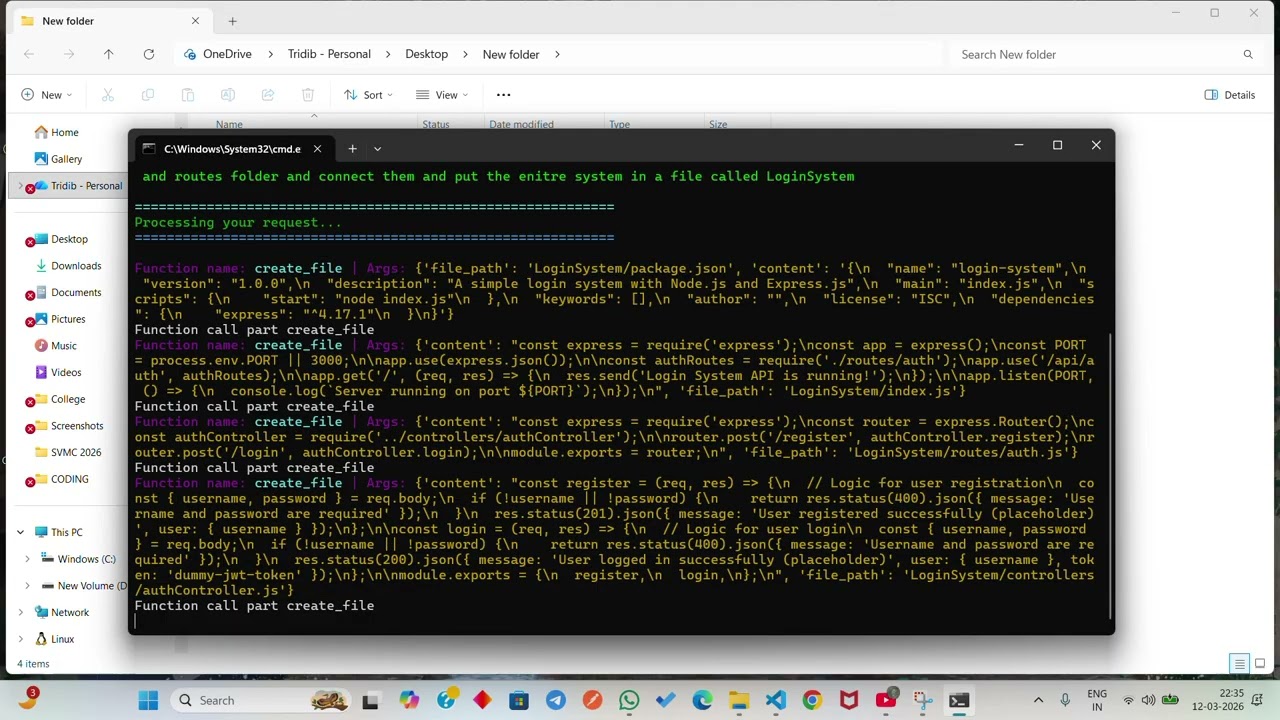
- 🤖 Agentic AI coding assistant
- 🧠 Powered by Gemini SDK
- 📂 File system tools for reading and modifying files
▶️ Execute Python files directly from the agent- 🧩 Modular tool architecture
- 🎨 Colored terminal output using Colorama
- 📁 Safe working‑directory based file operations
- ⚡ Lightweight and fast
- Python
- Gemini SDK
- Agentic AI architecture
- Colorama
- UV Python package manager
- python-dotenv
NeuroCode
│
├── neurocode
│   ├── functions
│   │   ├── file_operations
│   │   │   ├── getFilesInfo.py
│   │   │   ├── getFilesContent.py
│   │   │   ├── writeIntoFile.py
│   │   │   └── createFolderAndFile.py
│   │   │
│   │   └── execution
│   │       └── run_python_file.py
│   │
│   └── main.py
│
├── requirements.txt
├── pyproject.toml
└── README.md
git clone https://github.com/Tridib2510/NeuroCode.git
cd NeuroCodeThis project uses uv as the Python package manager.
powershell -ExecutionPolicy ByPass -c "irm https://astral.sh/uv/install.ps1 | iex"Verify installation:
uv --versionuv inituv add -r requirements.txtuv tool install .Run the AI coding assistant:
neurocodeExample prompt:
List all files in this directory
Or:
Create a new Python file called test.py
NeuroCode uses an Agentic AI architecture where the Gemini model can call tools such as:
Tool Purpose
getFilesInfo List files in a directory getFilesContent Read file contents writeIntoFile Write code into files createFolderAndFile Create files and folders run_python_file Execute Python scripts
The AI agent decides which tool to call based on user prompts.
User prompt:
Create a Flask app in app.py
Agent workflow:
- Generate code using Gemini
- Call writeIntoFile tool
- Save the generated code
- Optionally execute it using run_python_file
- Code editing diff view
- Multi‑file refactoring
- Codebase search
- Plugin tool ecosystem
- Web UI editor
- LSP integration
Contributions are welcome.
- Fork the repository
- Create a feature branch
- Submit a Pull Request
If you like this project:
⭐ Star the repository
🍴 Fork the repo
📢 Share it with others
This project is licensed under the MIT License.