





These scripts can be applied to various Telstra branded Technicolor devices to unlock hidden features in the web GUI.
Features that have been unlocked or added are shown in the wiki.
Installation instructions can also be found in the wiki.
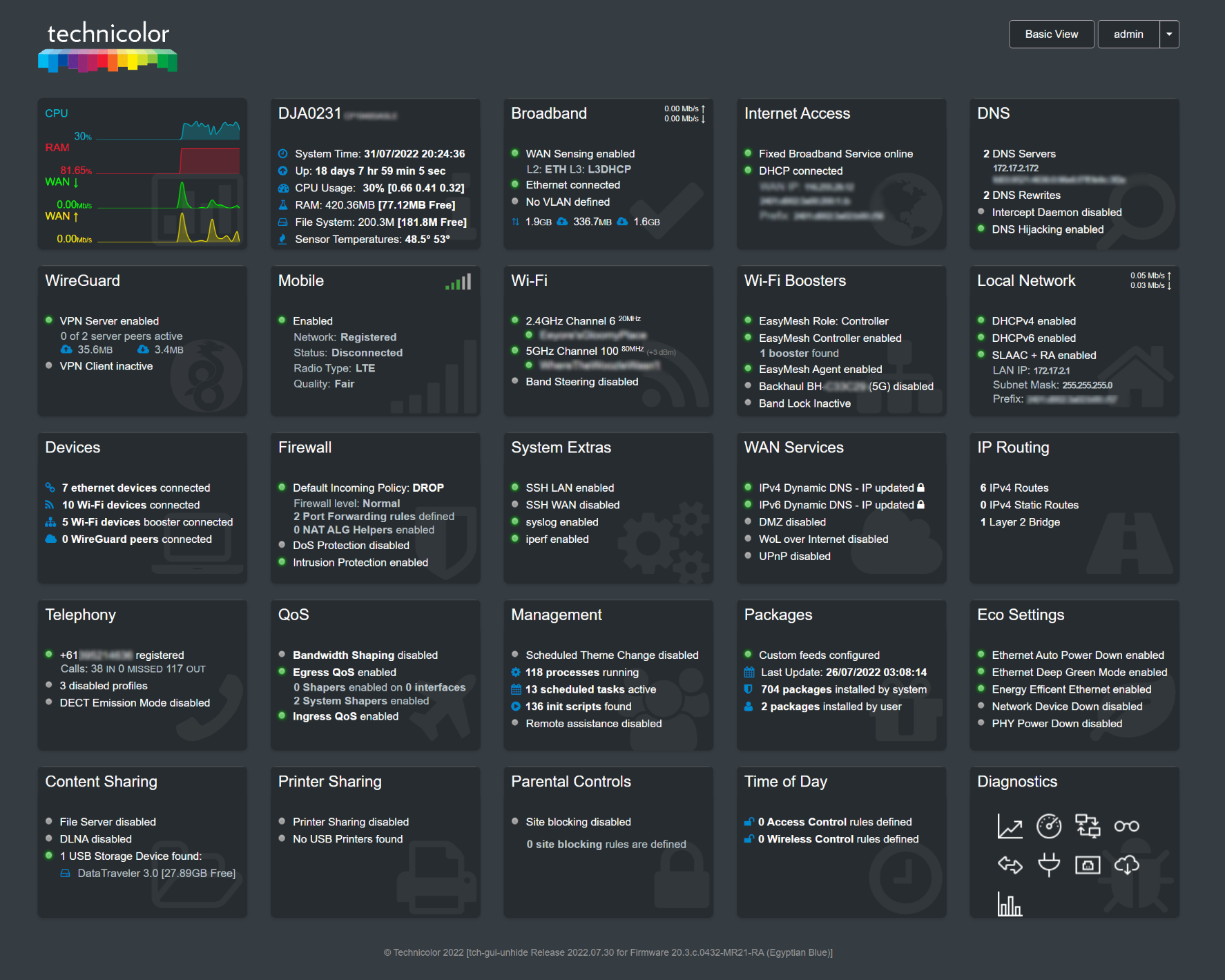
Using scripts found in this repository, you can configure your device with additional features:
Allows you to install and configure AdGuard Home on your device, and disable dnsmasq. AdGuard Home will then handle DNS resolution and DHCP for your local network.
Allows you to install the OpenSpeedTest Server on your device, to test the performance of your Wi-Fi or your LAN in relation to your router.
Allows you to configure an EasyMesh-capable Telstra Smart Modem as a "Wi-Fi Booster" to extend Wi-Fi coverage throughout a home (wired back-haul only).
This repository (and the releases) also contain a number of utility scripts to automate many of the functions required to set up your device correctly.
| Script | Function |
|---|---|
| de-telstra | Device hardening, and removal of Telstra monitoring/data collection |
| dumaos | Enables or disables DumaOS (if device is capable) |
| hijack-dns | Hijacks DNS requests to ensure that they are handled by the device, or by a specified DNS Server |
| mtd-backup | Backs up mtd or ubifs device partitions to an attached USB device or SSHFS attached filesystem |
| mtd-restore | Restores mtd or ubifs partitions from an attached USB device or SSHFS filesystem |
| overlay-restore | Restores an overlay tar backup |
| reboot-on-coredump | Enables or disables reboot on core dump |
| reset-to-factory-defaults-with-root | Reset the device to factory defaults whilst preserving root access |
| safe-firmware-upgrade | Applies a new firmware to the device, without losing root access |
| set-optimal-bank-plan | Applies the optimal bank plan to the device |
| set-web-admin-password | Allows you to set or remove the web admin password |
| show-bank-plan | Shows the bank plan, with a final analysis to show whether the bank plan is optimal, or not |
| unpack-rbi | Unpacks the .rbi file passed as the first parameter |
| update-ca-certificates | Downloads and installs the latest version of the System CA Certificates |
This would not have been possible without the following resources:
- https://hack-technicolor.rtfd.io
- https://forums.whirlpool.net.au/thread/9vxxl849
- https://github.com/Ansuel/tch-nginx-gui
Thank you to you all.