-
Notifications
You must be signed in to change notification settings - Fork 54
Documentation
ViewTouch documentation is contained within and integrated into the application itself, ensuring it can always be presented in a context-sensitive manner.
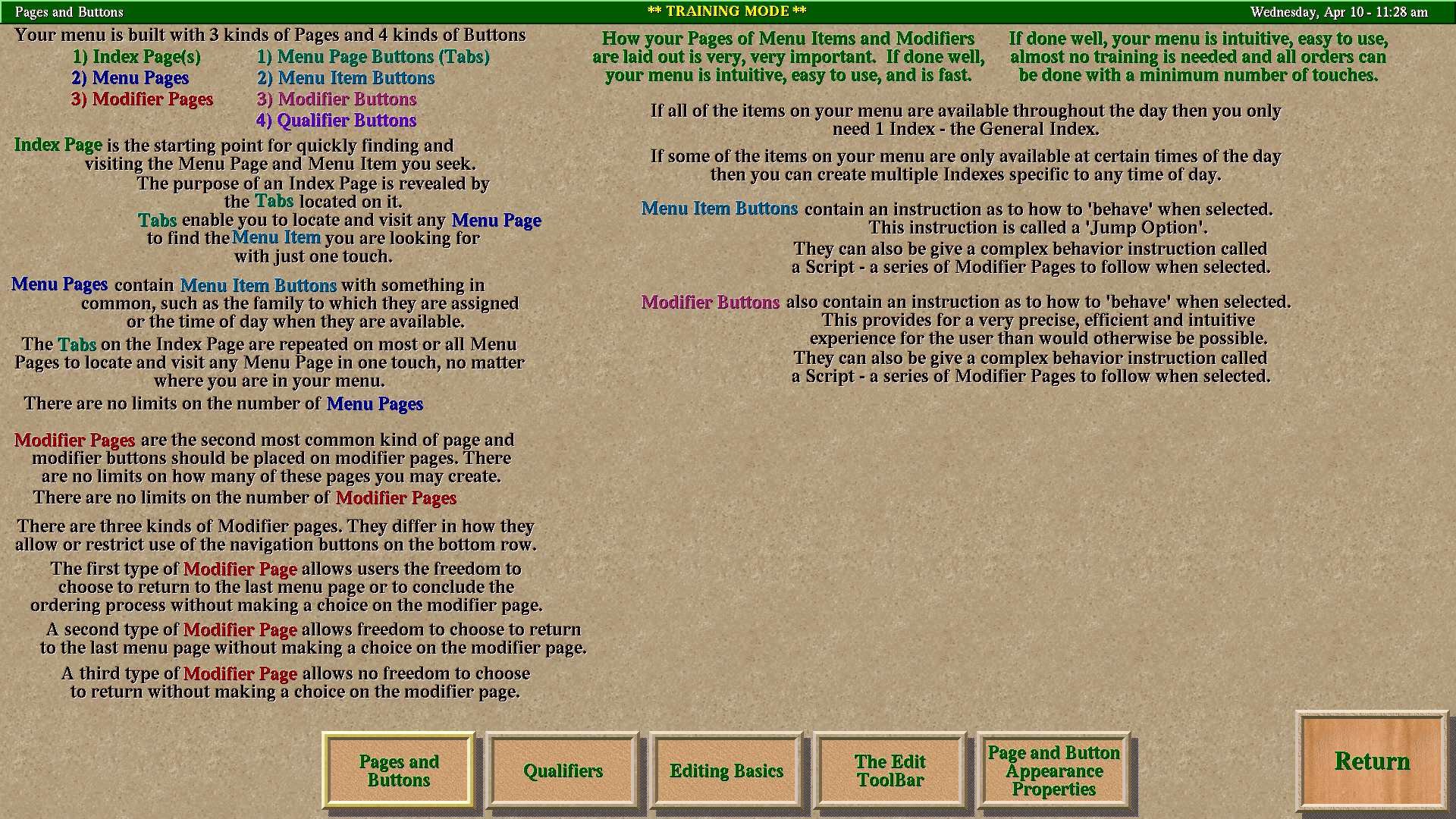
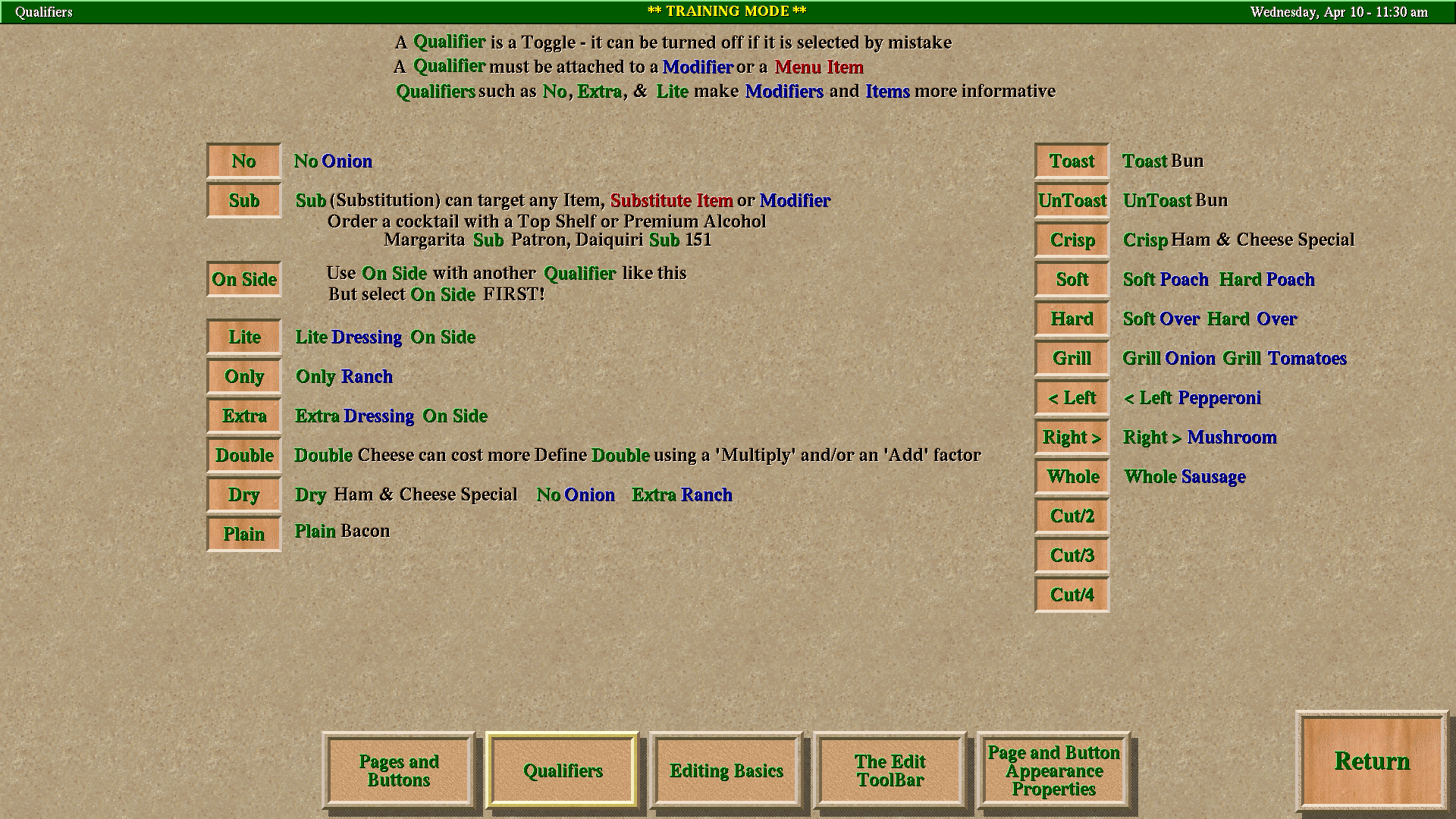
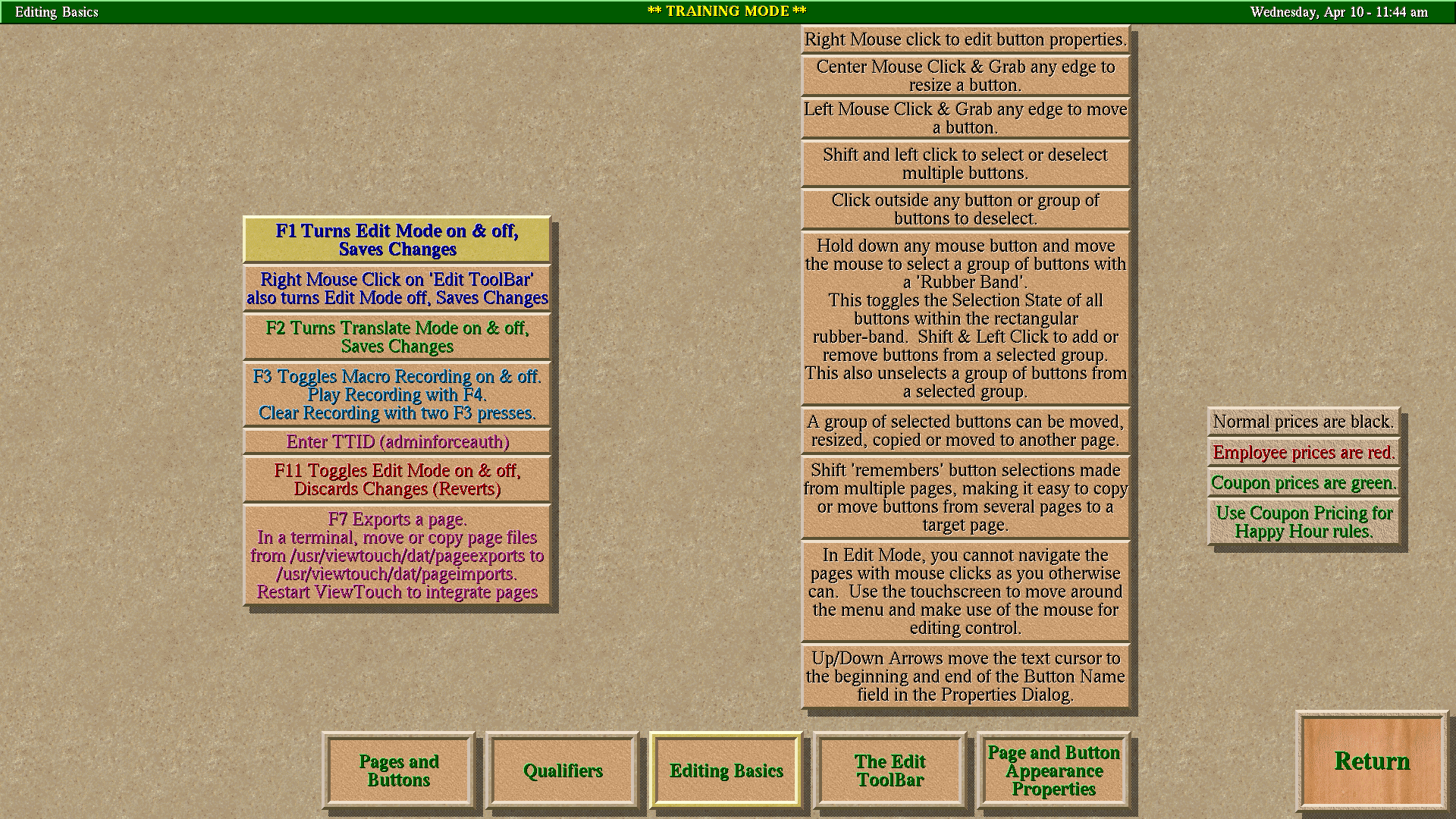
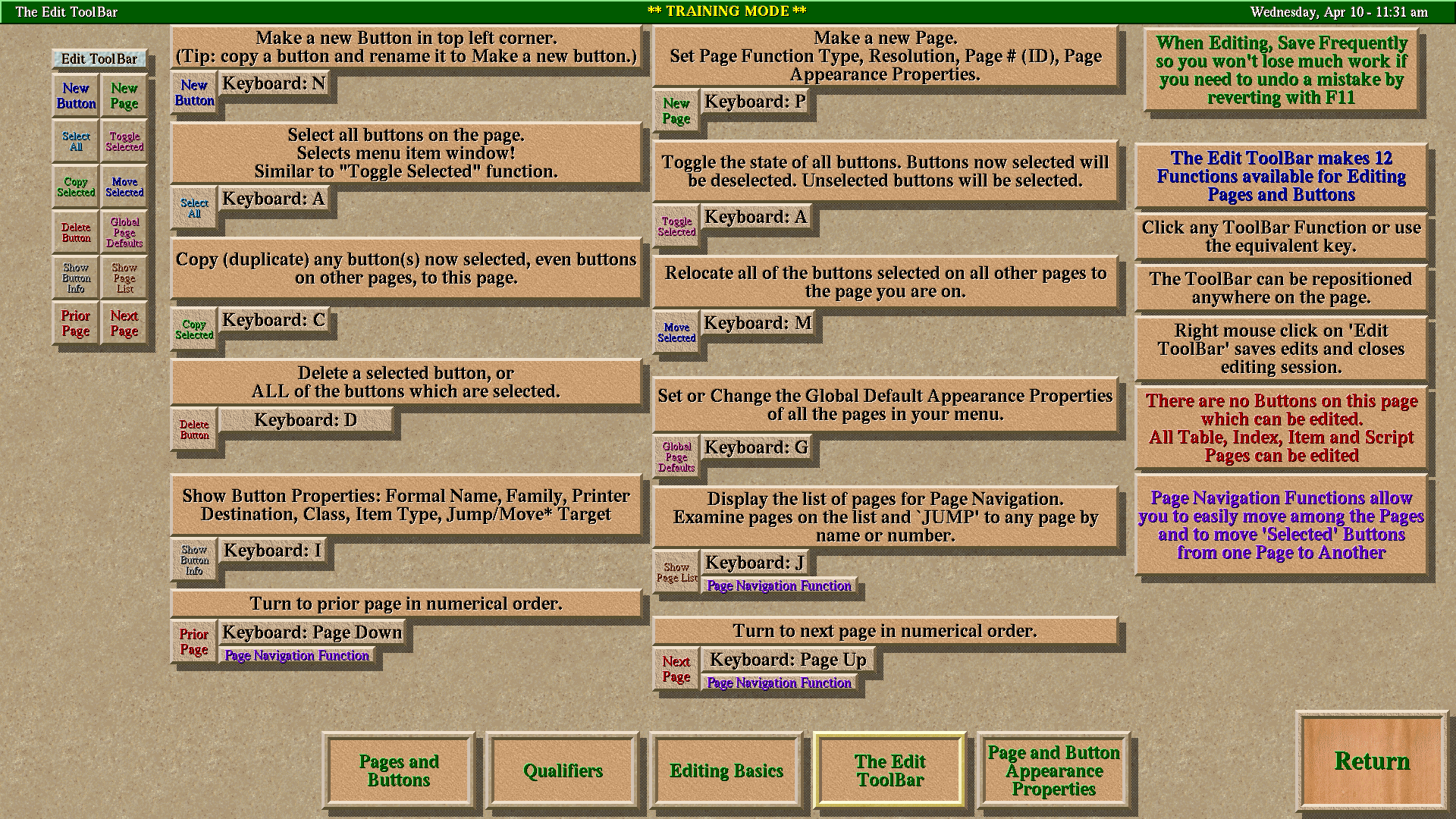
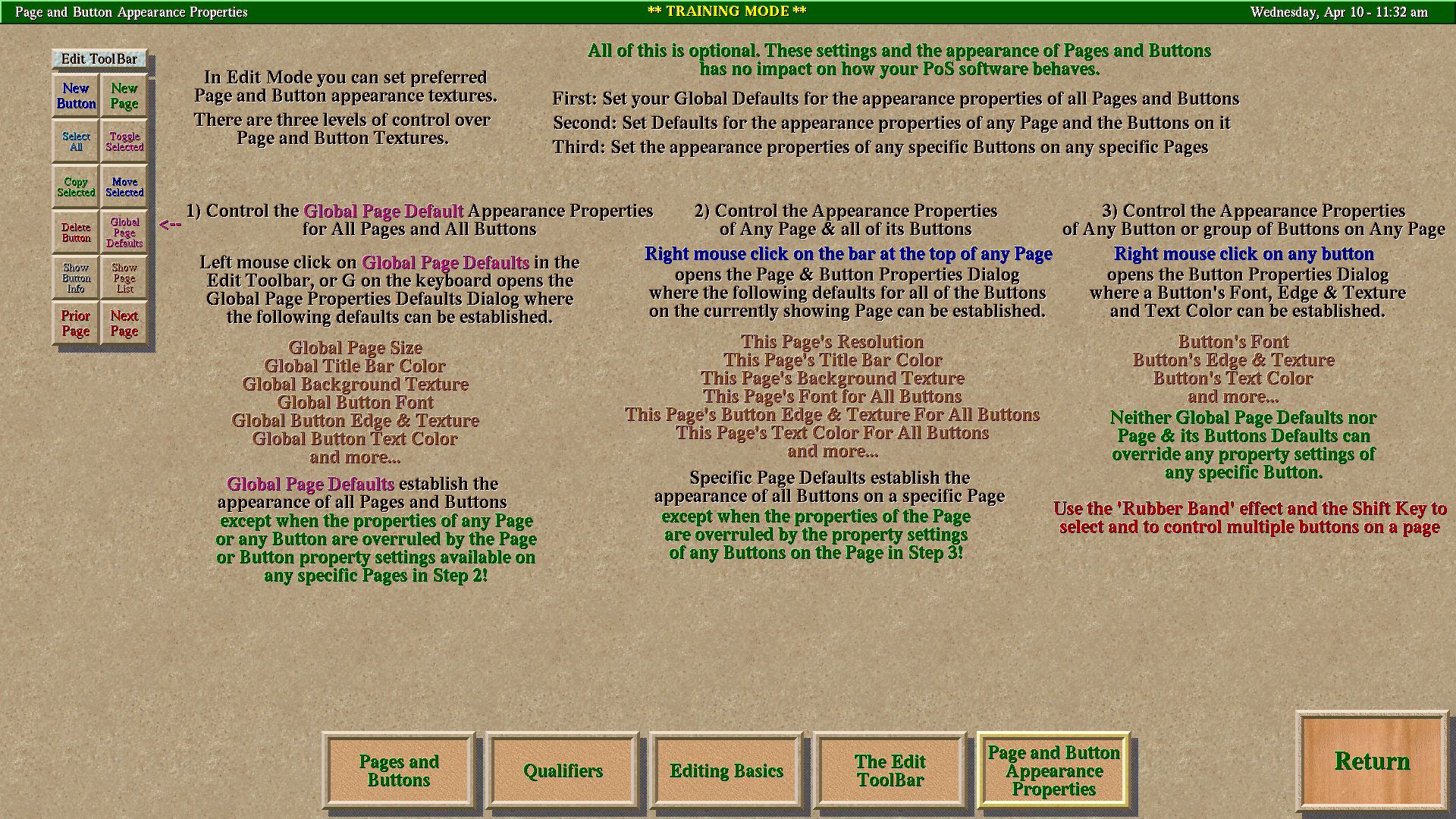
The essential core documentation includes five pages that deal with building your own unique hospitality menu pages and buttons. These pages are available from a 'Documentation' button on Page One of ViewTouch:
-
About Pages and Buttons
The Essential Building Block Components -
Qualifiers
The Best and Right Way to Empower Modifiers and Keep One's Interface Uncluttered, yet Versatile and Intuitive -
Editing Basics
Things to Do, Things to Not Do -
The Edit ToolBar
The On Screen Toolkit -
Page and Button Appearance Properties
Customize Pages, Buttons and Text
When your Pages & Buttons are complete, the next job is to customize the 'Settings' which define how your Point of Sale system behaves.
This is an example of how you're given explanations when setting up your 'Media Definitions'.
This System page allows you to set up:
- 🎫 Coupons
- 🥂 Happy hour specials
- 👥 Customer discounts
- 👷 Employee discounts
By establishing explanations that can be attached to menu items which are:
- Voided (sent to prep area but canceled prior to preparation)
- Comped (prepared and served with management's compliments to build goodwill)
Notice in the Media Definitions page that there is a Help icon at the top of the page, to the right of center. This feature is commonly found on many pages.
- Location: Top of page, right of center
- Function: Provides expanded documentation for the specific features shown on the current page
- Availability: Found on many ViewTouch pages
- Benefit: Context-sensitive help exactly when and where you need it
- 🎯 Context-Sensitive: Help appears exactly when you need it
- 📍 Always Available: No need to leave the application
- 🎨 Visual Learning: Screenshots and examples integrated into workflow
- 🔄 Up-to-Date: Documentation evolves with the software
- 👥 User-Friendly: Designed for hospitality staff, not just developers
This integrated approach ensures that learning and using ViewTouch happens seamlessly within the actual working environment, making training and troubleshooting more effective and less disruptive to daily operations.