Set up a working debug configuration #6
Conversation
This file contains hidden or bidirectional Unicode text that may be interpreted or compiled differently than what appears below. To review, open the file in an editor that reveals hidden Unicode characters.
Learn more about bidirectional Unicode characters


Author
|
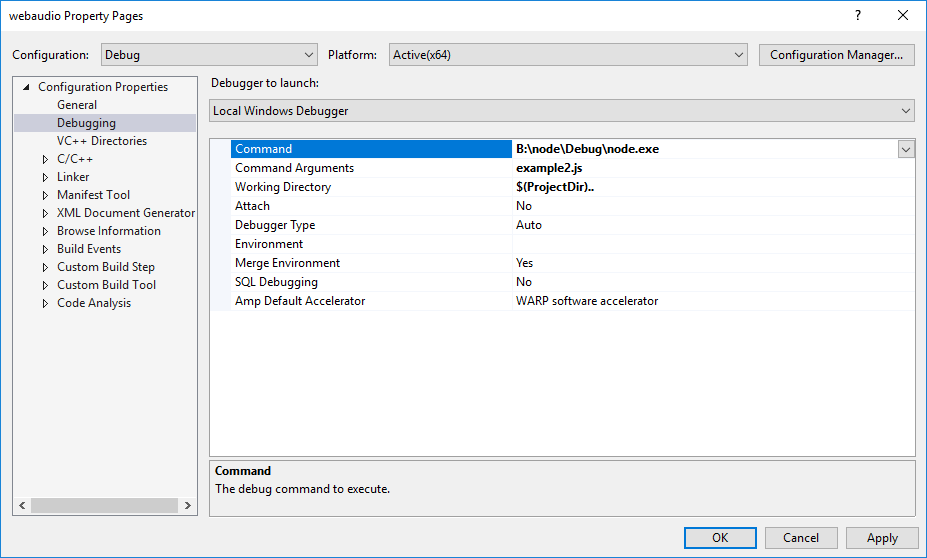
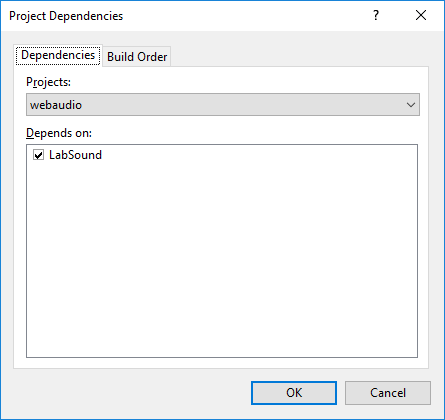
For reference, here's how I set up my VS locally:
|


avaer
reviewed
Jun 14, 2018
| }], | ||
| 'libraries': [ | ||
| 'LabSound.lib', | ||
| 'avformat.lib', |

| '<(module_root_dir)/labsound/build/x64/Release', | ||
| ['OS=="win"', { | ||
| 'configurations': { | ||
| 'Debug': { |
Owner
There was a problem hiding this comment.
Can release come first? Might be easier to scan between the os flavors.
Sign up for free
to join this conversation on GitHub.
Already have an account?
Sign in to comment
2 participants


Add this suggestion to a batch that can be applied as a single commit.
This suggestion is invalid because no changes were made to the code.
Suggestions cannot be applied while the pull request is closed.
Suggestions cannot be applied while viewing a subset of changes.
Only one suggestion per line can be applied in a batch.
Add this suggestion to a batch that can be applied as a single commit.
Applying suggestions on deleted lines is not supported.
You must change the existing code in this line in order to create a valid suggestion.
Outdated suggestions cannot be applied.
This suggestion has been applied or marked resolved.
Suggestions cannot be applied from pending reviews.
Suggestions cannot be applied on multi-line comments.
Suggestions cannot be applied while the pull request is queued to merge.
Suggestion cannot be applied right now. Please check back later.
This PR adds the ability to step through LabSound in Visual Studio's debugger.
To do this, I run
build-windows-debugusing MSBuild command prompt, then I runnode-gyp-debug, which is a custom script in my PATH:B:\nodeis where I ran.\vcbuild debug x64 openssl-no-asmto build the latest Node master branch from source.At that point, you can successfully use VS's debugger! And you can even see the stack trace all the way to the bottom of Node.
I was going to continue pushing the sample rate fixes, but this seemed like a good spot to submit a PR.