                                             =====
                                          ==========
                                         ===========
                                        ============
                            =====       ============
                           =========    ============
                          =============  ==========
                          ======================
                          ================
                          ================          ========
                           ===============      =============
                              ============   ================
                  =====          ============================
                =========            === ====================
                =============           ====================
                ================        ==================
                ===================     ===============
                =======================  ===========
                 ================================          =======
                   =======================             ============
                       ===================           ==============
                          ================        =================
                             =============    =====================
                                ========== ========================
                                   ===============================
                                        ======================
                                        ===================
                                        ================
                                        ============
                                 ================
                                 ========= ====
                                 =========
                                 =========
                                 =========
                                 =========
                                  =======
	   ___                     _             ___ _        _
	  / __|_ _ _____ _____    /_\  _ __ _ __/ __| |_ __ _| |_____ ___
	 | (_ | '_/ _ \ V / -_)  / _ \| '_ \ '_ \__ \  _/ _` | / / -_|_-<
	  \___|_| \___/\_/\___| /_/ \_\ .__/ .__/___/\__\__,_|_\_\___/__/_
	 |  \/  |__ _ _ _  __ _ __ _ _|_|_ |_| ___ _ _| |_  / __|_  _ __| |_ ___ _ __
	 | |\/| / _` | ' \/ _` / _` / -_) '  \/ -_) ' \  _| \__ \ || (_-<  _/ -_) '  \
	 |_|  |_\__,_|_||_\__,_\__, \___|_|_|_\___|_||_\__| |___/\_, /__/\__\___|_|_|_|
	             ___   _   |___/_  __ ___                    |__/
	  ___ _ _   / __| /_\ / __|  \/  / __|
	 / _ \ '_| | (_ |/ _ \\__ \ |\/| \__ \
	 \___/_|    \___/_/ \_\___/_|  |_|___/
The Grove AppStakes Management System or GASMS is a TUI (Terminal User Interface) tool designed to help Gateways on Pocket Network manage the staking balances of applications required to send traffic.
- Real-time Application Monitoring: Track stakes, service IDs, and gateway assignments
- Application Management: Upstake, fund, and view detailed information for applications
vi-style Keybindings: Familiar navigation for terminal power users- Multi-network Support: Configure multiple networks (beta, main, etc.)
- Fast & Lightweight: Single binary with no dependencies
- Search & Filter: Find applications quickly with / search
- Automatic Refresh: Keep data current with
rrefresh - Transaction Tracking: View transaction hashes for upstake and fund operations
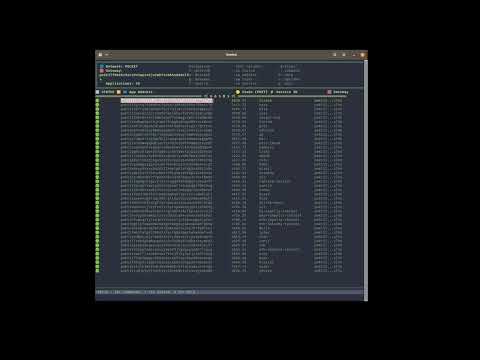
Click to watch a demonstration of GASMS features and functionality
-
Download the latest binary for your platform from Releases:
- Linux Intel/AMD:
gasms-linux-amd64 - Linux ARM:
gasms-linux-arm64 - macOS Intel:
gasms-darwin-amd64 - macOS Apple Silicon (M1/M2/M3):
gasms-darwin-arm64 - Windows:
gasms-windows-amd64.exe
- Linux Intel/AMD:
-
Verify the download (optional but recommended):
# Download checksums.txt from the release
# Verify your binary
sha256sum -c checksums.txt --ignore-missing
-
Make the binary executable (Linux/macOS only):
chmod +x gasms-* -
Move to your PATH (optional):
# Linux/macOS
sudo mv gasms-* /usr/local/bin/gasms

# Or for user-only install
mkdir -p ~/.local/bin
mv gasms-* ~/.local/bin/gasms
# Add ~/.local/bin to your PATH if not already
-
Install pocketd (required dependency):
- Follow the pocketd installation guide
- Ensure
pocketdis in your PATH:which pocketd - Verify version:
pocketd version(requires v0.1.30+)
-
Configure your keyring (required for transactions):
# Import or create keys for your applications and bank address
pocketd keys add myapp --keyring-backend test

# Or import existing keys
pocketd keys import myapp key.json --keyring-backend test
-
Create
config.yamlin your working directory (see Configuration section below) -
Run GASMS:
./gasms
# Or if installed to PATH
gasms
# Clone the repository
git clone <your-repo-url>
cd gasms

# Build the binary
make build

# Install to your PATH
make install# Build for all platforms
make build-all
# Binaries will be in bin/ directory:
# - gasms-linux-amd64
# - gasms-linux-arm64
# - gasms-darwin-amd64
# - gasms-darwin-arm64
# - gasms-windows-amd64.exe
# - checksums.txt (SHA256 checksums)Create a config.yaml file in your working directory:
config:
  # Optional: Configure keyring backend (defaults to pocketd's default)
  # Options: os, file, test, kwallet, pass, keychain, memory
  keyring-backend: test

  # Optional: Configure pocketd home directory (defaults to ~/.pocket)
  # pocketd-home: /custom/path/to/.pocket

  # Stake threshold configuration (denominated in uPOKT)
  thresholds:
    warning_threshold: 2000000000  # 2000 POKT in uPOKT
    danger_threshold: 1000000000   # 1000 POKT in uPOKT

  networks:
    pocket:
      rpc_endpoint: <NETWORK_RPC_URL>
      gateways:
        - <GATEWAY_ADDRESS>
      bank: <BANK_ADDRESS>  # Required for upstake and fund operations
      applications:
        - <APPLICATION_ADDRESS_1>
        - <APPLICATION_ADDRESS_2>
        # ... more applications
    pocket-beta:
      rpc_endpoint: <NETWORK_RPC_URL>
      gateways:
        - <GATEWAY_ADDRESS>
      bank: <BANK_ADDRESS>  # Required for upstake and fund operations
      applications:
        - <APPLICATION_ADDRESS_1>
# ... more applications- keyring-backend: Must match the backend used when importing keys with
pocketd keys import - bank: The address used to pay for all transaction fees and stake amounts
- applications: List of application addresses that belong to this gateway (used for batch operations)
- All keys (bank and application addresses) must exist in your pocketd keyring and be accessible without password prompts
# Run from repo
make run

# Run GASMS
./gasms

# Or if installed to PATH
gasms| Key | Action |
|---|---|
q |
Quit application |
r |
Refresh data |
/ |
Search applications |
n |
Browse and Change Networks |
: |
Enter command mode |
u |
Upstake selected application |
f |
Fund selected application |
Enter |
Show application details |
↑/k |
Move cursor up |
↓/j |
Move cursor down |
g |
Go to top |
G |
Go to bottom |
Esc |
Cancel command/search or return to table view |
In command mode (press :):
:q or :quit - Quit application
:n or :network - Browse and Change Networks (i.e. pocket, pocket-beta, etc.)
:show - Show detailed information for selected application
:u <amount> or :upstake <amount> - Increase stake of selected application by amount (in POKT)
- Example:
:u 1000adds 1000 POKT to current stake - Displays transaction hash for 10 seconds after completion
:f <amount> or :fund <amount> - Send tokens to selected application (in POKT)
- Example:
:f 500sends 500 POKT to the application - Displays transaction hash for 10 seconds after completion
# Install dependencies
make deps

# Run in development mode
make run

# Run with live reload (requires air)
make dev

# Format code
make fmt

# Run tests
make testbubbletea- Terminal UI frameworklipgloss- Styling and layoutyaml.v3- YAML configuration parsing
This tool is heavily inspired by 🐶k9s a TUI for managing Kubernetes clusters.
The scripts/ directory contains utility scripts for common Pocket Network operations:
Automates the process of staking or restaking applications on the Pocket Network.
Features:
- Incrementally increases stake amounts for existing applications
- Handles new application staking with initial amounts
- Supports single application or batch processing
- Dry-run mode for testing commands before execution
- Multi-network support (mainnet/beta)
Usage:
./scripts/stake-applications --network main --home ~/.poktroll --restake-amount 5000000000 -f app-svc-map.txtInput File Format: Tab-separated file with application addresses and service IDs:
pokt165uqhq43j7xqjnlv53kzsfjn55kecpg4ejyfns	ethereum-mainnet
pokt1a2b3c4d5e6f7g8h9i0j1k2l3m4n5o6p7q8r9s0	polygon-mainnet
Generates multi-send commands to fund multiple accounts in a single transaction.
Features:
- Creates efficient batch funding transactions
- Atomic operation (all transfers succeed or fail together)
- Calculates total amounts and fees
- Supports both mainnet and beta networks
- Saves generated commands for easy execution
Usage:
./scripts/fund-accounts sender_key addresses.txt 5005000000upokt main ~/.poktroll/Input File Format: Simple text file with one address per line:
pokt165uqhq43j7xqjnlv53kzsfjn55kecpg4ejyfns
pokt1a2b3c4d5e6f7g8h9i0j1k2l3m4n5o6p7q8r9s0
pokt198765432109876543210987654321098765432
Both scripts include comprehensive help documentation accessible with the -h or --help flag.
This usually means pocketd is not installed or not in your PATH:
# Check if pocketd is installed
which pocketd

# Check pocketd version (requires v0.1.30+)
pocketd versionThis error occurs with older versions of pocketd. Update to v0.1.30 or later:
pocketd versionEnsure all keys are imported into your keyring:
# List available keys
pocketd keys list --keyring-backend test

# Import a key if needed
pocketd keys import myapp key.json --keyring-backend test- Verify your gateway address in
config.yamlis correct - Check that applications are actually staked with your gateway:
pocketd q application show-application <APP_ADDRESS> --node <RPC_ENDPOINT> --chain-id pocket
- Ensure the RPC endpoint is accessible and responding
pkd_mainnet_query application list-application -o json | jq '.applications[] | select(.delegatee_gateway_addresses[] == "pokt1lf0kekv9zcv9v3wy4v6jx2wh7v4665s8e0sl9s") | {address, stake_amount: .stake.amount, service_id: .service_configs[].service_id}'