The file styles/ElectricalEngineering.isy provides electrical engineering circuits components for
IPE. The additional customization file ipelets/customize.lua enables the following additional shortcuts:
Shift+Sto add symbolsAlt+Ctrl+Ito add splines
German instructions on installing and using Ipe can be found here.
Copy the styles file styles/ElectricalEngineering.isy into the user directory ~/.ipe/styles/ (styles may have have to be created first). You can either do these steps manually or use this script:
mkdir -p ~/.ipe/styles
cd ~/.ipe/styles
rm ElectricalEngineering.isy
wget https://github.com/christiankral/ElectricalEngineering.isy/raw/master/styles/ElectricalEngineering.isyCopy the customization file ipelets/customize.lua into the user directory ~/.ipe/ipelets/ (ipelets may have have to be created first). You have to change
prefs.styles = { "/path/to/ElectricalEngineering.isy" }
to the absolute path
prefs.styles = { "/home/user/.ipe/styles/ElectricalEngineering.isy" }
(where user is your user name). You can either do these steps manually or use this script:
# Download, copy and configure customize.lua
mkdir -p ~/.ipe/ipelets/
cd ~/.ipe/ipelets/
rm customize.lua
wget https://github.com/christiankral/ElectricalEngineering.isy/raw/master/ipelets/customize.lua
sed -i 's@~@'"$HOME"'@g' customize.luaWe are assuming that IPE is installed in C:\bin\Ipe; but it may be installed somewhere else.
Copy the styles file styles/ElectricalEngineering.isy into the Windows directory C:\bin\Ipe\styles\ (styles may have have to be created first)
Copy the customization file ipelets/customize.lua into the user directory C:\bin\Ipe\ipelets\ (ipelets may have have to be created first). You have to change
prefs.styles = { "/path/to/ElectricalEngineering.isy" }
to (note the double backslashes)
prefs.styles = { "C:\\bin\\Ipe\\styles\\ElectricalEngineering.isy" }
Ipe files created with ElectricalEngineering versions before and after v0.5.0 are not compatible.
Older files can be updated under Linux using the script Resources/update1.sh.
This script inserts an updated version of ElectricalEngineering.isy into an ipe file and
fixes compatibility issues caused be new component names. If you encounter any conversion problems, please file an issue.
This script converts one or more Ipe file to ElectricalEngineering version v1.X.X.
update1.sh File.ipeupdatesFile.ipeby inserting~/.ipe/styles/ElectricalEngineering.isyupdate1.sh "*.ipe"updates all files*.ipeby inserting~/.ipe/styles/ElectricalEngineering.isyupdate1.sh "*.ipe" /work/ElectricalEngineering.isyupdates all files*.ipeby inserting/work/ElectricalEngineering.isy
- Stored in
Resources/InductionMachine.ipe

- Stored in
Resources/Transformer.ipe
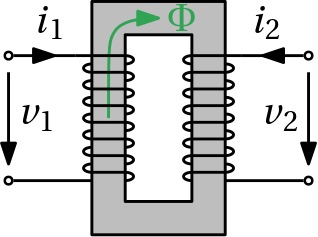
- Arrows
- Current arrows
- Curved arrow line
- Basic
- Capacitor
- Diode
- Fuse
- Ground
- IGBT
- Inductor
- NMOS
- PMOS
- Resistor
- Resistor variable
- Switch open/close
- Thyrisotor
- Transistor NPN
- Transistor PNP
- Windings
- Logic
- ANSI compliant symbols
- DIN compliant symbols
- Machines
- DC machine
- Three phase
- Transformer
- Mechanics
- Supports
- Sensors
- Current sensor
- Voltage sensor
- Power sensor
- Scope
- Sources
- Current source
- Voltage source