C2LC-550: Clean up play control buttons' style #302
Conversation


|
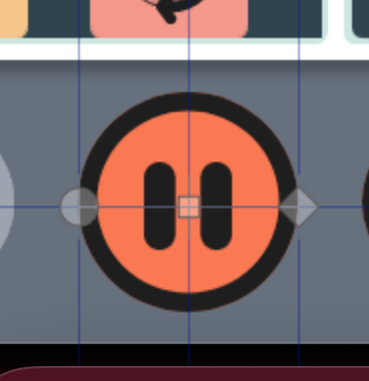
I did initial QA on this, the colours and behaviour seem good across all themes. I did notice that both the triangle and pause bars seem to be very slight left of the circle's centre. I used a program called Pixelstick, which draws a square in between two points, the offset is easiest to see with the pause button:
I will look at the code shortly including the SVGs to see if I have suggestions about fixing that. |

| <circle cx="23.5" cy="22.5" r="22.5" fill="#1E1E1E"/> | ||
| <path class="inner-circle" d="M36.4499 35.4499C33.0154 38.8844 28.3572 40.8139 23.5 40.8139C18.6428 40.8139 13.9846 38.8844 10.5501 35.4499C7.11554 32.0154 5.18604 27.3571 5.18604 22.5C5.18604 17.6428 7.11554 12.9846 10.5501 9.55007C13.9846 6.11554 18.6428 4.18604 23.5 4.18604C28.3572 4.18604 33.0154 6.11554 36.4499 9.55007C39.8844 12.9846 41.8139 17.6428 41.8139 22.5C41.8139 27.3571 39.8844 32.0154 36.4499 35.4499Z" fill="#F97953"/> | ||
| <svg width="47" height="47" viewBox="0 0 47 47" fill="none" xmlns="http://www.w3.org/2000/svg"> | ||
| <rect class="refresh-icon" x="12.7755" y="21.9563" width="12.1122" height="12.1122" rx="1.27375" stroke="#1E1E1E" stroke-width="0.931713"/> |

There was a problem hiding this comment.
Can we also use the playControls class here?
|
|
||
|
|
||
| // need to make play button rule complex to override React bootstrap button | ||
| button.PlayControlButton:not(.PlayControlButton--disabled), |
There was a problem hiding this comment.
Is there anything that has the PlayControlButton class that isn't a button? I know we got in the habit of being specific to beat react-bootstrap, but we seem to be able to do without the button part for the RefreshButton styles (and the now-removed StopButton styles).
There was a problem hiding this comment.
This was to compete against .IconButton rules.
| box-shadow: 0 0 0 $c2lc-focus-indicator-width $c2lc-focus-indicator-color; | ||
| } | ||
| height: 1.4rem; | ||
| width: 1.4rem; |
There was a problem hiding this comment.
This seems to make the pause bars and triangle appear too far to the left. The height and width of the SVGs are not equal, so you either need to add padding to make them equal or adjust the width here to be proportionate.
There was a problem hiding this comment.
Actually, the pause bar SVG is square, so maybe it's just the position of the paths within the SVG and padding would fix it.
|
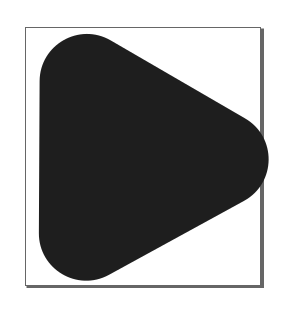
If I open the play button SVG in inkscape, it seems like the path isn't aligned with the viewbox.
|
|
This explains why adjusting the width can end up cropping the triangle, which I noticed when trying to fix the alignment that way. |
|
I created a C2LC-550 branch with a fix for the play/pause centre issue, @chosww. |
|
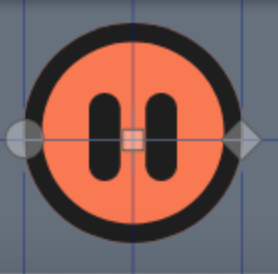
Here's how the pause button looks looks with:
|
|
Thanks for the updated SVG @the-t-in-rtf, I have updated the play button to the SVG you sent me, and forgot to let you know that I updated, could you try the preview site again and see if it looks good now? |
|
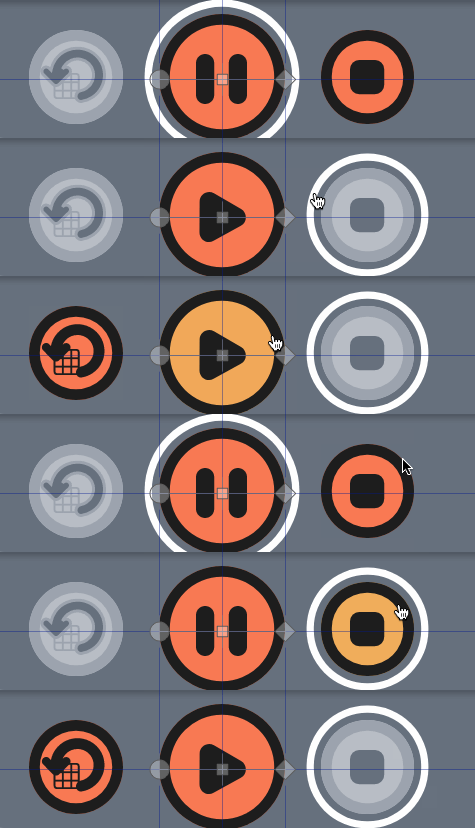
If I align with the centre of the circle and go back and forth, it still seems slightly off.
|

2 participants


See C2LC-550 for details.