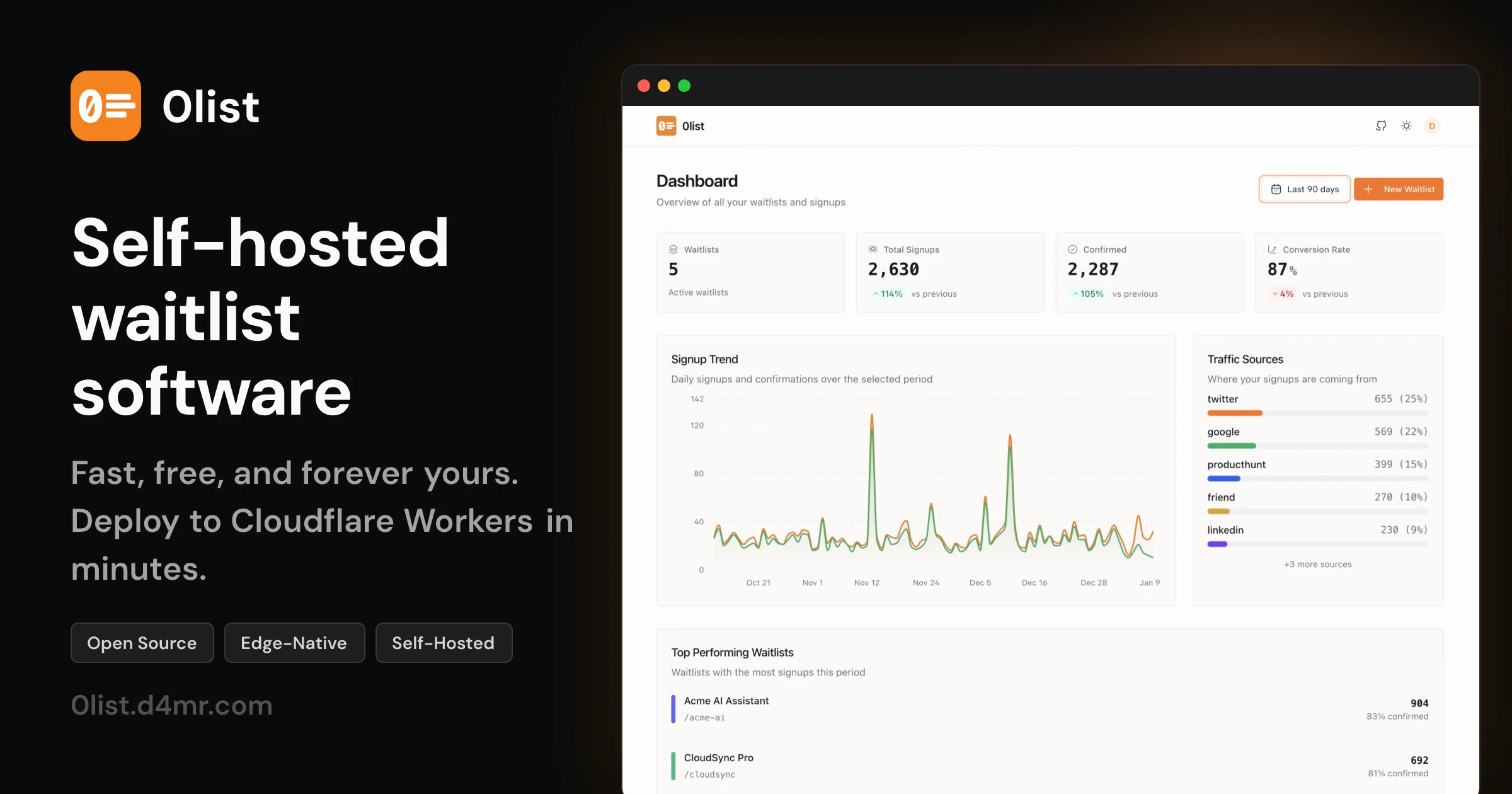



Fast, free, and forever yours.
Deploy your own waitlist to Cloudflare Workers in minutes.
Website • Documentation • Getting Started • API Reference
npx create-0listThe CLI will guide you through:
- Creating your project
- Setting up Cloudflare D1 database
- Running migrations
- Starting the dev server
That's it. Your waitlist is ready.
Other package managers
# pnpm
pnpm create 0list

# bun
bun create 0list

# yarn
yarn create 0listMost waitlist solutions are SaaS products that charge per signup, lock you into their platform, and store your user data on their servers.
0list is different:
| Feature | 0list | Typical SaaS |
|---|---|---|
| Cost | Free forever | $29-99/mo |
| Data ownership | 100% yours | Their servers |
| Vendor lock-in | None | High |
| Customization | Full source access | Limited |
| Performance | Edge (300+ locations) | Single region |
- Edge-native — Runs on Cloudflare Workers in 300+ locations worldwide. Sub-50ms response times globally.
- D1 Database — SQLite at the edge. No external database to provision, manage, or pay for.
- Self-hosted — Deploy to your own Cloudflare account. Your data never touches third-party servers.
- Open source — MIT licensed. Fork it, modify it, make it yours.
- Real-time analytics — Track signups, confirmations, and conversion rates
- Traffic sources — See where your signups are coming from with UTM tracking
- Multiple waitlists — Manage unlimited waitlists from one dashboard
- Export data — Download your signups as CSV anytime
- Double opt-in — Optional email confirmation to verify signups
- Custom templates — Fully customizable email templates with React Email
- Resend integration — Transactional emails via Resend (or bring your own provider)
- REST API — Full API for custom integrations and workflows
- Cloudflare Access — Protect your admin dashboard with zero-trust authentication
- Rate limiting — Built-in protection against abuse
- No tracking — No analytics, no cookies, no third-party scripts
├── apps/
│   ├── api/          # Hono backend (Cloudflare Workers)
│   ├── web/          # React admin dashboard
│   ├── www/          # Marketing website (Astro)
│   └── public/       # Embeddable signup widget
├── packages/
│   └── create-0list/ # CLI scaffolding tool
| Guide | Description |
|---|---|
| Getting Started | Deploy your first waitlist in 5 minutes |
| Configuration | Environment variables and settings |
| API Reference | REST API documentation |
| Email Templates | Customize confirmation emails |
| Cloudflare Access | Secure your admin dashboard |
# Clone the repo
git clone https://github.com/d4mr/0list.git
cd 0list

# Install dependencies
bun install

# Set up local D1 database
bun run db:migrate:local

# Start dev server
bun dev
The dev server runs:
- API at
http://localhost:8787 - Admin dashboard at
http://localhost:5173 - Marketing site at
http://localhost:4321
# Deploy to Cloudflare Workers
bun run deploy
See the deployment guide for detailed instructions.
0list is designed to receive updates easily. When you scaffold with create-0list, the upstream remote is configured automatically:
# Pull latest updates
git pull upstream main

# Resolve any conflicts, then deploy
bun run deploy- Runtime: Cloudflare Workers
- Database: Cloudflare D1 (SQLite)
- Backend: Hono
- Frontend: React + Vite
- ORM: Drizzle
- Emails: React Email + Resend
- Marketing: Astro
Contributions are welcome! Please read the contributing guidelines before submitting a PR.
- Fork the repository
- Create your feature branch (
git checkout -b feature/amazing-feature) - Commit your changes (
git commit -m 'Add amazing feature') - Push to the branch (
git push origin feature/amazing-feature) - Open a Pull Request
MIT © d4mr
Built with 🧡 for the Cloudflare ecosystem