


Build screener queries visually and get Python code instantly!

The Code Generator lets you:
- Select from 6 screener types (Stock, Crypto, Forex, Bond, Futures, Coin)
- Build filters visually with 13,000+ fields
- Generate ready-to-use Python code
- Copy and run in your environment
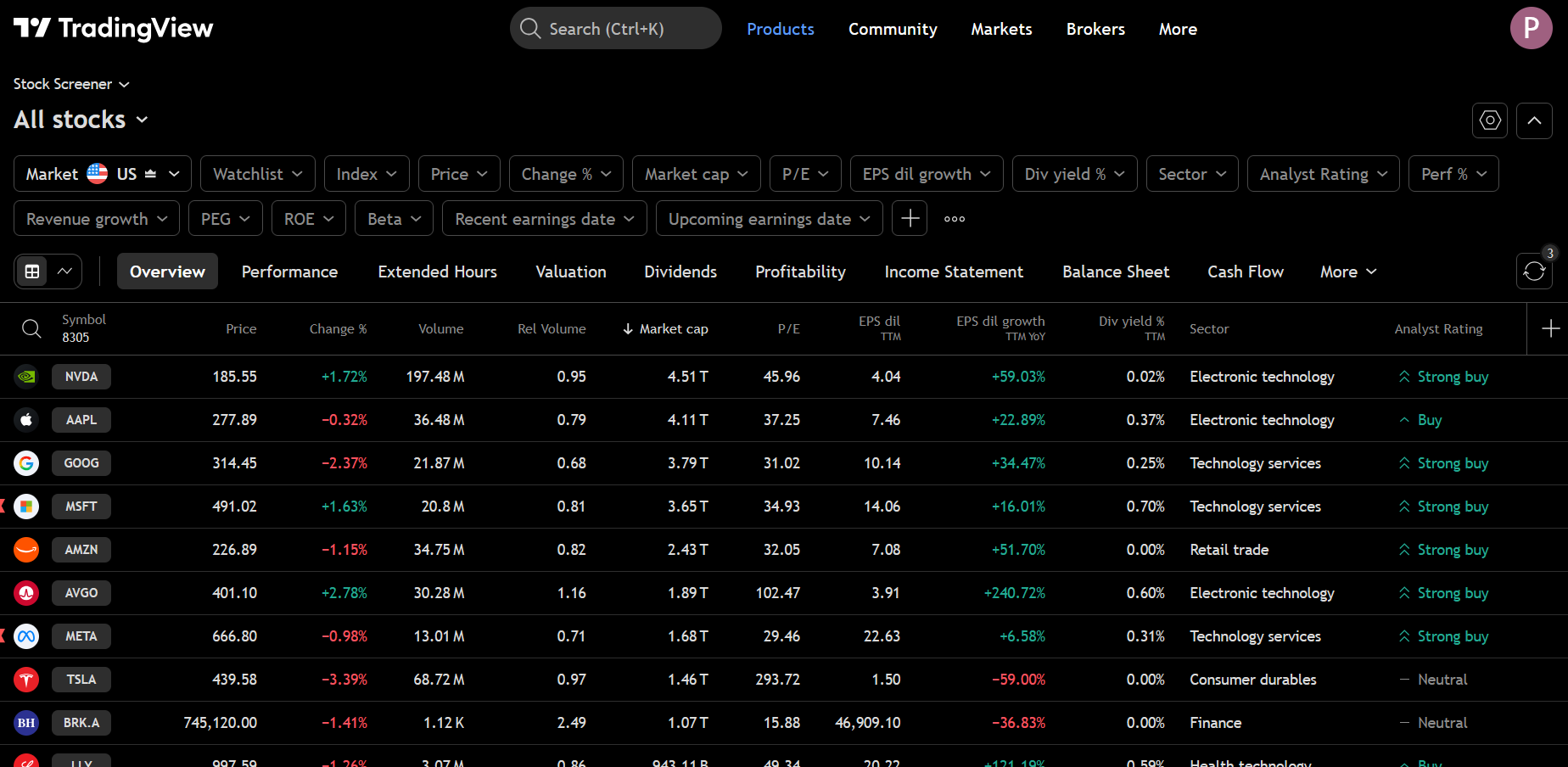
Get the results as a Pandas Dataframe

This is an unofficial, third-party library and is not affiliated with, endorsed by, or connected to TradingView™ in any way. TradingView™ is a trademark of TradingView™, Inc. This independent project provides a Python interface to publicly available data from TradingView's screener. Use of this library is at your own risk and subject to TradingView's terms of service.
Major API Enhancement Release - This release significantly expands the library with new screeners, 13,000+ fields, and a more intuitive API.
- BondScreener - Query government and corporate bonds
- FuturesScreener - Query futures contracts
- CoinScreener - Query coins from CEX and DEX exchanges
- 13,000+ fields across all screener types (up from ~300)
- Complete technical indicator coverage with all time intervals
- Fields organized by category with search and discovery methods
from tvscreener import StockScreener, StockField

ss = StockScreener()
ss.where(StockField.PRICE > 50)
ss.where(StockField.VOLUME >= 1_000_000)
ss.where(StockField.MARKET_CAPITALIZATION.between(1e9, 50e9))
ss.where(StockField.SECTOR.isin(['Technology', 'Healthcare']))
df = ss.get()# Chain methods for cleaner code
ss = StockScreener()
ss.select(StockField.NAME, StockField.PRICE, StockField.CHANGE_PERCENT)
ss.where(StockField.PRICE > 100)
df = ss.get()from tvscreener import StockScreener, STOCK_VALUATION_FIELDS, STOCK_DIVIDEND_FIELDS
ss = StockScreener()
ss.specific_fields = STOCK_VALUATION_FIELDS + STOCK_DIVIDEND_FIELDSThe library now validates that you're using the correct field types with each screener, catching errors early.
- Query Stock, Forex, Crypto, Bond, Futures, and Coin Screeners
- All the fields available: 13,000+ fields across all screener types
- Any time interval (
no need to be a registered user- 1D, 5m, 1h, etc.) - Fluent API with
select()andwhere()methods for cleaner code - Field discovery - search fields by name, get technicals, filter by category
- Field presets - curated field groups for common use cases
- Type-safe validation - catches field/screener mismatches
- Filters by any fields, symbols, markets, countries, etc.
- Get the results as a Pandas Dataframe
- Styled output with TradingView-like colors and formatting
- Streaming/Auto-update - continuously fetch data at specified intervals
The source code is currently hosted on GitHub at: https://github.com/deepentropy/tvscreener
Binary installers for the latest released version are available at the Python Package Index (PyPI)
# or PyPI
pip install tvscreener
From pip + GitHub:
$ pip install git+https://github.com/deepentropy/tvscreener.gitimport tvscreener as tvs
# Stock Screener
ss = tvs.StockScreener()
df = ss.get() # returns a dataframe with 150 rows by default
# Forex Screener
fs = tvs.ForexScreener()
df = fs.get()
# Crypto Screener
cs = tvs.CryptoScreener()
df = cs.get()
# Bond Screener (NEW)
bs = tvs.BondScreener()
df = bs.get()
# Futures Screener (NEW)
futs = tvs.FuturesScreener()
df = futs.get()
# Coin Screener (NEW) - CEX and DEX coins
coins = tvs.CoinScreener()
df = coins.get()Use select() and where() for cleaner, chainable code:
from tvscreener import StockScreener, StockField

ss = StockScreener()
ss.select(
    StockField.NAME,
    StockField.PRICE,
    StockField.CHANGE_PERCENT,
    StockField.VOLUME,
    StockField.MARKET_CAPITALIZATION
)
ss.where(StockField.MARKET_CAPITALIZATION > 1e9)
ss.where(StockField.CHANGE_PERCENT > 5)
df = ss.get()Search and explore the 13,000+ available fields:
from tvscreener import StockField

# Search fields by name or label
rsi_fields = StockField.search("rsi")
print(f"Found {len(rsi_fields)} RSI-related fields")

# Get all technical indicator fields
technicals = StockField.technicals()
print(f"Found {len(technicals)} technical fields")

# Get recommendation fields
recommendations = StockField.recommendations()Use curated field groups for common analysis needs:
from tvscreener import (
    StockScreener, get_preset, list_presets,
    STOCK_PRICE_FIELDS, STOCK_VALUATION_FIELDS, STOCK_DIVIDEND_FIELDS,
    STOCK_PERFORMANCE_FIELDS, STOCK_OSCILLATOR_FIELDS
)

# See all available presets
print(list_presets())
# ['stock_price', 'stock_volume', 'stock_valuation', 'stock_dividend', ...]

# Use presets directly
ss = StockScreener()
ss.specific_fields = STOCK_VALUATION_FIELDS + STOCK_DIVIDEND_FIELDS
df = ss.get()

# Or get preset by name
fields = get_preset('stock_performance')
Available Presets:
| Category | Presets |
|---|---|
| Stock | stock_price, stock_volume, stock_valuation, stock_dividend, stock_profitability, stock_performance, stock_oscillators, stock_moving_averages, stock_earnings |
| Crypto | crypto_price, crypto_volume, crypto_performance, crypto_technical |
| Forex | forex_price, forex_performance, forex_technical |
| Bond | bond_basic, bond_yield, bond_maturity |
| Futures | futures_price, futures_technical |
| Coin | coin_price, coin_market |
Apply different time intervals to technical indicators:
from tvscreener import StockScreener, StockField

ss = StockScreener()

# Get RSI with 1-hour interval
rsi_1h = StockField.RELATIVE_STRENGTH_INDEX_14.with_interval("60")

# Available intervals: 1, 5, 15, 30, 60, 120, 240, 1D, 1W, 1M
ss.specific_fields = [
    StockField.NAME,
    StockField.PRICE,
    rsi_1h,
    StockField.MACD_LEVEL_12_26.with_interval("240"),  # 4-hour MACD
]
df = ss.get()For detailed usage examples, see the documentation and notebooks below.
You can apply TradingView-style formatting to your screener results using the beautify function. This adds colored text for ratings and percent changes, formatted numbers with K/M/B suffixes, and visual indicators for buy/sell/neutral recommendations.
import tvscreener as tvs

# Get raw data
ss = tvs.StockScreener()
df = ss.get()

# Apply TradingView styling
styled = tvs.beautify(df, tvs.StockField)

# Display in Jupyter/IPython (shows colored output)
styled
The styled output includes:
- Rating columns with colored text and directional arrows:
- Buy signals: Blue color with up arrow (↑)
- Sell signals: Red color with down arrow (↓)
- Neutral: Gray color with dash (-)
- Percent change columns: Green for positive, Red for negative
- Number formatting: K, M, B, T suffixes for large numbers
- Missing values: Displayed as "--"
You can use the stream() method to continuously fetch screener data at specified intervals. This is useful for monitoring real-time market data.
import tvscreener as tvs

# Basic streaming with iteration limit
ss = tvs.StockScreener()
for df in ss.stream(interval=10, max_iterations=5):
    print(f"Got {len(df)} rows")

# Streaming with callback
from datetime import datetime

def on_update(df):
    print(f"Updated at {datetime.now()}: {len(df)} rows")

ss = tvs.StockScreener()
try:
    for df in ss.stream(interval=5, on_update=on_update):
        # Process data
        pass
except KeyboardInterrupt:
    print("Stopped streaming")

# Stream with filters
ss = tvs.StockScreener()
ss.set_markets(tvs.Market.AMERICA)
for df in ss.stream(interval=30, max_iterations=10):
    print(df.head())
Parameters:
interval: Refresh interval in seconds (minimum 1.0 to avoid rate limiting)max_iterations: Maximum number of refreshes (None = infinite)on_update: Optional callback function called with each DataFrame
📖 Full Documentation - Complete guides, API reference, and examples.
| Guide | Description |
|---|---|
| Quick Start | Get up and running in 5 minutes |
| Filtering | Complete filtering reference |
| Stock Screening | Value, momentum, dividend strategies |
| Technical Analysis | RSI, MACD, multi-timeframe |
| API Reference | Screeners, Fields, Enums |
Interactive examples organized by use case:
| Notebook | Description |
|---|---|
| 01-quickstart.ipynb | Overview of all 6 screeners |
| 02-stocks.ipynb | Stock screening strategies |
| 03-crypto.ipynb | Crypto analysis |
| 04-forex.ipynb | Forex pairs screening |
| 05-bonds-futures.ipynb | Bonds and futures |


