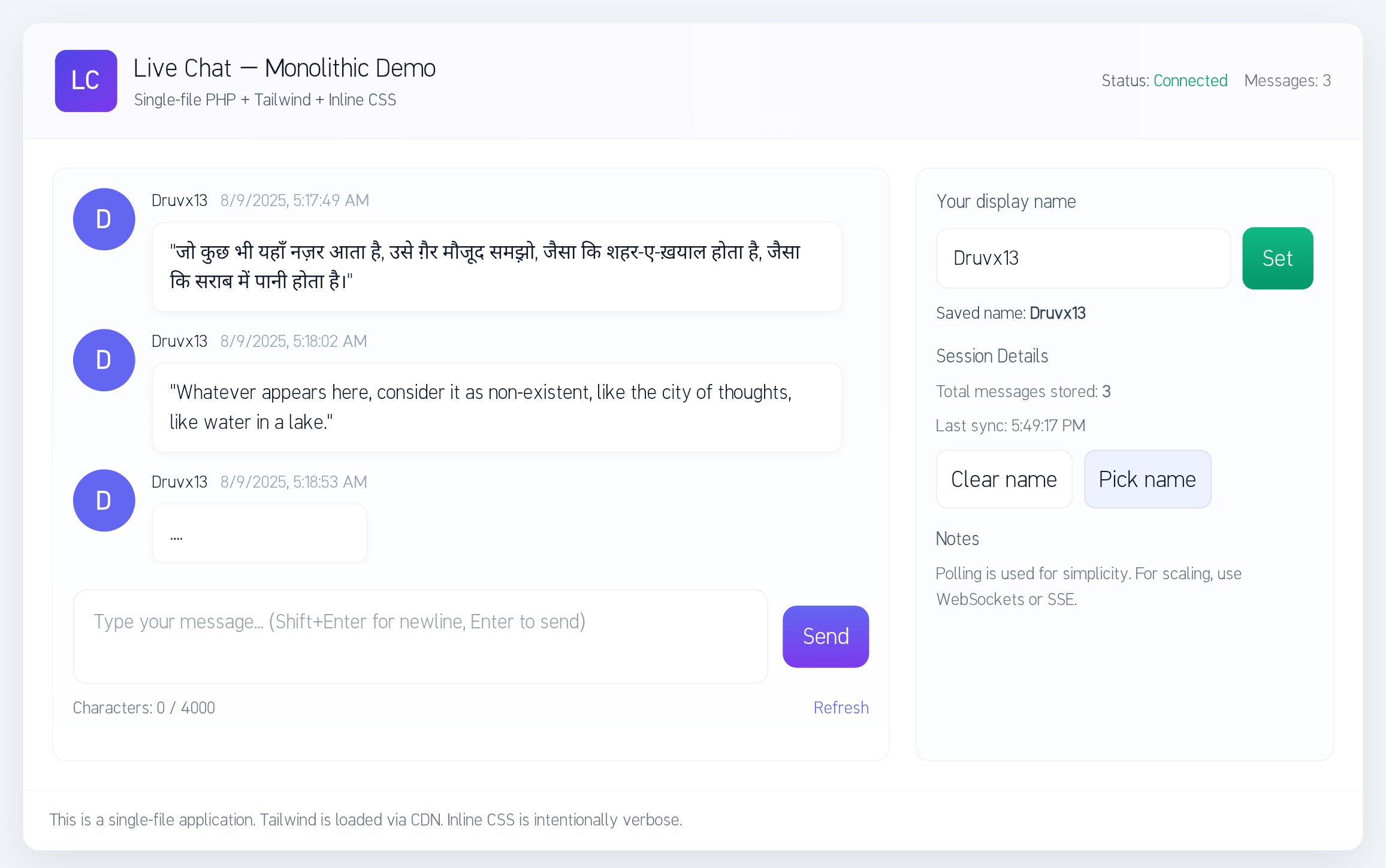
This is a single-file PHP application that implements a simple live text chat. The entire application, including the backend (PHP), frontend (HTML, CSS, JS), and database initialization, is contained within index.php.
- Monolithic Design: A single file contains all the necessary code:
- PHP for database initialization and API endpoints.
- HTML for the structure.
- Inline CSS and Tailwind CSS (via CDN) for styling.
- Vanilla JavaScript for client-side logic.
- Automatic Setup: On the first run, the script attempts to:
- Connect to the MySQL server.
- Create the database (if it doesn't exist and permissions allow).
- Create the required
chat_messagestable.
- Real-time Updates: Employs a simple and robust polling mechanism for near real-time message updates.
- PHP 8+ with the
PDO_mysqlextension enabled. - A MySQL or MariaDB server.
- A web server (e.g., Apache, Nginx) configured to execute PHP scripts.
- The MySQL user must have privileges to create a database on the first run, or the database must be created manually beforehand.
- Configure Database: Open the
index.phpfile and edit the database configuration constants to match your MySQL server credentials:define('DB_HOST', '127.0.0.1'); define('DB_PORT', '3306'); define('DB_USER', 'root'); define('DB_PASS', 'password'); define('DB_NAME', 'live_chat_monolith');
- Upload: Upload the
index.phpfile to your web server's document root. - Run: Open the file in your web browser. The application will automatically attempt to create the database and necessary tables.
Once the application is set up, you can start chatting. You will be prompted to pick a display name, which will be stored locally in your browser.
- SQL Injection: The application uses prepared statements to protect against SQL injection vulnerabilities.
- Cross-Site Scripting (XSS): All message content is escaped on the client-side before being inserted into the DOM to prevent XSS attacks.
- Production Use: This application is intended for development, demonstration, or small-scale deployments. For a production environment, it is recommended to:
- Enable HTTPS.
- Store database credentials securely (e.g., using environment variables).
- Implement proper user authentication and authorization.
- Add rate limiting and content moderation.
- Configure a strict Content Security Policy (CSP).
Contributions are welcome! Please feel free to open an issue or submit a pull request.
This project is released into the public domain under The Unlicense.