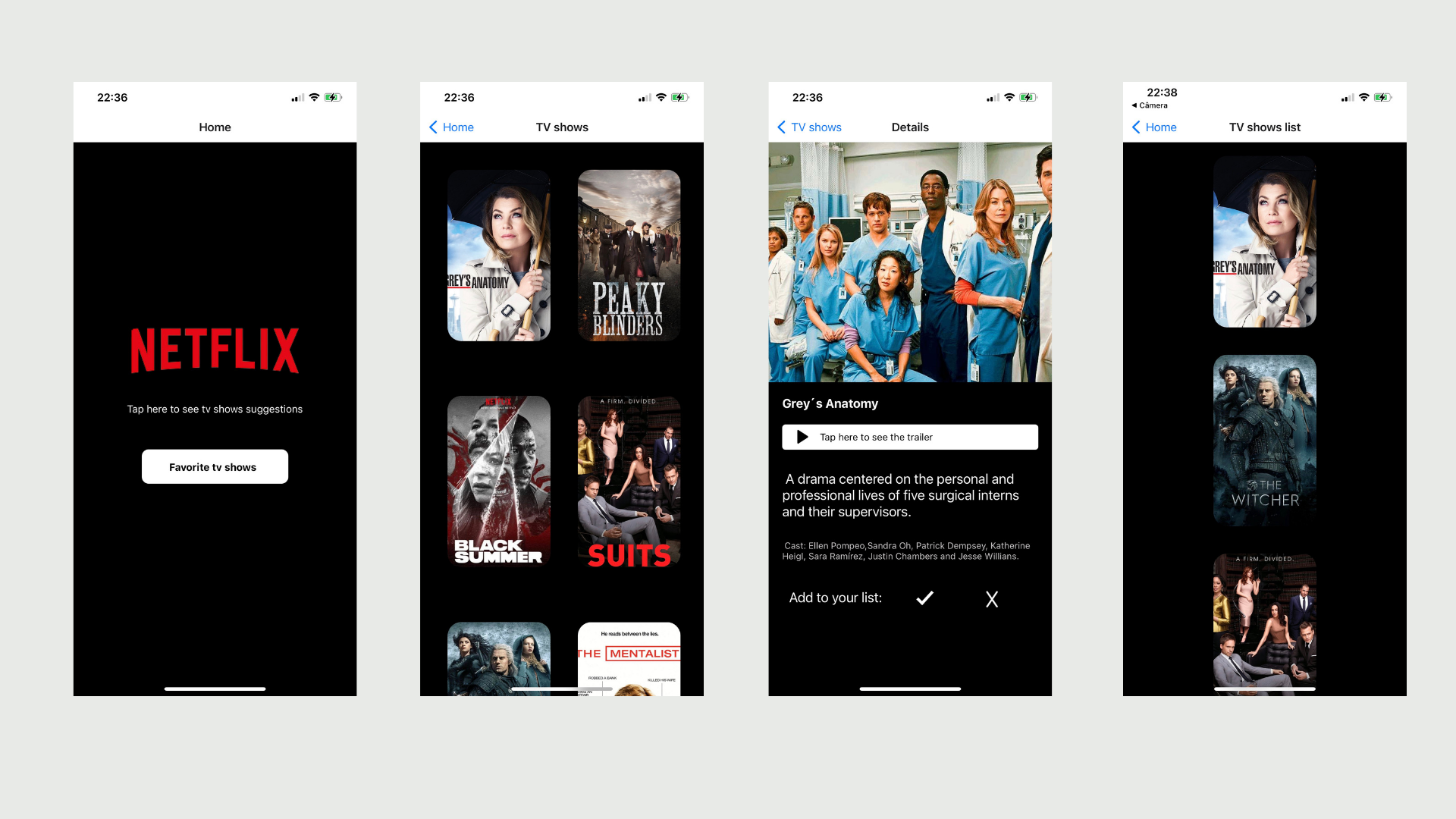
Description
📌 Implementation of an app that lists a few tv shows app using an API. On the app, you can see photos, trailers, and descriptions for each show and you can add your favorites to a list.
Technologies
Run
-
Install npm, Node.js, git, and expo (https://docs.expo.dev/get-started/installation/).
-
Download the Expo app on your phone and create an account to see the app running
-
Clone the repository (git clone https://github.com/eduardagomess/TVShowApp.git)
-
Through the command line, go to the project folder (TVShowApp) and execute the following command 'npm install'
-
To see the app working:
- go to the backend folder and run the command 'npm start'.
- open another command prompt window, go to the front-end folder, and execute the following command 'expo start'
- After the above commands, use your phone camera to read de QRcode to open the app on your phone
At the end of these steps, the app will be working in the expo app and ready to be tested!