You can watch the video training for Partial Master by clicking below:
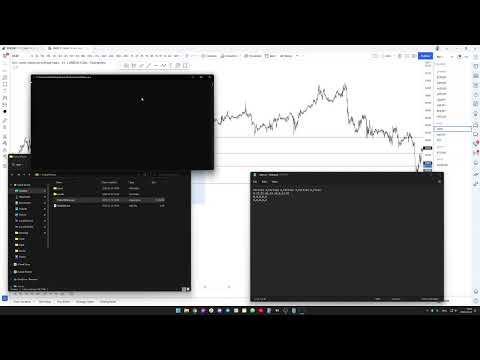
Partial Master is a tool that allows you to input your trades, and what risk/reward (RR) ratio they have reached, when you wanted to partial, and calculate the most optimal partial percentages at every stage.
Why partial 50% at every target, just because everyone else is doing it?
Your trading style is unique to you, and you need to know what partial percentages work the best for you.
The script takes your trading data and runs a simulation to determine the highest RR possible, and what partial percentages were used.
- Download the files (if you have never used GitHub before, click the CODE button and click DOWNLOAD ZIP)
- Edit the data file (data.csv) inside the INPUT folder by entering your trading data
- Run the Partial Master.exe
- Fill in incremental value (how accurate you want the script to calculate the end result)
- Fill in the allowed drawdown (if you are back-testing)
Inside the data file you need to enter your trade data. There are 5 columns:
- Partial 1
- Partial 2
- Partial 3
- Partial 4
- Final
In each of these columns enter the risk/reward ratio that the trade has reached at the certain level, when you wanted to partial.
For example:
| Partial 1 | Partial 2 | Partial 3 | Partial 4 | Final |
|---|---|---|---|---|
| 3 | 15 | 0 | 0 | 2 |
| 2.2 | 0 | 0 | 0 | 1.5 |
| 0 | 0 | 0 | 0 | 0 |
Trade 1 reached the first target of 3 RR. Then it reached second target for 15 RR. It never reached partial 3 and partial 4 levels, and was stopped out at 2 RR.
Trade 2 reached the first target for 2.2 RR, never reached any other partial, and was stopped out at 1.5 RR.
Trade 3 never reached any targets, and has hit the stop-loss. It is counted as a loss.
You can edit the CSV data file with any software (Microsoft Excel, Google Sheets, Notepad, Atom...).
The entries should be separated by comma, and fractal RR targets are using periods.
When you have prepared the data file, you can launch the software. The data file must be located in input/data.csv, where your Partial Master.exe is located.
There are 2 variables that you need to specify in order to launch the Partial Master:
-
Incremental value
- The script takes each entry and runs a calculation. The higher the incremental value, the faster the calculations will be done (though less accurate). If you have a slow computer (slow CPU), you want to specify a higher value.
- If you specify the value of 5, it will increase the partial percentage by 5%:
- Cycle 1
- Partial 1 - 5%
- Partial 2 - 0%
- Partial 3 - 0%
- Partial 4 - 0 %
- Final - 95%
- Cycle 2
- Partial 1 - 10%
- Partial 2 - 0%
- Partial 3 - 0%
- Partial 4 - 0 %
- Final - 90%
- And so on...
- Cycle 1
-
Maximum allowed drawdown
- If you are back testing, you may want to fill out the maximum allowed drawdown.
- Specify a negative number anywhere from 1 to any number you desire.
- If drawdown will be met, the result will not be printed.
The script will print the top 10 results:

You will be able to see:
- The total amount of RR that all of the trades generated (sum)
- The partial percentages
- How much of a drawdown it generated
Also, all of the results will be saved in a new CSV file, located in /results folder
If you are not taking partial 2, partial 3 or partial 4, you just enter 0, and the script will skip it.
This is your last partial, or usually your stop-loss risk-reward.
The script gives you the percentages, that are the most optimal, based on your trading data, so you can use them in the future. The percentages indicate the percent of the position that you need to close when you reach your partial.
For example:
If you got the results as partial 1 - 15%, partial 2 - 30%, partial 3 - 22%, partial 4 - 2%, that means that if you have opened 2 lots position, at first partial, you take off 15% of the position (0.3 lots).
On the second partial you take off 30% of the position that is left (you take off 30% of the remaining 1.7 lots, which is 0.51 lots).
Third partial is 22%, so you take off 22% of the remaining 1.19 lots, which is 0.26 lots.
Fourth partial is 2%, so you take 2% of the remaining 0.93 lots, which is 0,01 lots.
And the remaining 0.92 lots will be closed at your stop-loss.
If you don't want the results to be omitted, you can type -1000 in the drawdown variable (or a number that is higher than the amount of all of your trades), and it will print all of the results.
Drawdown is brought back to the value "0" any time the running sum is greater than the drawdown. For example:
- You lost 5 trades in a row. The drawdown is -5.
- You won one trade with a total RR of 2. The drawdown is now -3 (because we are still in drawdown).
- You lost 3 more trades. The drawdown is now -6.
- You won a trade with a total RR of 10. The drawdown is now 0.
- You won another trade with a total RR of 3. The drawdown is still 0.
- You lost a trade. The drawdown is -1, though the overall sum is 6.
This variable was implemented, so you would be able to back-test the results, and choose an appropriate risk size.
The script is using a single-thread, so calculations take some time. The slower the CPU, and the lower the incremental value, the longer it will take. Increase the incremental value to speed it up. Usually the final sum will not be dramatically different whether you use increment value of 3 or 10.
You can contact me at strimaitis.emilis@gmail.com
The more data you will have inside the data file, the more accurate end result will be.
So it's a good idea to constantly log your trades and run Partial Master every once in a while. Your trading style may be evolving over time, and you need to adapt your partial percentages.