Here I store my config files and such.
I've written a handy script for creating symlinks from this repo location to config destination.
Usage:
Usage: ./install.sh [option] [config|script]

  -l, --list              list available configs and scripts
  -a, --all               link all configs and scripts
  -c, --configs {CONFIG}  link specified config(s) only
  -s, --scripts {SCRIPT}  link specified script(s) only
  --all-configs           link all configs
--all-scripts link all scriptsMake sure your terminal emulator handles truecolor and glyphs and
you have installed one of Nerd Fonts
I use Iosevka and that's what can be seen on screenshots below.
As for terminal emulator I've been enjoying Kitty
even though I don't use most of it's features.
Colorscheme visible on all screenshots is Gruvbox
Glyphs are not enabled by default - to enable them set environment variable THEME_ENABLE_GLYPHS to anything but empty string. I put below line in kitty.conf:
env THEME_ENABLE_GLYPHS=1
Theme relies on following files from this repository:
$FISH_DIR/functions/fish_prompt.fish$FISH_DIR/functions/fish_mode_prompt.fish(when using Vi mode)$FISH_DIR/conf.d/03-event_handlers.fish(for setting variables holding Python, Go versions, git remote etc.)
Currently implemented theme features:
- distinct prompt for different operating systems:
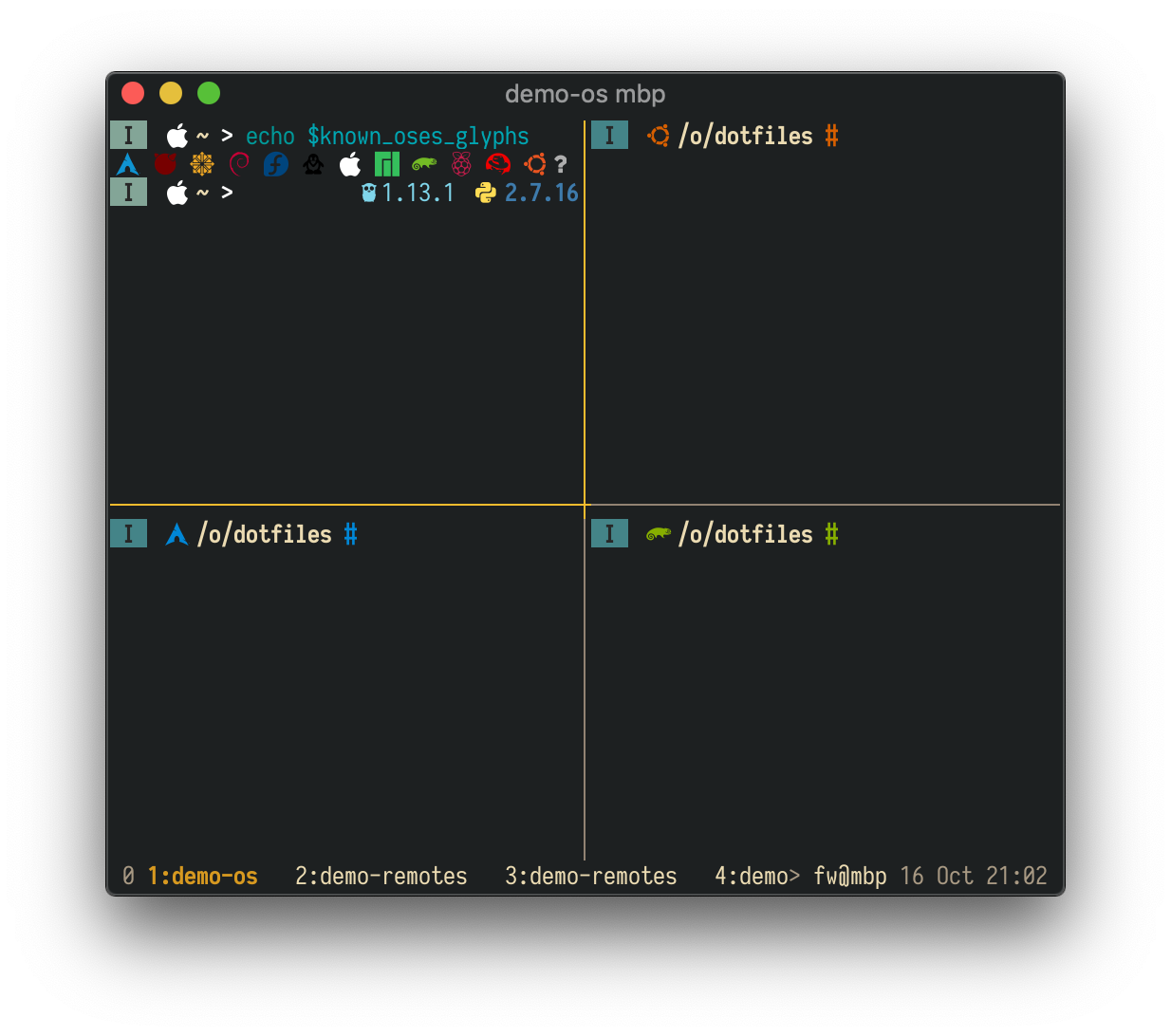
- informative git status along with different glyphs depending on origin URL
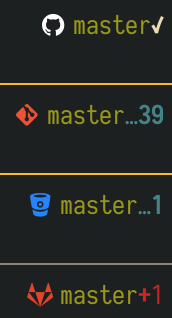
It is possible to check out theme in Docker container. Currently, dockerfiles for following distributions are available:
- OpenSUSE Tumbleweed
- Arch Linux
- Ubuntu 18.04
To build those images execute below commands from repo root (requirements: Docker,
Python 3, Jinja2 Python package)
cd docker
./build_images.sh
By default, the images are tagged latest and are named according to dotfiles-{{ short distro name }} convention. It can be customized via IMAGE_TAG, IMAGE_PREFIX and IMAGE_SUFFIX environment variables.
To run container and see theme in action simply run:
# opensuse, arch or ubuntu
docker run -it --rm dotfiles-opensuse:latest