




A cool alternative for Google firebase remote-config library! Remote config the variables, appearance and the behavior of your app without publishing an app update. The library is based on Google Volley library.
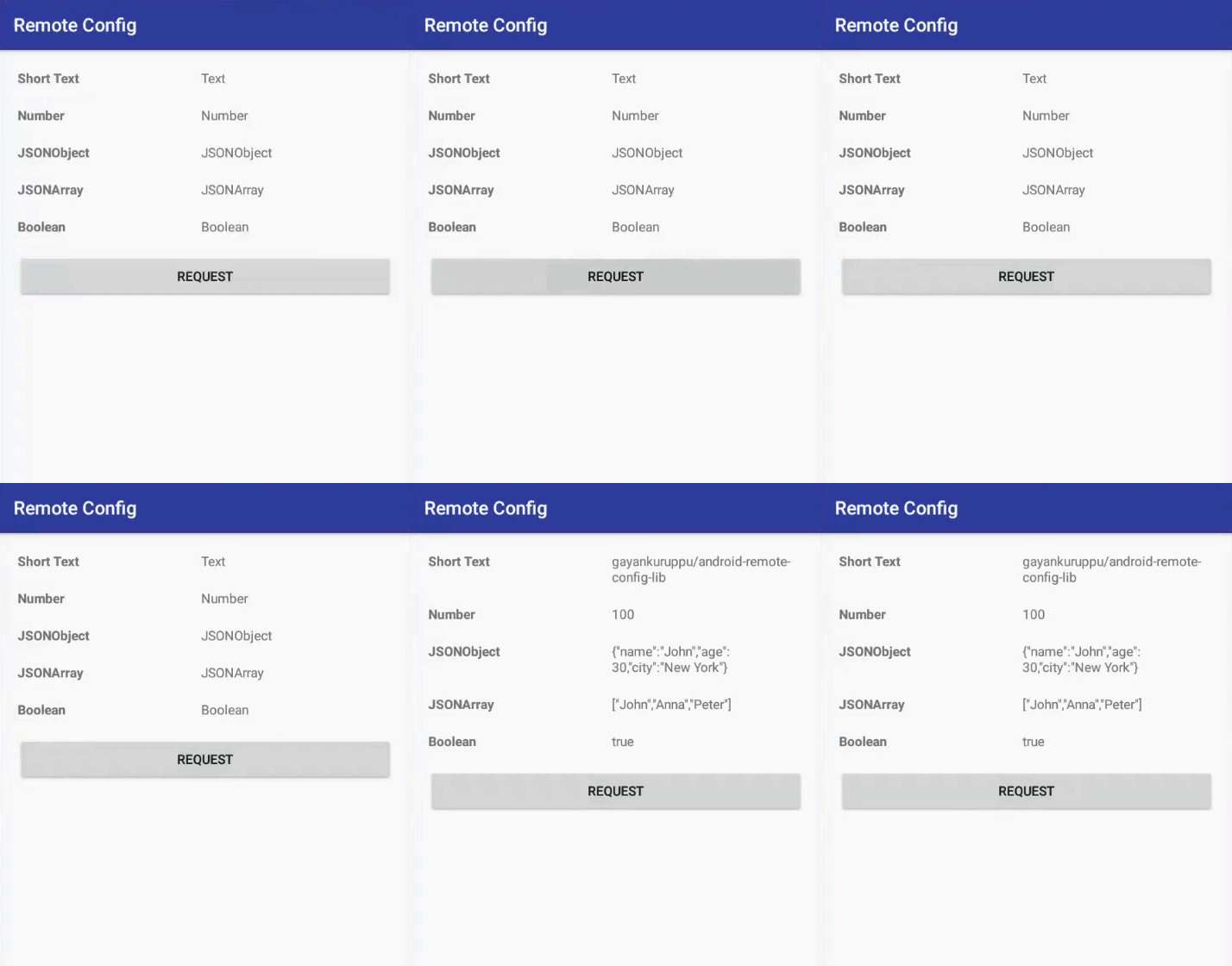
Library retrieves the JSON file from https://github.com/gayanvoice/android-remote-config-library/blob/master/remote-config.json.
To configure the data in the JSON file, you can fork the library and change the data in the JSON file.
- Add this to
build.gradleof project gradle dependency
allprojects {
	repositories {
		...
 		maven { url 'https://jitpack.io' }
	}
}- Add this to
build.gradleof app gradle dependency
dependencies {
	implementation 'com.github.gayanvoice:android-remote-config-library-firebase:1.0.3'
}- Add this to
build.gradleof project gradle dependency
<repositories>
	<repository>
		<id>jitpack.io</id>
	    	<url>https://jitpack.io</url>
	</repository>
</repositories>- Add this to
build.gradleof module gradle dependency
<dependency>
	<groupId>com.github.gayanvoice</groupId>
	<artifactId>remote-config</artifactId>
	<version>1.0.3</version>
</dependency><uses-permission android:name="android.permission.INTERNET" />import com.remoteconfig.library.*;// set request
RequestQueue queue = FetchRemote.newRequestQueue(MainActivity.this);
// url of the json file
String url ="https://raw.githubusercontent.com/gayanvoice/remote-config/master/remote-config.json";
// request the json file
RemoteConfig remoteConfig = new RemoteConfig(MainActivity.this, url,
new Response.Listener<String>() {
@Override
public void onComplete() {
// json file retrieved
// declare remote param
RemoteParams remoteParams = new RemoteParams(MainActivity.this);
// get String value
String stringValue = remoteParams.getString("short_text", "default_text");
// get int values
int intValue = remoteParams.getInt("number", 200);
// get JSON Object
JSONObject jsonObject = remoteParams.getJSONObject("json_object");
// get JSON Array
JSONArray jsonArray = remoteParams.getJSONArray("json_array");
// get boolean value
boolean booleanValue = remoteParams.getBoolean("boolean", false);
}
},
new Response.ErrorListener() {
@Override
public void onError(RemoteError error) {
// json file retrieve error
}
}
);
// clear cache
remoteConfig.setShouldCache(false);
queue.add(remoteConfig);import com.remoteconfig.library.*// set request
val queue = FetchRemote.newRequestQueue(this@MainActivity)
// url of the json file
val url = "https://raw.githubusercontent.com/gayanvoice/remote-config/master/remote-config.json"
// request the json file
val remoteConfig = RemoteConfig(this@MainActivity, url,
Response.Listener<String> {
// json file retrieved
// declare remote param
val remoteParams = RemoteParams(this@MainActivity)
// get String value
val stringValue = remoteParams.getString("short_text", "default_text")
// get int values
val intValue = remoteParams.getInt("number", 200)
// get JSON Object
val jsonObject = remoteParams.getJSONObject("json_object")
// get JSON Array
val jsonArray = remoteParams.getJSONArray("json_array")
// get boolean value
val booleanValue = remoteParams.getBoolean("boolean", false)
},
Response.ErrorListener {
// json file retrieve error
}
)
// clear cache
remoteConfig.setShouldCache(false)
queue.add(remoteConfig)- Select
GitfromCheck out project from Version Controlin your Android Studio - Paste the repository url and click
Clonebutton - Click
Yesto open the repository Buildusing the latestGradleversion
Go to https://github.com/gayanvoice/android-vpn-client-ics-openvpn#develop see the steps