Discover, collect, and track the evolution of inspiring website designs. A community-driven platform for designers and developers.



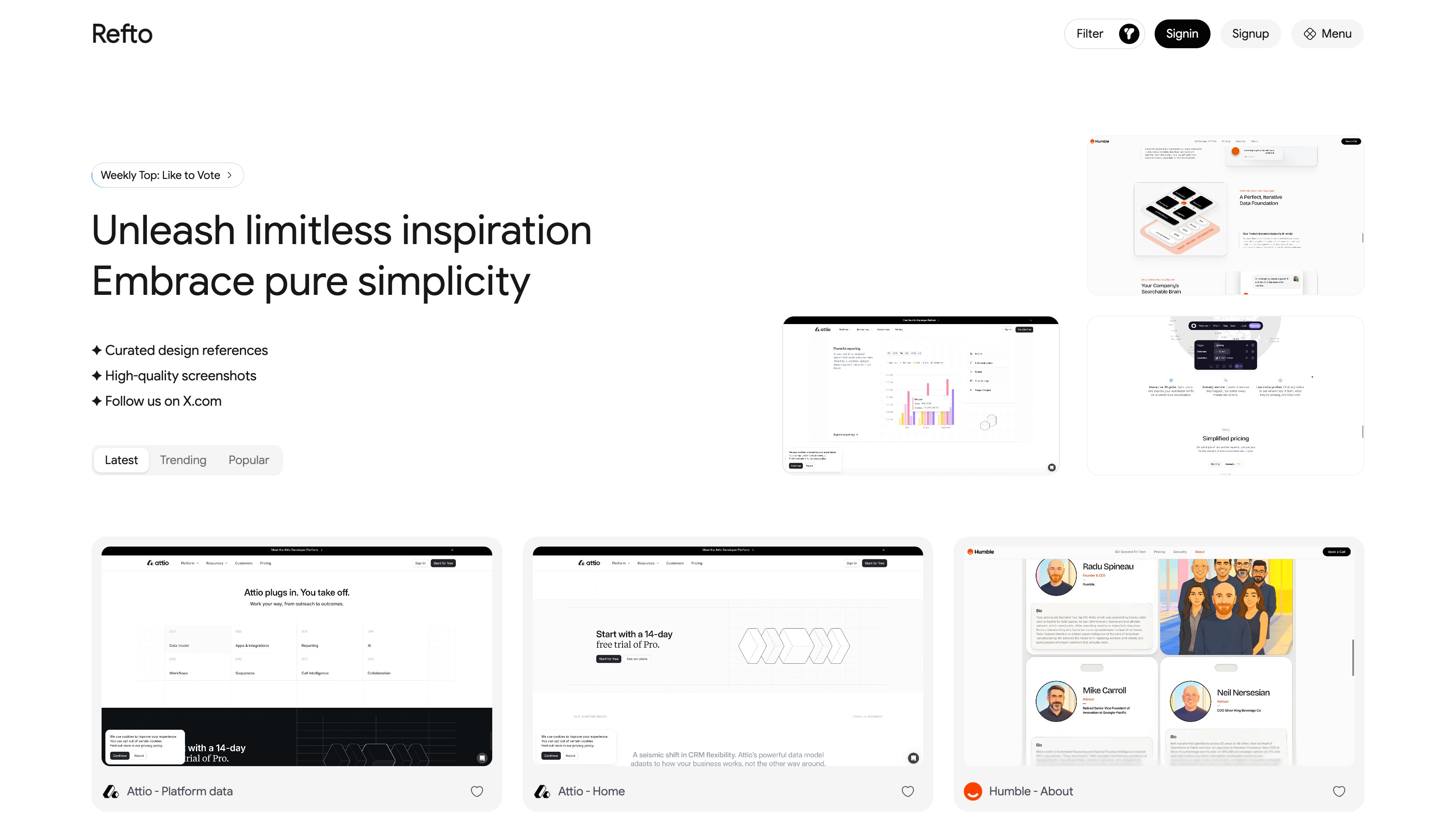
- Design Discovery - Browse curated website designs with multiple feed options (Latest, Trending, Popular)
- Version History - Track how website designs evolve over time with dated snapshots
- Dual View Mode - Preview designs in both web and mobile layouts
- Weekly Leaderboard - Discover top-rated designs each week
- Social Engagement - Like and save your favorite designs
- Site Submissions - Submit new websites for community review
- Admin Dashboard - Analytics, user management, and content moderation
| Category | Technology |
|---|---|
| Frontend | React 19, TanStack Start (SSR), TanStack Router |
| Styling | Tailwind CSS v4, shadcn/ui (base-nova) |
| API Layer | oRPC (end-to-end type-safe RPC) |
| Database | PostgreSQL + Drizzle ORM |
| Authentication | Better Auth (Email/Password, GitHub, Google OAuth) |
| File Storage | Cloudflare R2 + Image/Video Transformations |
| React Email + Resend | |
| Deployment | Cloudflare Workers + Wrangler |
| Code Quality | Biome + Ultracite |
| Package Manager | pnpm (monorepo workspaces) |
refto-one/
├── apps/
│   └── web/                      # Full-stack application (port 3001)
│       └── src/
│           ├── routes/           # File-based routing
│           │   ├── (auth)/       # Auth pages (login/signup/reset)
│           │   ├── (app)/        # Protected app routes
│           │   ├── (admin)/      # Admin dashboard routes
│           │   └── api/          # API route handlers
│           ├── components/
│           │   ├── ui/           # shadcn/ui components
│           │   ├── shared/       # Shared components
│           │   └── features/     # Feature-specific components
│           ├── lib/              # Utilities (auth-client, utils)
│           ├── hooks/            # Custom React hooks
│           └── utils/            # Utilities (oRPC client)
│
├── packages/
│   ├── api/                      # oRPC routers and procedures
│   ├── auth/                     # Better Auth configuration
│   ├── db/                       # Drizzle database schema
│   ├── email/                    # React Email templates
│   └── common/                   # Shared types and validations
- Node.js 24+
- pnpm 10+
- PostgreSQL database
- Clone the repository and install dependencies:
git clone <repo-url>
cd refto-one
pnpm install- Configure environment variables:
cp apps/web/.env.example apps/web/.envEdit apps/web/.env with your values (see Environment Variables section below).
- Initialize the database:
pnpm run db:pushStart the development server:
pnpm run devVisit http://localhost:3001
# Development
pnpm run dev          # Start all apps
pnpm run dev:web      # Start web app only

# Type Checking
pnpm run check-types  # Check TypeScript types across all packages

# Code Quality
pnpm run check        # Biome formatting and linting
npx ultracite fix     # Auto-fix code issues

# Database
pnpm run db:push      # Push schema changes to database
pnpm run db:generate  # Generate migration files
pnpm run db:migrate   # Run migrations
pnpm run db:studio # Open Drizzle StudioThis project uses two environment configuration files:
| File | Purpose |
|---|---|
.env |
Standard Node.js development (copied from .env.example) |
.dev.vars |
Wrangler local development secrets (copied from .dev.example.vars) |
| Variable | Description | Example |
|---|---|---|
CORS_ORIGIN |
Allowed CORS origin | http://localhost:3001 |
BETTER_AUTH_URL |
Authentication service URL | http://localhost:3001 |
DATABASE_URL |
PostgreSQL connection string | postgresql://user:pass@localhost:5432/refto |
| Variable | Description | Sensitive |
|---|---|---|
BETTER_AUTH_SECRET |
Token signing secret (generate with pnpm dlx @better-auth/cli@latest secret) |
Yes |
GITHUB_CLIENT_ID |
GitHub OAuth app ID | No |
GITHUB_CLIENT_SECRET |
GitHub OAuth app secret | Yes |
GOOGLE_CLIENT_ID |
Google OAuth app ID | No |
GOOGLE_CLIENT_SECRET |
Google OAuth app secret | Yes |
| Variable | Description | Sensitive |
|---|---|---|
EMAIL_USER |
From email address | No |
RESEND_API_KEY |
Resend API key | Yes |
| Variable | Description | Sensitive |
|---|---|---|
CLOUD_FLARE_R2_ACCOUNT_ID |
R2 account ID | No |
CLOUD_FLARE_S3_UPLOAD_BUCKET |
R2 bucket name | No |
CLOUD_FLARE_S3_UPLOAD_KEY |
R2 access key | Yes |
CLOUD_FLARE_S3_UPLOAD_SECRET |
R2 secret key | Yes |
VITE_CLOUD_FLARE_R2_URL |
Public R2 URL (client-accessible) | No |
pnpm run buildBuild output is located at apps/web/dist/
This project uses Wrangler and the Cloudflare Vite plugin for deploying to Cloudflare Workers.
| File | Purpose |
|---|---|
wrangler.toml |
Wrangler configuration with non-sensitive vars and bindings |
.dev.vars |
Local development secrets (not committed) |
.dev.example.vars |
Template for .dev.vars |
Non-sensitive variables are configured in wrangler.toml:
[vars]
EMAIL_USER = "hi@your-domain.com"
GITHUB_CLIENT_ID = "..."
GOOGLE_CLIENT_ID = "..."
CLOUD_FLARE_R2_ACCOUNT_ID = "..."
CLOUD_FLARE_S3_UPLOAD_BUCKET = "..."
VITE_CLOUD_FLARE_R2_URL = "https://storage.your-domain.com"
Cloudflare bindings (also in wrangler.toml):
# Hyperdrive for PostgreSQL connection pooling
[[hyperdrive]]
binding = "HYPERDRIVE"
id = "your-hyperdrive-id"

# KV namespace for API response caching
[[kv_namespaces]]
binding = "CACHE"
id = "your-kv-id"
Sensitive secrets are set via Wrangler CLI (one-time setup):
cd apps/web

# Database (if not using Hyperdrive)
pnpm exec wrangler secret put DATABASE_URL

# Auth
pnpm exec wrangler secret put BETTER_AUTH_SECRET

# Email
pnpm exec wrangler secret put RESEND_API_KEY

# OAuth secrets
pnpm exec wrangler secret put GITHUB_CLIENT_SECRET
pnpm exec wrangler secret put GOOGLE_CLIENT_SECRET

# R2 storage
pnpm exec wrangler secret put CLOUD_FLARE_S3_UPLOAD_KEY
pnpm exec wrangler secret put CLOUD_FLARE_S3_UPLOAD_SECRET# Build and deploy to Cloudflare Workers
pnpm run deploy
# Delete deployment
pnpm run deploy:destroyBuilt with TanStack Start, also deployable to:
- Node.js Server - Run build output directly
- Docker - Containerized deployment
- Vercel / Netlify - Requires adapter configuration