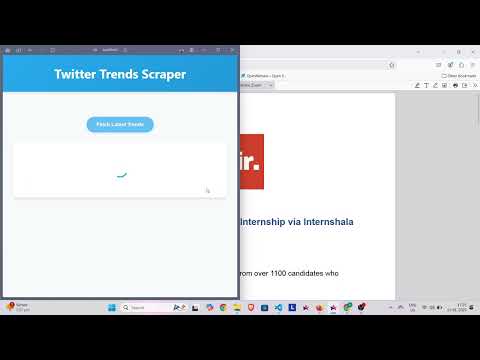
A web application that scrapes Twitter trends in real-time using Selenium WebDriver and displays them through a modern web interface. The application uses proxies for reliable data collection and stores the results in MongoDB.
- Real-time Twitter trends scraping
- Proxy rotation system using ProxyMesh
- MongoDB integration for data persistence
- Modern, responsive web interface with:
- Loading indicators during data fetch
- Error handling with user-friendly messages
- Clean, professional styling
- Real-time updates
- Python 3.7+
- Chrome browser
- MongoDB
- ProxyMesh account
- Twitter account
- Clone the repository:
git clone https://github.com/yourusername/stir.git
cd stir- Install required Python packages:
pip install -r requirements.txt- Create a
.envfile in the project root with the following configurations:
MONGODB_URI=your_mongodb_connection_string
PROXYMESH_USERNAME=your_proxymesh_username
PROXYMESH_PASSWORD=your_proxymesh_password
TWITTER_USERNAME=your_twitter_username
TWITTER_EMAIL=your_twitter_email
TWITTER_PASSWORD=your_twitter_password- Start the Flask application:
python main.py- Open your web browser and navigate to:
http://localhost:5000
- Click the "Fetch Latest Trends" button to retrieve current Twitter trends
-
Frontend: HTML, CSS, JavaScript
- Modern UI with loading states
- Error handling
- Responsive design
- Real-time updates
-
Backend: Python Flask
- Selenium WebDriver for scraping
- Proxy rotation system
- MongoDB integration
- Error handling and logging
- User initiates scraping through web interface
- Backend selects random proxy from ProxyMesh pool
- Selenium WebDriver launches Chrome with proxy configuration
- Application logs into Twitter and scrapes trend data
- Data is stored in MongoDB and returned to frontend
- Frontend displays formatted results with loading states and error handling
The application includes comprehensive error handling for:
- MongoDB connection failures
- Proxy authentication issues
- Twitter login problems
- Network timeouts
- Data scraping errors
All errors are properly logged and displayed to users through the UI.
- Environment variables for sensitive credentials
- Proxy authentication for IP rotation
- Secure MongoDB connection
- Error messages sanitized for user display
- Fork the repository
- Create your feature branch:
git checkout -b feature/YourFeature - Commit your changes:
git commit -am 'Add YourFeature' - Push to the branch:
git push origin feature/YourFeature - Submit a pull request
This project is licensed under the MIT License - see the LICENSE file for details.
- Twitter for providing the trend data
- ProxyMesh for proxy services
- Selenium WebDriver team
- MongoDB team
- Add trend history visualization
- Implement trend analysis features
- Add user authentication
- Support for multiple Twitter accounts
- Advanced proxy configuration options
- Data export functionality
- Real-time trend notifications