- React
- Redux
- Typescript
- Styled Components
- React Testing Library
- Jest
- NodeJS
- Express
✅ Add a loading spinner.
✅ Add error handling.
⛔ Add the "order complete" page.
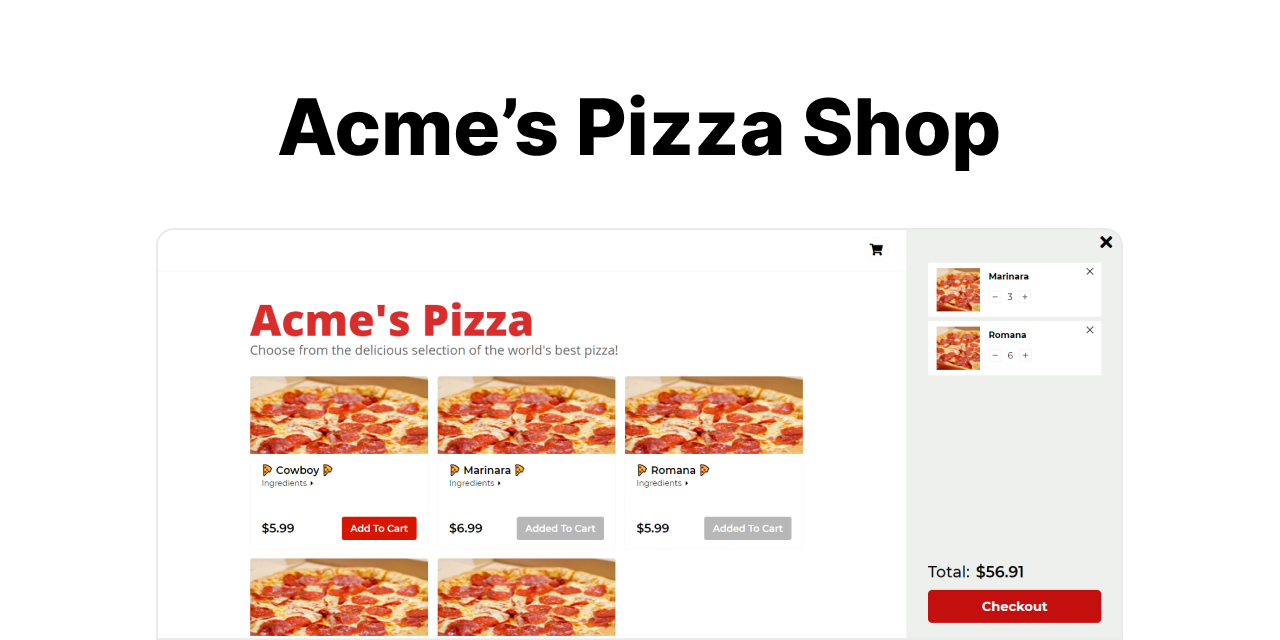
This project initially was just a reason for me to use Redux. I wanted to take things a step beyond the plain ol' Context API and work with the big kid state management. I certainly learned a lot, and had fun too. Not only was my first introduction to Redux through this project, but this was also my first time using Typescript with React. 😁
One of my biggest challenges was getting Redux to cooperate with TypeScript. But once things clicked, I was on a roll. Another big obstacle was getting the UI to look somewhat decent. I can be indecisive at times, so coming up with a design (and making everything responsive!) can be nerve wracking.
Oh yeah, and I, uh, discovered that you can use emojis in commit messages 👀. Looking through the commit history, you can see that once I discovered that, there was definitely no going back. But funny enough, through the discovery of that (and gitmoji.dev), I feel like I've now become significantly more mindful of commits. I understand the importance of separation of concerns in commits and why I should not be piling 5 different features into one, pushing it to Github, and then calling it a day. I found myself looking up a lot of Git-related things and diving deeper into its concepts.
- Clone this repo.
- Navigate to the server folder and install the npm packages:
cd server && npm i
- After the packages are done installing, it's time to fire up the server. Create a
.envfile or set up the environment variables in the command itself. APORTvariable is needed, so choose a port that you aren't using:PORT=5000 npm start
- Open another terminal, navigate to the client folder, and install the npm packages:
npm i
- After the packages are done installing, fire it up. A
REACT_APP_SERVER_DOMAINvariable is needed, which is the URL of the server you just started:REACT_APP_SERVER_DOMAIN=http://localhost:INSERT-SERVER-PORT npm start
- Open up the website at
http://localhost:3000
