An RPM packaged version of spotifyd, an open source Spotify client running as a UNIX daemon.
By default spotifyd behaves purely as a "Spotify Connect" device for official Spotify clients on the same network as the machine running the daemon.
As root:
- Install spotifyd:
# dnf copr enable mbooth/spotifyd
# dnf install spotifyd
- Enable the spotifyd service:
# systemctl enable --now spotifyd.service
- Open the Multicast DNS and Spotify Connect ports:
# firewall-cmd --permanent --add-service=mdns
# firewall-cmd --permanent --add-service=spotify-connect
# systemctl reload firewalld
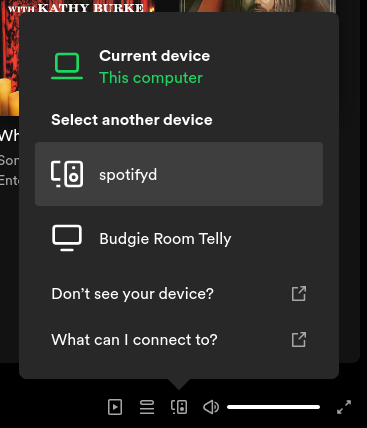
- From an official Spotify client, spotifyd will be seen in the list of devices to which you may connect:

- For more advanced client functionality, see the
/etc/spotifyd.conffile and consult the upstream documentation on how to configure the daemon.
For issues directly relating to the installation or RPM packaging of spotifyd, please file bugs at github.com/mbooth101/spotifyd-rpm/issues.
For defects in the spotifyd software itself, and only when you are 100% sure the problem is not a RPM packaging error, please file bugs at github.com/Spotifyd/spotifyd/issues.
This repository contains the source specfiles for creating the RPMs.
The binary RPMs are built and distributed by a COPR repository.