Hits
This page describes how to get object collisions in Wick Editor using the function hits().
You can download the demo file here: Demo File
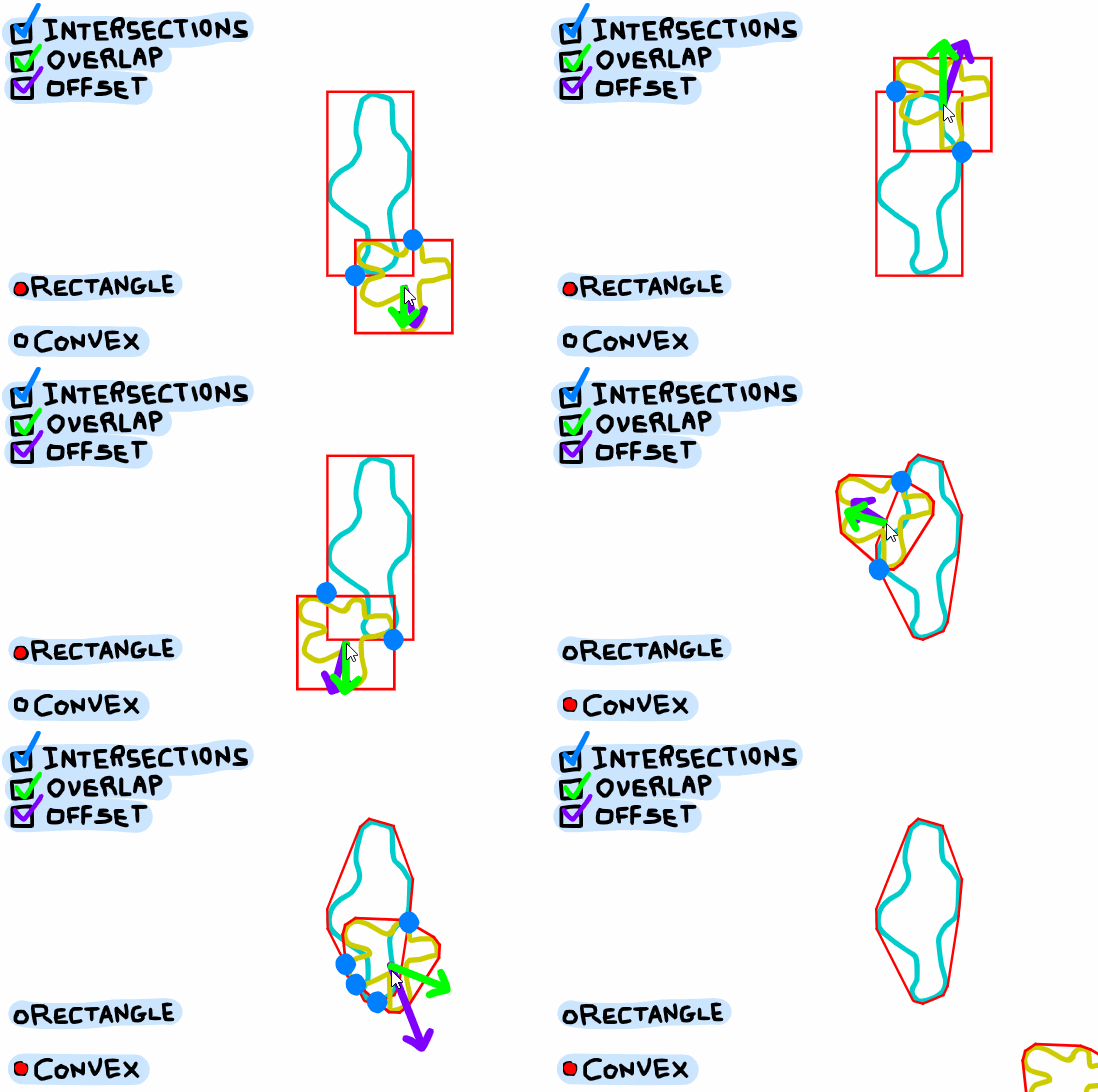
There are two main ways to use the function:
-
A.hits(): this returns an array of info about the things A collides with.
- Example return value:
[ {clip: B, offsetX: 10, offsetY: 20}, {clip: D, offsetX: 15, offsetY: 5} ]
- Example return value:
-
A.hits(B): this returns info about A colliding with B.
- Example return value:
{offsetX: 10, offsetY: 20}
- Example return value:
There are several settings you can change about the information that gets returned from hits(), and how it's calculated. You can change these settings with a call like this:
- hitTestOptions( { mode: 'RECTANGLE', offset: true, overlap: true, intersections: false} )
This changes the global value project.hitTestOptions, which effects all the calls to hits(). You can leave out any field and that setting won't be changed, for example hitTestOptions( {mode: 'CONVEX'} ) will only change the mode and leave the other settings unchanged.
The global settings can be overridden in a single call to hits() by adding a second argument:
- A.hits(B, {intersections: true}) will override the intersections setting for that single call to hits(), and will leave the global settings unchanged.
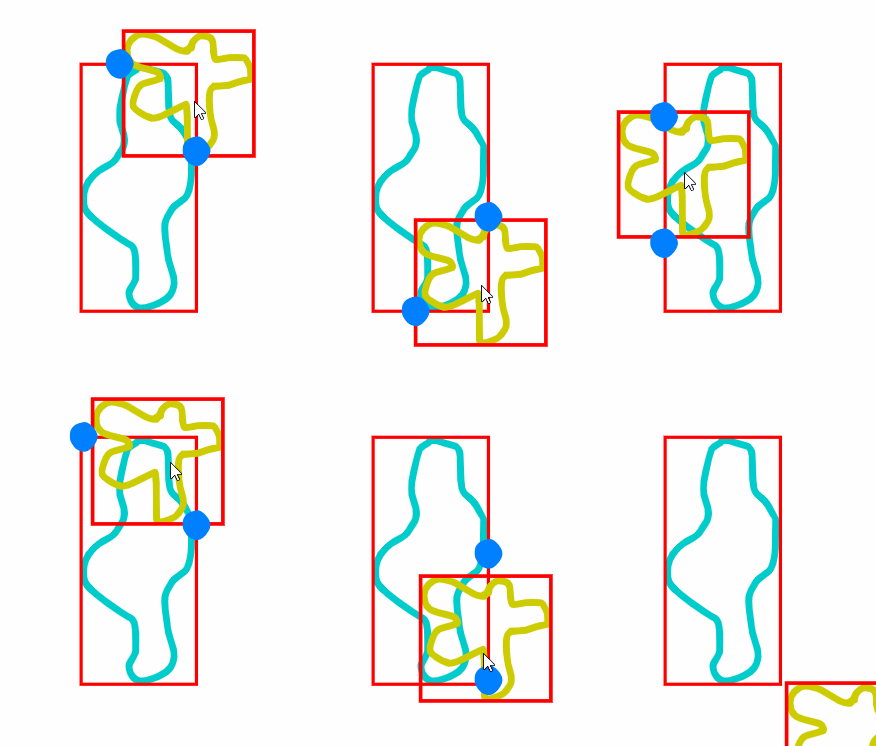
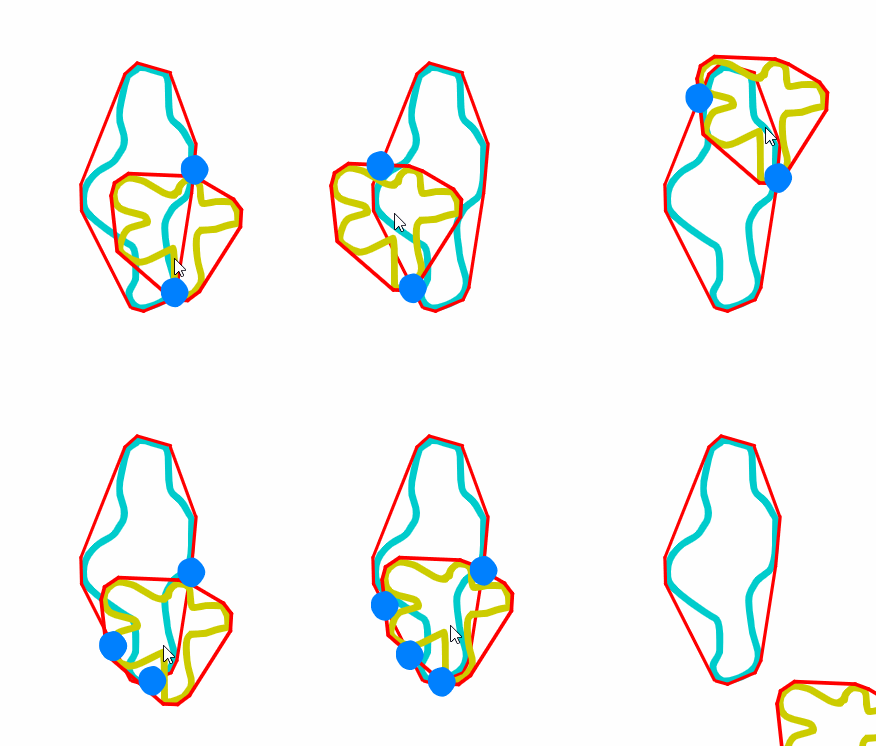
project.hitTestOptions.mode can either be 'RECTANGLE' or 'CONVEX'.
RECTANGLE mode collides objects based on rectangular bounding boxes around each object. This runs the fastest.
CONVEX mode collides objects based on their convex hulls. This is slower to calculate, but more accurate.
If project.hitTestOptions.offset is true, then offsetX and offsetY fields are included in the object returned by hits(). In the call A.hits(B), the offset values give the amount that A.x and A.y need to change in order for A and B to no longer collide. offset is in the direction from the origin of B to the origin of A.
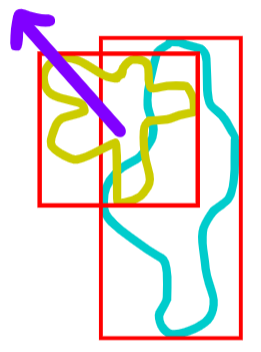
Similarly, if project.hitTestOptions.overlap is true, then overlapX and ovarlapY fields are included in the object returned by hits(). These values also give the the amount that A.x and A.y need to change in order for A and B to no longer collide, except it is in the direction with the least overlap, that requires the least movement to stop colliding.
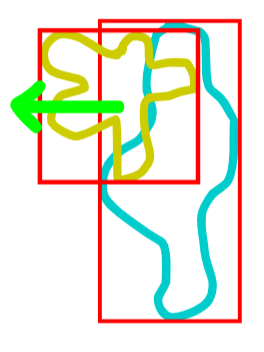
Note: The offset and overlap values are in the coordinate system of A in the call A.hits(B), which may be different from B's coordinate system if they have different parent clips.
If project.hitTestOptions.intersections is true, then an intersections field is included in the object returned by hits(). The field is an array of objects in the form {x, y}.
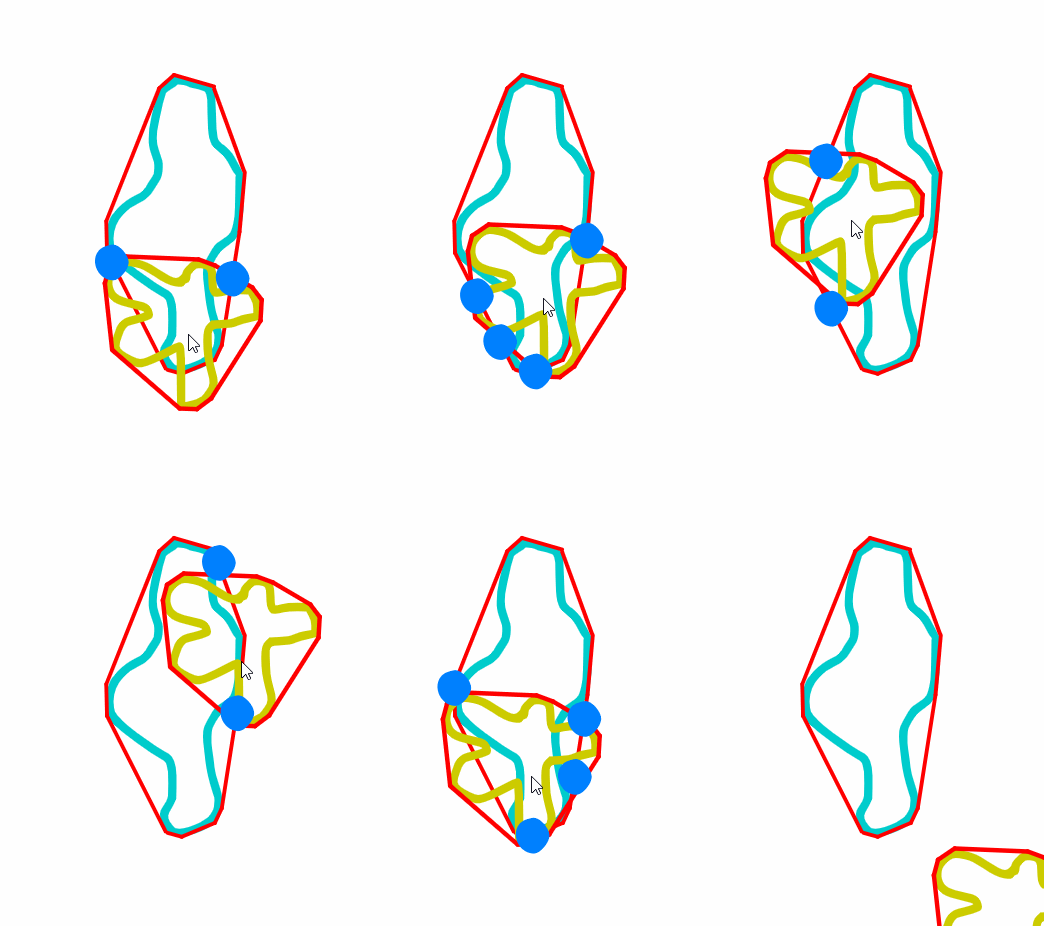
Note: The intersection coordinates are given in global coordinates, so they will be accurate in the root clip but may not be accurate inside a clip.
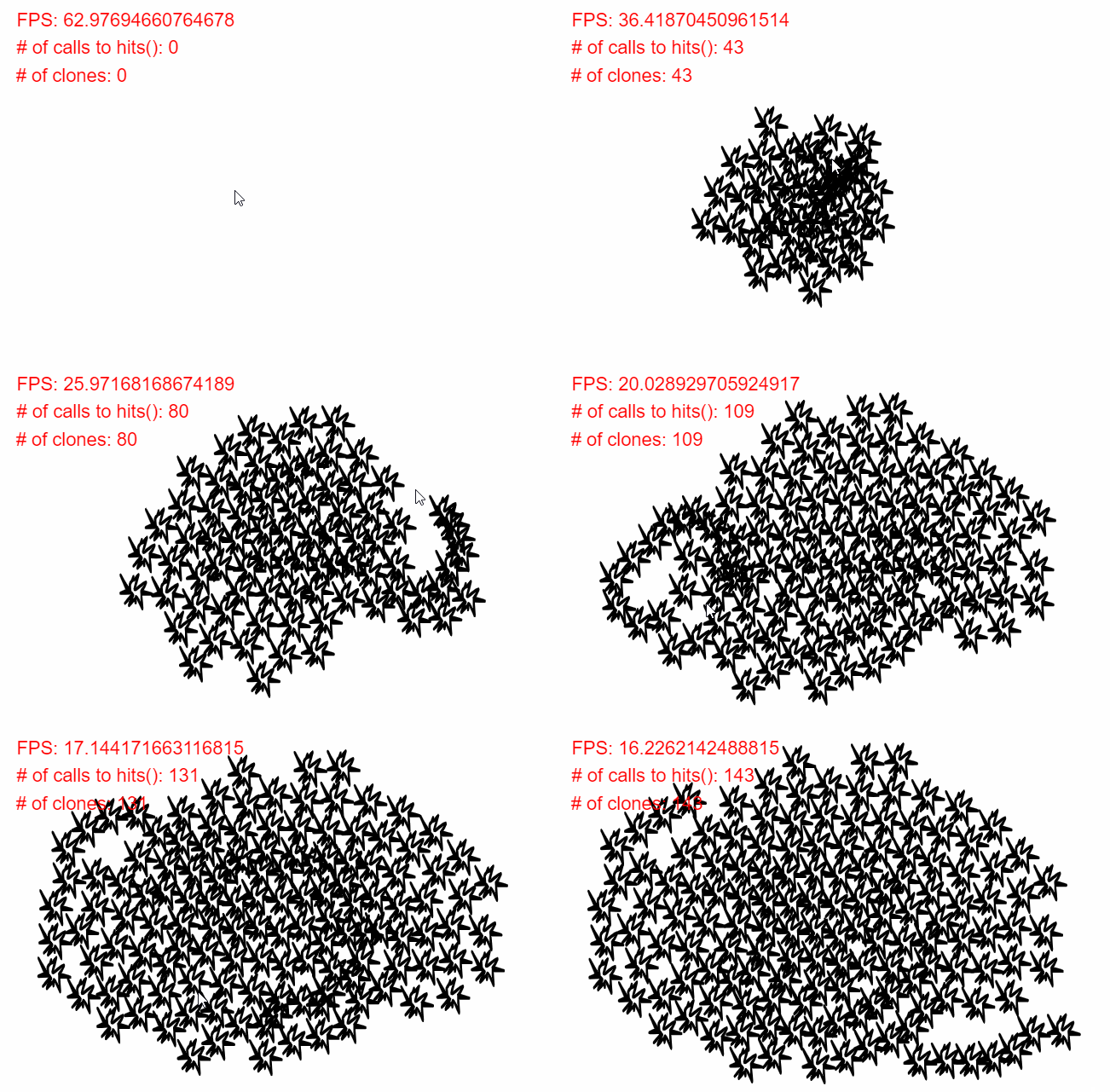
For the fastest code, here are a few tips:
- When hitting with lots of objects, use A.hits() rather than a bunch of calls like A.hits(X), A.hits(Y), A.hits(Z)... This is because A.hits() is optimized with a quadtree.
- As much as possible, do all your calls to hits() in a single block, rather than moving, scaling, and rotating clips in between calls. This is especially true with the CONVEX mode, because the convex hull calculations are memoized and transforming clips can scrap the memoized values.
- If you're not using the offset values or overlap values, disable them in the call to hits().
Note that intersections are given in global coordinates, whereas offset and overlap values are given in the coordinate system of A's parent clip. So this is good:
let hit = A.hits(B);
A.x += hit.offsetX;
A.y += hit.offsetY;
But this potentially will give unexpected results if B has a different parent clip than A:
B.x -= hit.offsetX;
B.y -= hit.offsetY;