View the migration paths of animals.
Bitcamp 2022 Hackathon (Best Educational Hack)
Live Demo |
Devpost
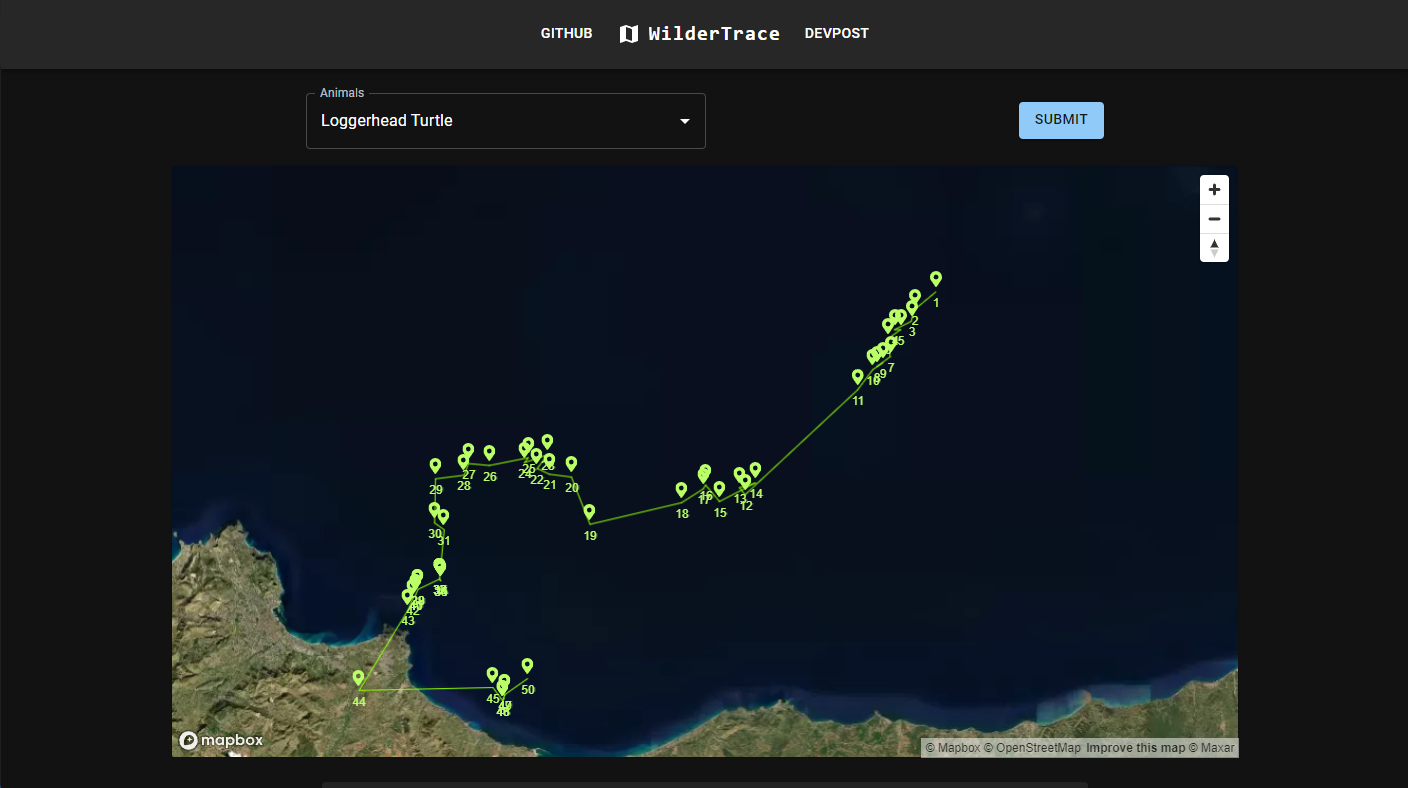
Thinking about this year's Bitcamp theme "Adventure Awaits" was a calling card to the wild. We also knew that we wanted to work with databases and data visualization. After stumbling upon movebank.org, we had an awakening to visualize animal migration paths because of the importance of animals in our ecosystems. We realized the exponential growth of urbanization and the drastic effects of climate change would greatly impact these animals and their migration patterns and decided that this is an important path to take. In the future, such a project could actually visualize the impact of construction projects or climate disasters on our ecosystems to better understand how to protect animals.
Our app consists of three parts:
- Client: Visualizes the animals' tracks by chronologically displaying GPS locations.
- API: Acts as a middle layer between the client and the database. Exposes endpoints that the client uses to query data.
- Utilities: Used to add/modify/delete data from the database.
- Server: Node.js/Express, Vercel Serverless Functions, JS, Mongoose
- UI: React.js, Redux Toolkit, react-map-gl, MUI, JS, HTML, CSS
- Database: MongoDB
- NPM is required to run this project.
npm install npm@latest -g
- Vercel CLI:
npm i -g vercel
-
Clone the repo
git clone https://github.com/pillious/Bitcamp2022.git
-
Install NPM packages (api & client)
cd Bitcamp2022/api
npm install

cd ..

cd client
npm install
-
Run application (api & client):
- open two seperate terminals.
In first terminal:
<!-- Navigate to api directory. -->
npm start
In second terminal:
<!-- Navigate to client directory. -->
npm start
- open two seperate terminals.
-
View client on localhost:3000.
API:
vercel
vercel --prod
Client:
<!-- uses the gh-pages package -->
npm run deploy
Client issue: react-map-gl not working on production build. Transpilation issue w/ babel + create-react-app.
Solution: https://docs.mapbox.com/mapbox-gl-js/guides/install/#transpiling
- change browserlist config in package.json.
- for some reason, this doesn't work if you split the browser list into prod and dev.