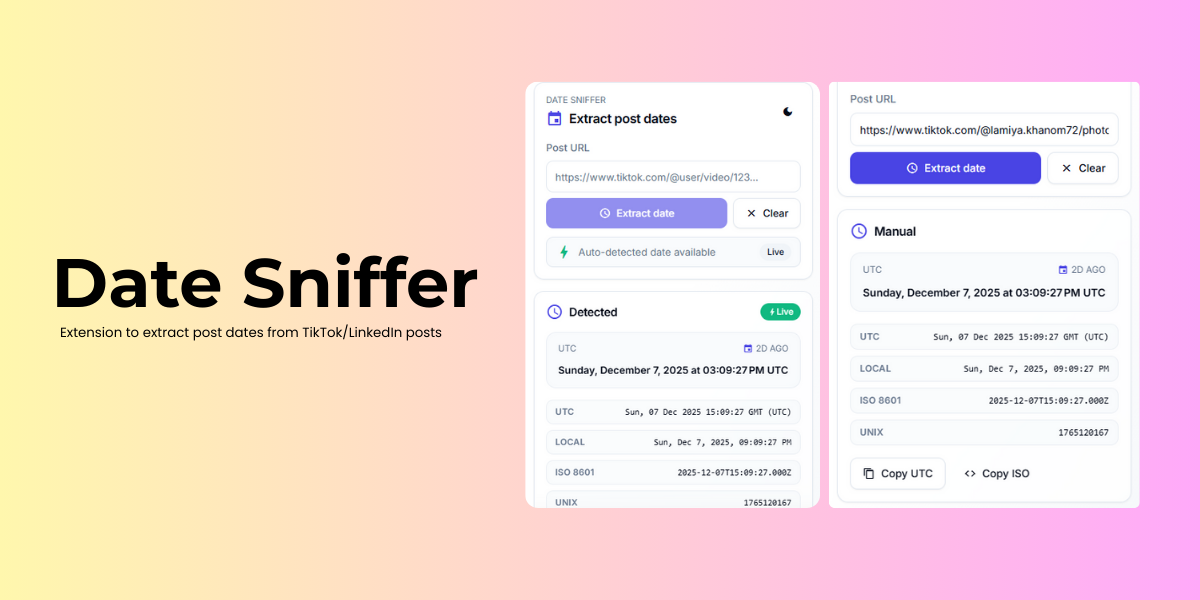
A Chrome extension to extract post dates from TikTok videos and LinkedIn posts with just one click.
- Extract exact post dates from TikTok videos and LinkedIn posts
- Support for both direct URL input and automatic detection while browsing
- Copy dates to clipboard
- Shows dates in UTC format
- Works with LinkedIn comments as well
- Automatic detection now shows directly in the popup when available
- Dark mode toggle with preference saved
The extension extracts timestamps embedded in the IDs of TikTok videos and LinkedIn posts:
- TikTok: Extracts seconds from the high bits of the video ID and converts to milliseconds for accurate dates
- LinkedIn: Uses the first 41 bits from post/comment IDs to get the creation timestamp
- These timestamps are then converted to human-readable UTC dates
For example:
TikTok URL: https://www.tiktok.com/@username/video/7248147125599859971
Video ID: 7248147125599859971
Extracted Date: Wed, 07 Jun 2023 09:45:23 GMT (UTC)

LinkedIn URL: https://www.linkedin.com/feed/update/urn:li:activity:7142553576898773292
Post ID: 7142553576898773292
Extracted Date: Mon, 13 Nov 2023 15:30:45 GMT (UTC)
- Clone this repository or download the ZIP file
- Install dependencies and build the extension popup with Next.js
npm installnpm run build:extension
- Open Chrome and go to
chrome://extensions/ - Enable "Developer mode" in the top right corner
- Click "Load unpacked" and select the
distfolder
The extension only extracts dates from URLs and doesn't collect or store any personal data. Required permissions:
- Access to TikTok and LinkedIn URLs
- Clipboard write (for copy feature)
Feel free to open issues and submit PRs. For major changes, please open an issue first to discuss what you would like to change.