
A pixel-perfect, performance-focused portfolio with a gamer aesthetic and liquid glass UI





✨ Features • 🚀 Live Demo • 💻 Tech Stack • 📦 Installation • 🎨 Screenshots
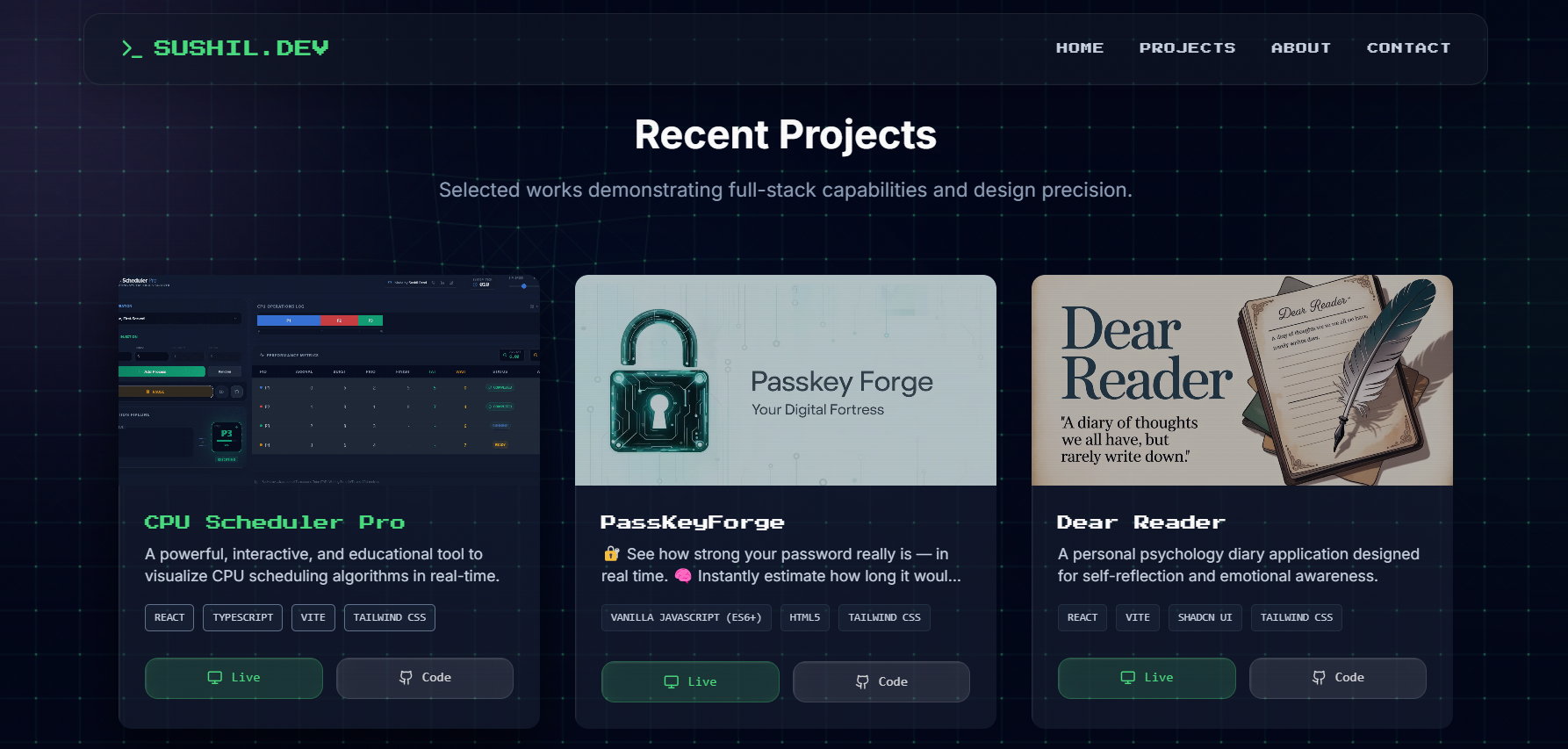
Sushil.dev is a high-performance, retro-inspired developer portfolio combining modern web technologies with a nostalgic gamer aesthetic. Built with React, TypeScript, and Tailwind CSS, it features smooth animations, liquid glass morphism, interactive UI elements, and a fully functional admin dashboard for content management.
- Liquid Glass Morphism — Blur effects, dynamic highlights, SVG distortion filters
- Retro Gaming Theme — Pixel fonts, CRT scanlines, neon colors, arcade loading screens
- Responsive Mobile-First — Optimized layout using
dvhviewport units - Smooth Animations — Hover transitions, scroll-based reveals
- Cursor Gravity Effect — UI reacts to cursor movement
- Dynamic Project Showcase with filters and details
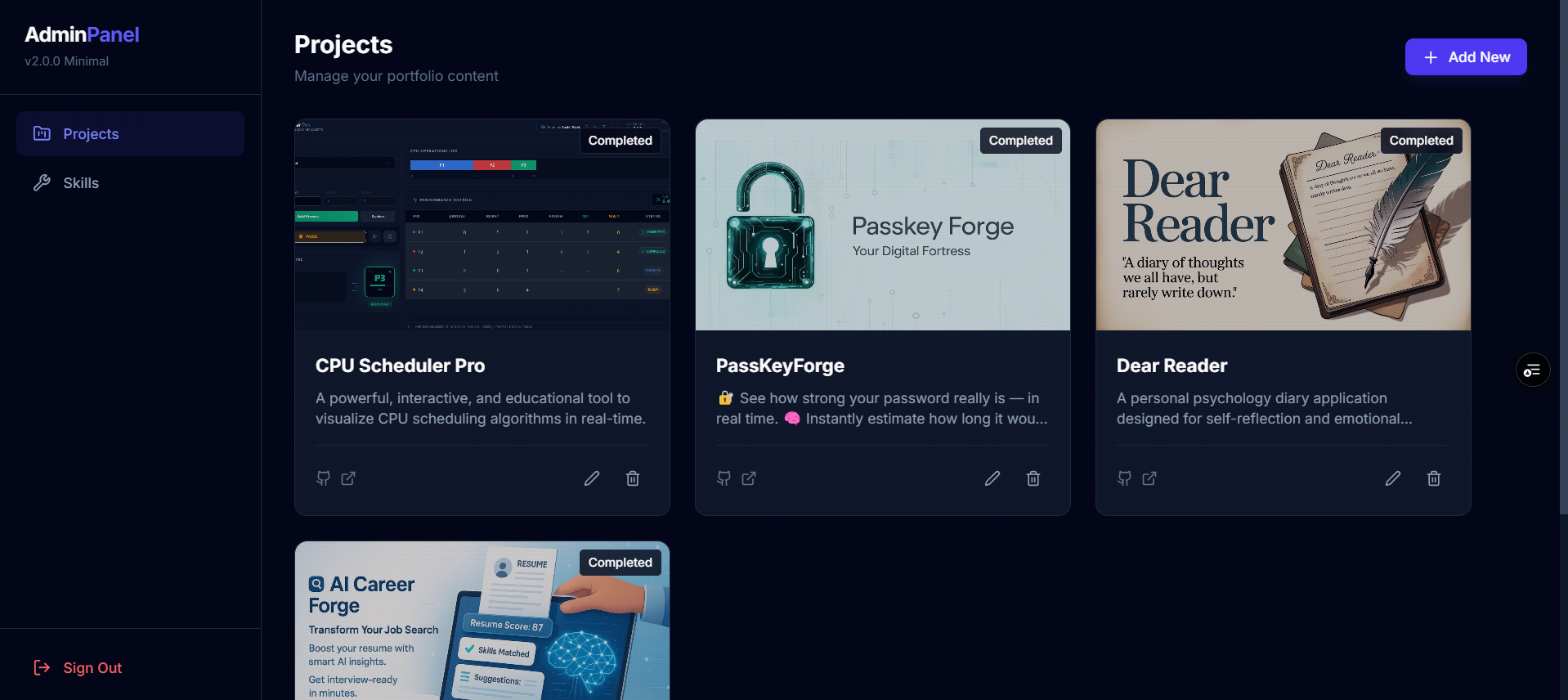
- Admin Dashboard with secure CRUD
- Firebase Integration for real-time data and auth
- Cloudinary CDN for image delivery
- SEO Optimized (OG tags, Twitter cards, metadata)
- PWA Ready with service worker
- Lazy Loading for routes & images
- Code Splitting (Vite optimized)
- Reduced animation load on mobile
- Lighthouse Score: 95+






- Node.js 18+
- Firebase Account
- Cloudinary Account
git clone https://github.com/sushil930/Sushil.dev.git
cd Sushil.devnpm installCreate a .env.local file in the root directory:
# Firebase Configuration
VITE_FIREBASE_API_KEY=your_firebase_api_key
VITE_FIREBASE_AUTH_DOMAIN=your_project.firebaseapp.com
VITE_FIREBASE_PROJECT_ID=your_project_id
VITE_FIREBASE_STORAGE_BUCKET=your_project.appspot.com
VITE_FIREBASE_MESSAGING_SENDER_ID=your_sender_id
VITE_FIREBASE_APP_ID=your_app_id

# Cloudinary Configuration
CLOUDINARY_CLOUD_NAME=your_cloud_name

# Admin Password (hash recommended in production)
VITE_ADMIN_PASSWORD=your_secure_password

# Contact Email
VITE_CONTACT_EMAIL=hello@sushil.devnpm run devOpen http://localhost:5173 in your browser.
npm run build
npm run preview # Preview production build locally-
Install Vercel CLI:
npm i -g vercel
-
Deploy:
vercel
-
Add Environment Variables in the Vercel dashboard under Settings → Environment Variables.
-
Build the project:
npm run build
-
Deploy the
distfolder via Netlify CLI or drag-and-drop in the Netlify dashboard. -
Set environment variables in Site settings → Build & deploy → Environment.
Sushil.dev/
├── api/                    # Serverless API endpoints
├── components/             # React components
│   ├── Hero.tsx
│   ├── Projects.tsx
│   ├── Skills.tsx
│   ├── LiquidGlassCard.tsx
│   └── ...
├── pages/                  # Route pages
│   ├── ProjectPage.tsx
│   ├── AdminDashboard.tsx
│   └── Login.tsx
├── utils/                  # Helper functions
│   ├── dataManager.ts
│   ├── firebaseService.ts
│   └── cloudinary.ts
├── icons/                  # Favicons and OG images
├── data/                   # Static data (projects, skills)
├── src/                    # Styles and entry point
│   └── index.css
├── index.html              # HTML template
├── vite.config.ts          # Vite configuration
└── package.json
Access the admin panel at /login with your configured password. Features:
- ✏️ Add/Edit/Delete projects
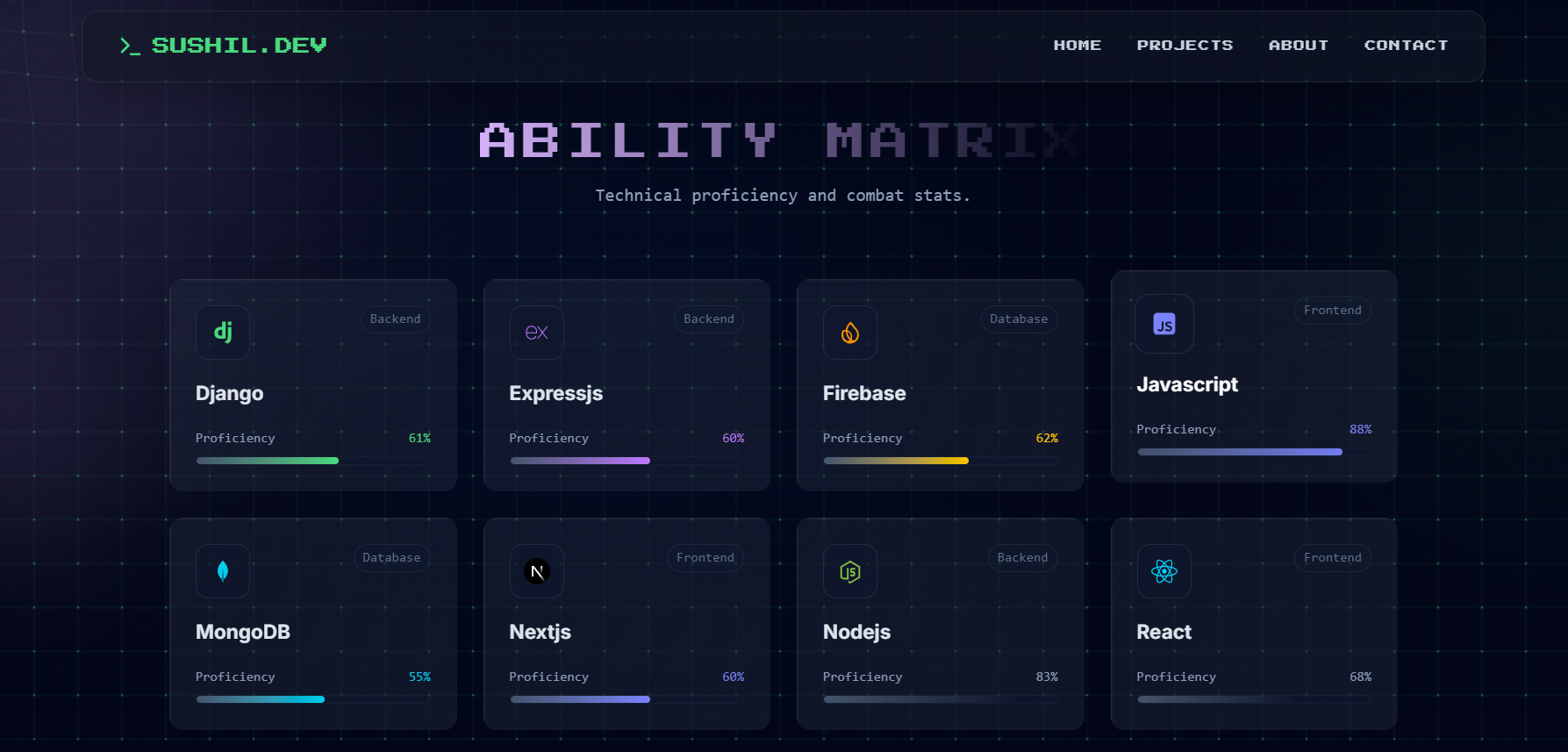
- 🛠️ Manage skills with icons and proficiency levels
- 🖼️ Upload images to Cloudinary
- 🔒 Firebase authentication
Contributions, issues, and feature requests are welcome!
- Fork the repository
- Create your feature branch:
git checkout -b feature/AmazingFeature - Commit your changes:
git commit -m 'Add some AmazingFeature' - Push to the branch:
git push origin feature/AmazingFeature - Open a Pull Request
This project is licensed under the MIT License — see the LICENSE file for details.
- Lucide Icons — Beautiful, consistent icons
- Firebase — Backend infrastructure
- Cloudinary — Image optimization
- Press Start 2P Font — Retro pixel font


