
Pure hits & good music for your ears.

public/
Contains static assets that are copied once you build the files for your website.
- Any file you save here will be public and accessible: fonts, robots.txt, stylesheets, etc.
src/
Contains the source-code for your dynamic assets: stylesheets, scripts, images, pages, etc.
- In example, the
404.pugfile here is saved asbuild/404.html— no folder/index is created like for pages... - Any file in this directory will be processed by the compiler and then written on the
builddestination. - Any
components,sharedorlibdirectory within will be ignored by the compiler.
src/app/
Contains the application code for your javascript webapp, .js files in this directory will serve as entry-points.
- In example, the
src/app/main.jswill be saved asbuild/main.jsinstead.
src/lib/
All files in this directory are completely ignored by the compiler.
- Use this directory to place all the code you don't want to publish, any chunk of code like partials, helpers, views, etc.
src/pages/
Files here are processed and/or copied to the build destination.
- In example, the
src/pages/example.mdwill be saved asbuild/example/index.htmlinstead. - They can be Markdown files, or Pug templates, etc. — try using some front-matter!
src/resources/images/
Images in this directory are processed and copied to the build destination, also a images.css file will be written.
- Images can be referred from the
builddestination, or through using the generated stylesheet. - Subdirectories can be used to group images, the stylesheet name will be the same as the folder name.
src/resources/scripts/
Scripts in this directory are processed and bundled if possible, they can be almost anything esbuild can handle.
- In example, the
src/resources/scripts/app.jswill be saved asbuild/app.jsinstead. - By default we're using Svelte as the frontend framework for single-page-applications.
src/resources/sprites/
Images (including SVG) in this directory are processed and saved to the build destination, also a sprites.svg file will be written.
- Images for retina screens MUST be suffixed with
@2xin order to properly match and group them by name. - Subdirectories can be used to group sprites, the stylesheet and svg-file name will be the same as the folder name.
- Additional stylesheets for resolving processed image-sprites (not SVG) are generated with the same name as the folder name.
src/resources/styles/
Stylesheets in this directory are processed and saved to the build destination, they can be Styl, SASS, LESS or PostCSS.
- In example, the
src/resources/styles/main.lesswill be saved asbuild/main.cssinstead. - By default we're using LESS as the minimal stylesheet pre-processor.
Either you've cloned the repo or enter the CLI on the Glitch app the commands are the same.
make— Shows all available tasksmake dev— Start development workflowmake test— Lint all source filesmake clean— Remove cache filesmake pages— Commit changes togh-pagesmake deploy— Publish changes fromgh-pagesmake deps— Check and install NodeJS dependenciesmake dist— Process all stuff for productionmake purge— Removenode_modulescachemake add:*— Creates a new file, e.g.make add:page NAME=about.md BODY='h1 FIXME'make rm:*— Remove existing file, e.g.make rm:page NAME=about.md
Available types for
:*suffix are:lib,resandpage— otherwise, the filename will be inferred, e.g.make add:robots.txtwill create asrc/robots.txtfile instead (directory separators are disallowed this way).
- You may want to use Github Pages if you're familiar with — just type
make deployand enjoy! - You may want to use now if you're familiar with — it already includes a
now.jsonfile for it. - You may want to publish your website somewhere else — the
builddestination is everything you'll need for...
If you've cloned this, there is a preconfigured workflow file to publish through gh-pages on every push
— Modify the .github/workflows/main.yml file to disable the glitch or gh-pages tasks if you don't need them.
The make deploy command accepts a ROOT variable to configure the <base /> tag of your generated pages, e.g. make deploy ROOT=/demo
— this is particullary useful if you're setting up a CNAME file and you want to publish on a separated folder instead.
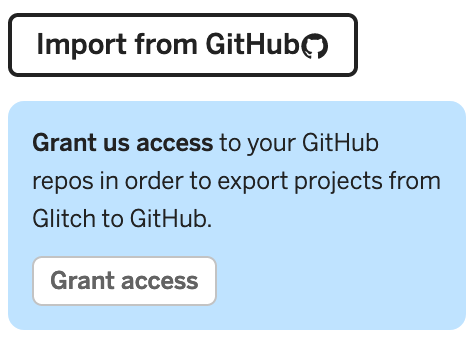
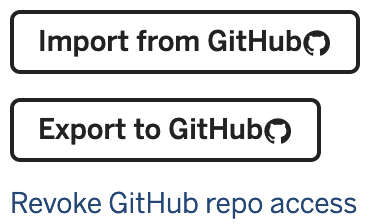
If you remixed this template on glitch you may need to export its changes back to GitHub:
-
Make sure you've granted access to your GitHub repositories.
-
Once you've granted access, you should be able to export your work.
Github Actions are failing on the repository
- The
glitchtask requires you to setup secrets in your repository settings, see here for details. - The
gh-pagesrequires an existing branch in your repository named the same way, see below for details.
fatal: couldn't find remote ref gh-pages
- Create a bare
gh-pagesbranch as follows and then go back tomasterto retry themake deploytask.git checkout --orphan gh-pages git rm -rf . git commit --allow-empty -m "initial commit" git checkout master