
A Flutter plugin to detect and respond to screen recording events on both Android and iOS. This plugin provides real-time callbacks, allowing your app to respond whenever a user starts or stops recording their screen.
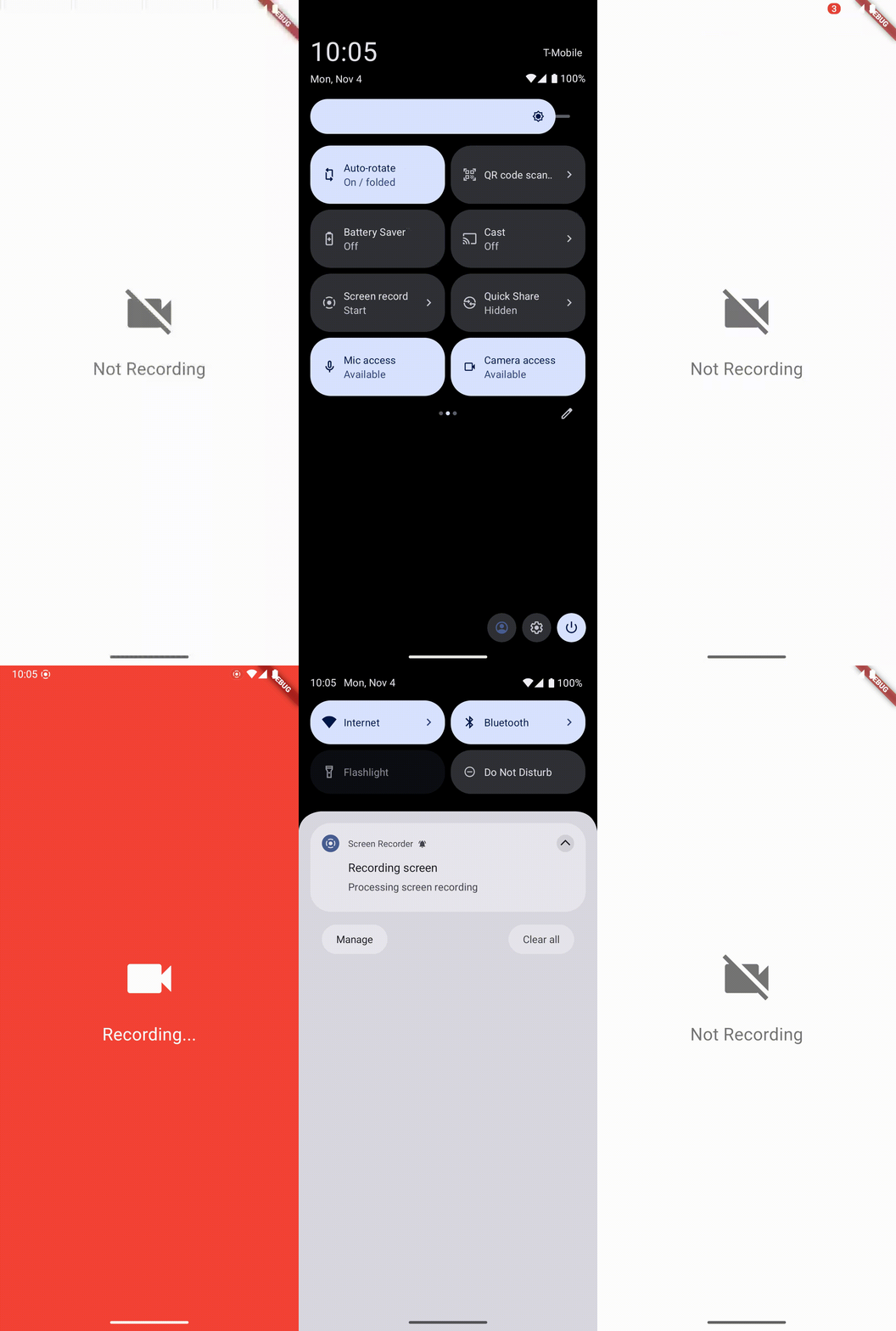
- Real-Time Screen Recording Detection: Notifies your app when screen recording begins or ends.
- Cross-Platform: Supports both Android and iOS.
- Easy Integration: Simple API for managing recording states and receiving notifications.
- Add the following to your
pubspec.yaml:
    dependencies:
screen_recorder_callback: ^0.0.1- Import the package in your Dart code:
import 'package:screen_recorder_callback/screen_recorder_callback.dart';- Initialize
ScreenRecorderCallbackand start listening:
    final ScreenRecorderCallback screenRecorderCallback = ScreenRecorderCallback();

    screenRecorderCallback.onScreenRecordingChangeStream.listen((isRecording) {
      if (isRecording) {
        // Screen recording has started
      } else {
        // Screen recording has stopped
      }
    });

    // Start listening
screenRecorderCallback.startListening();- Dispose of the listener when no longer needed:
    @override
    void dispose() {
      screenRecorderCallback.stopListening();
      super.dispose();
}- Minimum SDK Version: 35
- Permissions: Add the following permission to the
AndroidManifest.xmlof the app using this plugin:
<uses-permission android:name="android.permission.DETECT_SCREEN_RECORDING" />Note: This permission is necessary for screen recording detection on supported Android versions (Android 15 and above). Ensure you also have other permissions set if additional functionality is implemented.
- Minimum iOS Version: iOS 11
- Permissions: No additional permissions required. The plugin uses
UIScreen.capturedDidChangeNotificationto detect screen recording changes, supported on iOS 11 and later.
For a quick start, check out the example app in the example folder, which demonstrates how to integrate and use the plugin in a Flutter project.
- Error Handling: The plugin provides error handling for Flutter exceptions. To capture any errors, wrap the start and stop listening calls in a
try-catchblock. - Dispose Resources: Remember to dispose of resources properly to avoid memory leaks.
If you encounter issues during installation or integration, ensure the following:
- CocoaPods: If you're developing for iOS, make sure CocoaPods is installed and updated.
- Flutter Version: Ensure you're using a Flutter version compatible with the latest plugin updates.
For further assistance, consult the Flutter documentation.