User Guide
A test is a test case. Each test has a name, and optionally a group to which it belongs. For tests imported from an xUnit unit testing framework (JUnit, TestNG, NUnit etc), the name is the name of the test method, and the group is the name of the test class (including the package).
An execution is a run of a single test case, capturing whether it passed or failed, when it ran, how long it took, any log output, and so on.
A batch is a collection of test executions which were run together. For example, all the tests that ran as part of a Jenkins build.
A configuration is used to distinguish running the same set of tests over multiple variations of some property. For example, you might run a set of Selenium tests against Chrome, Firefox and IE; each browser would be a different configuration. Similarly, you might run your test suite across several releases of your application. Each test execution is associated with a single configuration, and executions across different configurations are kept distinct.
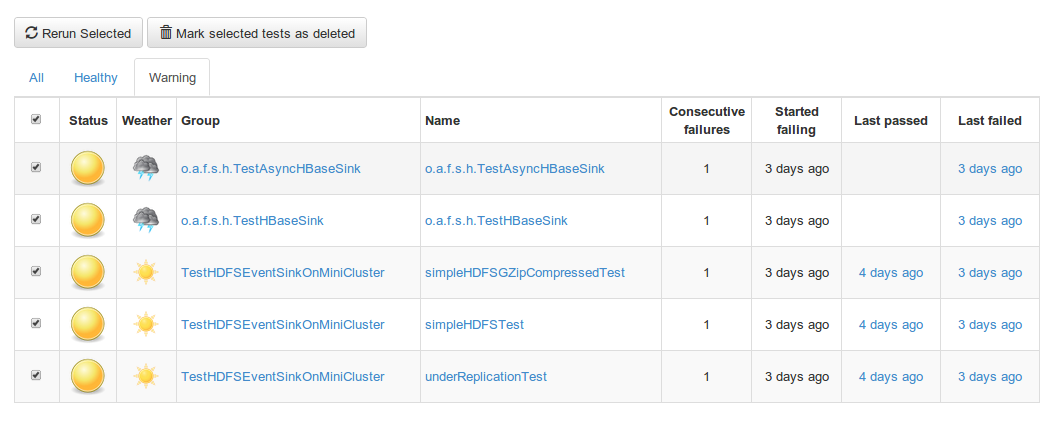
Each test is analysed and given a status, classifying it into one of Healthy, Warning or Broken. Tests that have only failed once or twice, and only over a short period of time, are classified as a Warning, whereas tests that have failed multiple times, over a longer period of time, are classified as Broken. Broken tests can then be investigated with confidence that they are real, repeatable issues. This is a more nuanced classification than just "pass or fail" that allows less time to be spent distinguishing spurious test failures from genuine issues.
There are two mechanisms for getting test results into trt: importing from a continuous integration (CI) server (currently supports Jenkins, Hudson and TeamCity) or using the JSON API.
You can configure imports from a CI server via "Settings -> CI Imports". Add links to jobs and trt will periodically scan all the builds recorded and import any test results found.
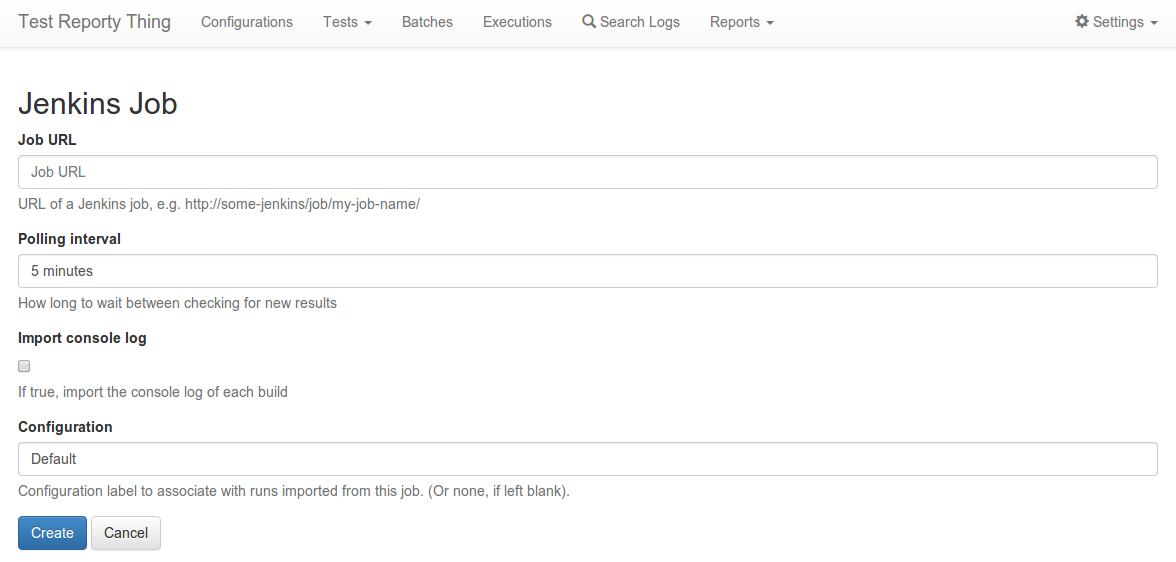
The following fields are used to configure a job:
- Job URL: the URL of a job to import. For Jenkins/Hudson, this should be a link to the job/project page. For example, https://builds.apache.org/job/tapestry-trunk-freestyle/. For TeamCity, this should be a link to a configuration, for example: https://teamcity.jetbrains.com/viewType.html?buildTypeId=NetCommunityProjects_Femah_Commit.
- Polling interval: how long it should wait between checking for new builds (you can use English natural language, e.g. "5 minutes", "1 hour").
- Import console log: include the console log when downloading a build. This can take longer and consume more space, so may not be required.
- Configuration: which configuration to associate with the results imported from this job.
If your Jenkins instance is secured, you will need to provide some credentials to allow trt to read the information it needs. To do this:
- Log into Jenkins, and click your user in the top right, then "Configure".
- Click "Show API Token...", and make a note of the "User ID" and "API token"
- In trt, navigate to Settings -> Jenkins.
- Enter the values from Step #2, and click "Update".
By default, trt will attempt to use guest access to read build information. If this is not available, you will need to provide a TeamCity username and password.
- In trt, navigate to Settings -> TeamCity.
- Enter the username and password, and click "Update".
The Dashboard screen shows an overview of your tests across all your configurations. For each configuration, it shows:
- Summary counts of Healthy, Warning and Broken tests
- A chart showing the Healthy/Warning/Broken counts over the history of the project.
trt can rerun a specific set of tests on Jenkins. To allow this, you need to do the following:
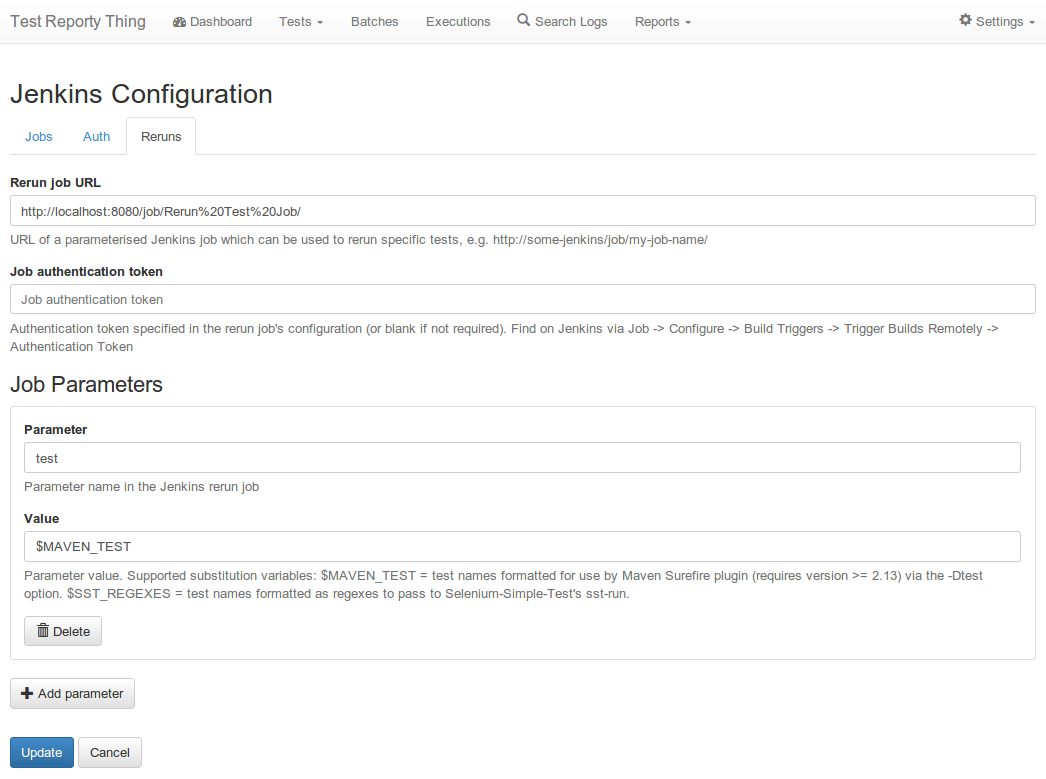
- Create a parameterised job on Jenkins. This should have a single parameter, which is the list of test names to execute. trt knows how to generate a list of tests in the format expected by Maven (http://maven.apache.org/) and SST (http://testutils.org/sst/).
- In trt, go to Settings -> Jenkins, and switch to the "Reruns" tab.
- Enter the URL of your parameterised job in the "Rerun job URL" field.
- Optionally enter the job authentication token (found on Jenkins via Job -> Configure -> Build Triggers -> Trigger Builds Remotely -> Authentication Token).
- Add a new Job Parameter. Set the name to be the parameter name from step #1. Set the value to be either $MAVEN_TEST if you're using Maven, or $SST_REGEXES for SST.
- Click "Update" to save your configuration.
Now when you visit the tests screen, you should see the "Rerun Selected" button. If you check the tests you want to run, and click Rerun, a build should be triggered on Jenkins.