Example @falkor/falkor-commander plugin to demonstrate framework capabilities, and to serve as boilerplate for personal projects.
Clone the repository's master branch and compile falkor-plugin-example:
$ git clone --branch master git@github.com:theonethread/falkor-plugin-example.git
$ cd falkor-plugin-example
$ npm install
$ npm run [ debug | release ]
NOTE: The
masterbranch holds compatible version with already released packages, while thedevelopbranch holds a version currently developed along with latest unreleased sources of packages.
The @falkor/falkor-commander module is an optional dependency of plugins, it is not necessary to install it during development, but as a development feature one can test their work-in-progress projects running it from the root of a directory that is a @falkor-plugin under development:
$ npm install --no-save "@falkor/falkor-commander"
$ npm start
NOTE: Since
npmv7 optional dependencies will also be installed when runningnpm install.
NOTE: To pass arguments to a local installation of
falkor-commanderone has to use the double dash POSIX separator twice (since first occurrence will be consumed bynpmitself while parsing arguments) to pass extra positional arguments to be treated as buffered answers:
$ npm start -- <options>... <buffered-tasks>... -- <buffered-answers>...
The @falkor/falkor-library looks for shared configurations in the Current Working Directory from where falkor-commander was executed (files could be named .falkorrc, .ops.json, .ops.jsonc, falkor.json, or falkor.jsonc - whichever is found first).
To see all available settings, and example plugin customizations check out the big .ops.jsonc file provided as an example.
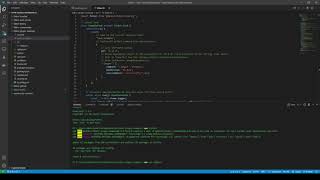
Have a look at our first video demonstrating the above workflow:
- Plugins should comply to
@falkor/falkor-bundlerrequirements. - Valid plugins' default exports should be one single -, or an array of
falkor.Taskinstance(s). - Currently
falkor-commandersearches for plugins under the@falkorscope by default (with module resolution similar to Node.js').- This can be customized running
falkor-commanderwith the-sor--scopeargument.
- This can be customized running
- Valid plugins'
package.jsonmust contain the keyword@falkor-pluginby default.- This can be customized running
falkor-commanderwith the-kor--keywordargument.
- This can be customized running
SEE:
package.jsonandindex.tsfor further reference.
The project uses the @falkor/falkor-bundler module to compile sources. To clone the repository and compile falkor-plugin-example one can use the commands:
$ git clone --branch develop git@github.com:theonethread/falkor-plugin-example.git
$ cd falkor-plugin-example
$ npm install
$ npm run [ debug | release ]
SEE:
"scripts"entry inpackage.jsonfor further reference.
NOTE: Compiling the
developsources might need locally linkeddevelopversions of downstream modules:SEE:
npm-linkfor further reference.
The project uses prettier for code formatting and cspell to avoid general typos in both sources and documentation - it is advised to install these packages as extensions in your IDE to prevent CI errors beforehand. To lint the project run:
$ npm run lint
SEE:
.prettierrc.cjsandcspell.config.cjsfor further reference.
- To fix formatting issues run
$ npx prettier --write <path-to-file>. This will overwrite the file with the default formatting applied locally, so then you can review the changes ingitand ensure those did not affect production artifacts. - To fix spelling errors run
$ npx cspell lint --wordsOnly --unique --gitignore --exclude .git ** .*for details, and either make the fixes in the sources listed, addcspellfavored comments, or extend the project-widecspell.config.cjsaccordingly.
Release sources can be found on the master branch, this one always points to the latest tagged release. Previous sources of releases can be found using git version tags (or browsing GitHub releases). Released packages can be found on npmjs.
The repository's main branch is develop (due to technical reasons), this holds all developments that are already decided to be included in the next release. Usually this branch is ahead of master one patch version (but based on upcoming features to include this can become minor, or major), so prepared external links may yet be broken.
The feature/* branches usually hold ideas and POC code, these will only be merged into develop once their impact measured and quality meets release requirements.
The project uses SemVer,
gittags are prefixed with avcharacter.
The workflow can be found here.
Automatic builds are achieved via GitHub actions, CI will make nightly builds of the develop branch (using Ubuntu image).
The project uses CodeQL and Snyk to ensure standard security.
The Falkor Framework supports a healthy and ubiquitous Internet Immune System enabled by security research, reporting, and disclosure. Check out our Vulnerability Disclosure Policy - based on disclose.io's best practices.
The latest sources can always be found on GitHub.
We believe - and we hope you do too - that learning how to code, how to think, and how to contribute to free- and open source software can empower the next generation of coders and creators. We value first time contributors just the same as rock stars of the OSS world, so if you're interested in getting involved, just head over to our Contribution Guidelines for a quick heads-up!
©2020-2023 Barnabas Bucsy - All rights reserved.
