

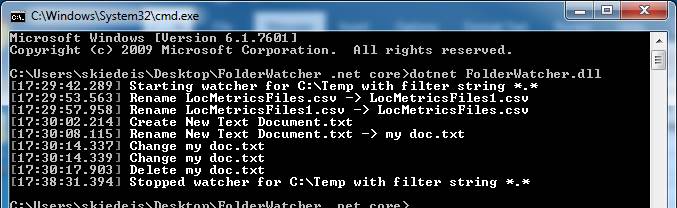
FolderWawtcher is command-line .NET Core application that monitors a file directory and outputs all events happening in that directory.
[ ]
]
[ ]
]
- .NET Core 2.0
- Go to releases, download the zip.
- Open the
appsettings.jsonfile to configure thePathandFilterparameters.Pathis the path to be monitoredFilteris the filter string. Only files matching the filter string will have activity reported. - Open the command line and execute
dotnet FolderWatcher.dllfrom the downloaded folder. - Observe the events that are displayed in the console and in the local log file.
- Press Control+C to exit the program and stop watching the folder.