A calculator for various linear algebra-related operations.
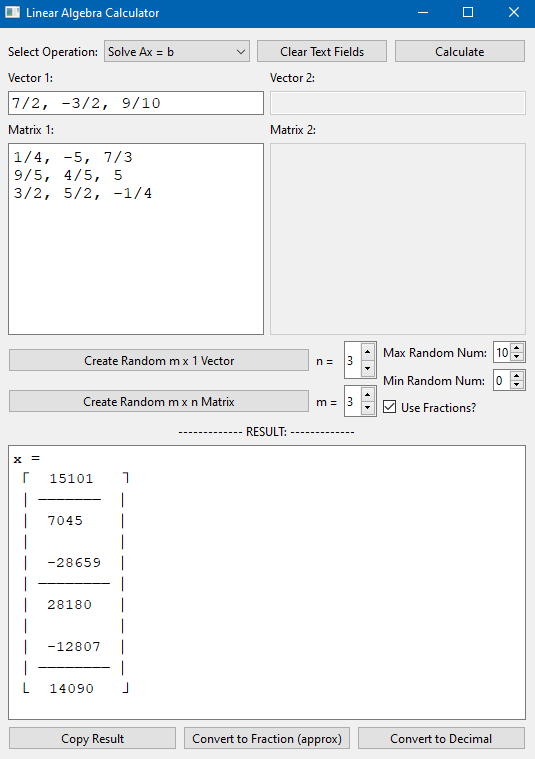
In creating this calculator I learned a lot:
- How to use both the
tkandqtgraphical libraries in python - How to do symbolic math with fractions, and in doing so learned more about creating and using classes
- More about how to split projects across multiple files to make the project cleaner (still working on this one)
- How to implement various linear algebra/matrix operations
I don't know exactly when I'll consider this project fully done.. every once in a while I'll think of something to try, add, or change, and I'll come back and work on it for another while. In general, though, I think this project is mostly done (although I reserve the right to come back and rewrite the whole thing in the future!). If I ever learn a new language, like C++ for example, I may try to re-write this in that language as a way to learn more about it.
Some things I might be inclined to add or change:
- Implement QR factorization via Householder Reflectors for better numerical stability
- Implement LU decomposition as a method for solving linear systems
- Make the entire calculation section of the code more conducive to adding a new function, as well as making multiple outputs easier to handle
- Learn more about symbolic implementations of things like square roots and imaginary numbers and combine all of them together to make it almost entirely symbolic
- Different kinds of matrix inputs might be easier to work with, maybe taking inspiration from other math computation languages or defining matrix size beforehand and then providing individual boxes
- Currently, converting a rational answer to decimal and then back to a fraction loses quite a bit of accuracy, and it seems that negative numbers mess the whole thing up. So, fix that
To run calc_qt.py, you need PySide6 and numpy:
pip install pyside6 numpy
To run calc.pyw (in the tk_version folder), you need tkinter (which is probably already installed) and numpy:
pip install numpy