




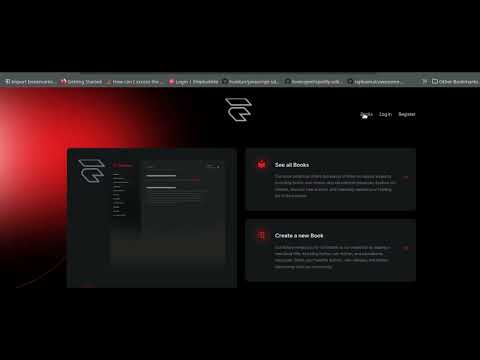
This is a Laravel & Inertia.js-based Book Collection application. It allows users to manage a collection of books, including functionalities to filter, view, create, edit, and delete books. The frontend is built using Vue.js and styled with Tailwind CSS.
- CRUD Operations: Create, Read, Update, and Soft Delete books.
- Filter Books: Filter by status (available, borrowed, reserved) and published year.
- Pagination: Paginated list of books with dynamic per-page item selection.
- Responsive Design: Clean, mobile-first UI built with Tailwind CSS.
Before you begin, ensure you have the following installed:
- PHP (>= 8.1)
- Composer
- Node.js & NPM
- Laravel (>= 9.x)
- MySQL or any other database supported by Laravel
Follow the steps below to get your environment up and running.
git clone https://github.com/udofia2/bibliotheca.git
cd bibliothecaInstall PHP dependencies using Composer:
composer installCopy the .env.example file to .env:
cp .env.example .envEdit the .env file to configure your database and other environment settings:
DB_CONNECTION=mysql
DB_HOST=127.0.0.1
DB_PORT=3306
DB_DATABASE=bibliotheca
DB_USERNAME=root
DB_PASSWORD=
Run the following command to generate the application key:
php artisan key:generateRun the migrations to create the necessary database tables:
php artisan migrateIf you'd like to populate the database with sample data, you can run:
php artisan db:seedInstall the frontend dependencies using NPM:
npm installBuild the frontend assets:
npm run devStart the Laravel development server:
php artisan serveNow, you can access the application by visiting http://127.0.0.1:8000 in your browser.
- Books Index: Displays a paginated list of books with filtering options (by status and year).
- Book Show: Displays the details of a single book.
- Create Book: A form to add a new book to the collection.
- Edit Book: A form to edit an existing book's details.
You can filter the books by:
- Status: Choose from available, borrowed, or reserved.
- Year: Enter a specific year to filter books by their published year.
The list of books is paginated. By difault the items per page is 3 but you can adjust with a query param ?page=1&perPage=2 (Example: http://localhost:8000/books?page=1&perPage=2)
To run tests:
php artisan test