Chat with AI to build React apps instantly. An example app made by the Firecrawl team. For a complete cloud solution, check out Lovable.dev ❤️.
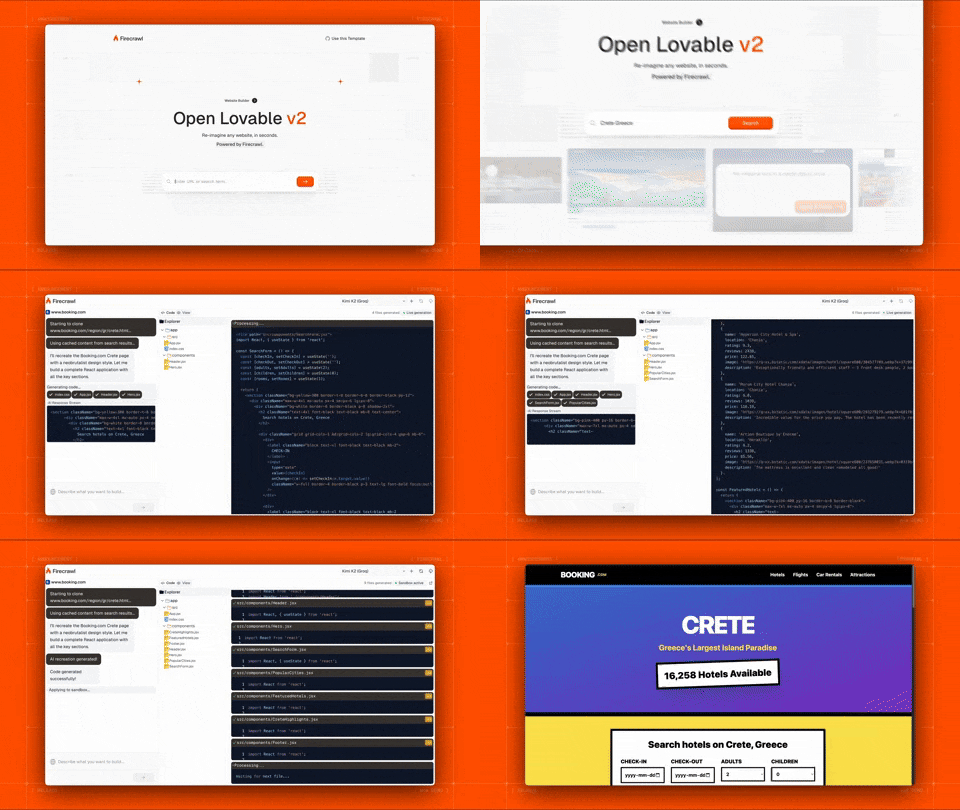
You can now use Open Lovable with Claude Code CLI subscription instead of API keys! This means:
- ✅ No API costs - Use your Claude subscription
- ✅ Easy setup - Just install and login once
- ✅ Dual mode - Switch between API key and CLI modes
- ✅ Same features - All functionality works with both modes
See Claude Code Setup below for details.
- Clone & Install
git clone https://github.com/firecrawl/open-lovable.git
cd open-lovable
pnpm install # or npm install / yarn install- Add
.env.local
# =================================================================
# REQUIRED
# =================================================================
FIRECRAWL_API_KEY=your_firecrawl_api_key    # https://firecrawl.dev

# =================================================================
# AI PROVIDER - Choose Option 1 (API Key) OR Option 2 (Claude Code CLI)
# =================================================================

# AI Provider Mode: 'api' or 'cli'
AI_PROVIDER_MODE=api  # Use 'cli' for Claude Code CLI subscription mode

# Option 1: API Key Mode (Default)
ANTHROPIC_API_KEY=your_anthropic_api_key  # https://console.anthropic.com
OPENAI_API_KEY=your_openai_api_key        # https://platform.openai.com
GEMINI_API_KEY=your_gemini_api_key        # https://aistudio.google.com/app/apikey
GROQ_API_KEY=your_groq_api_key            # https://console.groq.com

# Option 2: Claude Code CLI Mode (Subscription-based)
# See "Claude Code CLI Setup" section below
CLAUDE_CODE_ENABLED=false  # Set to 'true' to enable
PYTHON_API_URL=http://localhost:8000

# =================================================================
# FAST APPLY (Optional - for faster edits)
# =================================================================
MORPH_API_KEY=your_morphllm_api_key    # https://morphllm.com/dashboard

# =================================================================
# SANDBOX PROVIDER - Choose ONE: Vercel (default) or E2B
# =================================================================
SANDBOX_PROVIDER=vercel  # or 'e2b'

# Option 1: Vercel Sandbox (default)
# Choose one authentication method:

# Method A: OIDC Token (recommended for development)
# Run `vercel link` then `vercel env pull` to get VERCEL_OIDC_TOKEN automatically
VERCEL_OIDC_TOKEN=auto_generated_by_vercel_env_pull

# Method B: Personal Access Token (for production or when OIDC unavailable)
# VERCEL_TEAM_ID=team_xxxxxxxxx      # Your Vercel team ID
# VERCEL_PROJECT_ID=prj_xxxxxxxxx    # Your Vercel project ID
# VERCEL_TOKEN=vercel_xxxxxxxxxxxx   # Personal access token from Vercel dashboard

# Option 2: E2B Sandbox
# E2B_API_KEY=your_e2b_api_key # https://e2b.dev- Run
Option A: Standard Mode (API Key):
pnpm dev # or npm run dev / yarn devOption B: Claude Code CLI Mode (Subscription):
# Linux/macOS - One command to start everything!
./scripts/start-with-claude-code.sh

# Windows
scripts\start-with-claude-code.bat
The script handles all setup automatically - no need to manually start Python API or install dependencies!
- Save on API costs: Use your existing Claude subscription
- No API key management: Just login once
- Same great features: Full functionality with subscription
- Install Claude Code CLI:
npm install -g @anthropic-ai/claude-code- Login to Claude:
claude login- Verify Installation:
claude --versionMethod 1: Quick Start Script (Recommended)
# Linux/macOS
./scripts/start-with-claude-code.sh

# Windows
scripts\start-with-claude-code.bat
This script automates the entire setup and will:
- ✅ Check prerequisites (Node.js, Python, Claude CLI)
- ✅ Install all Node.js dependencies
- ✅ Create and activate Python virtual environment
- ✅ Install Python dependencies (FastAPI, Claude SDK, etc.)
- ✅ Start Python API bridge (port 8000, runs in background)
- ✅ Start Next.js frontend (port 3000, runs in foreground)
- ✅ Set up log files for debugging
Log Files:
- Python API logs:
logs/python-api.log - View real-time logs:
tail -f logs/python-api.log
Stopping Services:
- Press
Ctrl+Cin the terminal running the script - All services (both Python API and Next.js) will stop automatically
Method 2: Manual Setup
# Terminal 1: Start Python API
cd api/python
python3 -m venv venv
source venv/bin/activate  # Windows: venv\Scripts\activate
pip install -r requirements.txt
python main.py

# Terminal 2: Start Next.js (in project root)
npm run devUpdate your .env.local:
AI_PROVIDER_MODE=cli
CLAUDE_CODE_ENABLED=true
PYTHON_API_URL=http://localhost:8000- Python 3.10 or higher
- Claude Code CLI installed and logged in
- Node.js 18 or higher (for Next.js)
See api/python/README.md for detailed troubleshooting guide.
Common Issues:
-
Claude CLI not found: Make sure it's installed globally and in your PATH
npm install -g @anthropic-ai/claude-code
claude --version
-
Not logged in: Run
claude loginand follow the promptsclaude login
-
Python venv issues: Install python3-venv package (Ubuntu/Debian)
sudo apt-get install python3-venv # Ubuntu/Debian -
Port conflicts: Change PYTHON_API_PORT in .env.local
PYTHON_API_PORT=8001 # Change to another port
-
Script permission denied (Linux/macOS):
chmod +x scripts/start-with-claude-code.sh
-
Python API not starting: Check the logs for detailed error messages
tail -f logs/python-api.log
-
Connection refused errors: Make sure Python API is running
curl http://localhost:8000/
# Should return: {"service":"Claude Code Bridge API","status":"running"}
User → Next.js → AI SDK → Anthropic/OpenAI API
User → Next.js → Python API → Claude Code SDK → Claude CLI → Anthropic
The Python FastAPI service acts as a bridge between Next.js and Claude Code SDK.
MIT