The Unity UML Tool can be used to generate UML Class diagrams inside the Unity Editor. It is built using ANTLR4 and using C# Generated Parsers and Lexers.
Currently, the following C# entities are supported:
- Properties
- Methods
- Structs
- Classes
- Interfaces
- Constants
- Variables
- Class Parameters
- Interface Parameters
The following modifiers are supported:
- Static
- Virtual
- Abstract
The following relations are supported:
- Class inheritance/Interface implementation
- Referencing
The tool is made up of two panels. The left panel holds different options for visualizing files and the Buttons for generating the diagram. The right panel is where the diagram will be visualized.
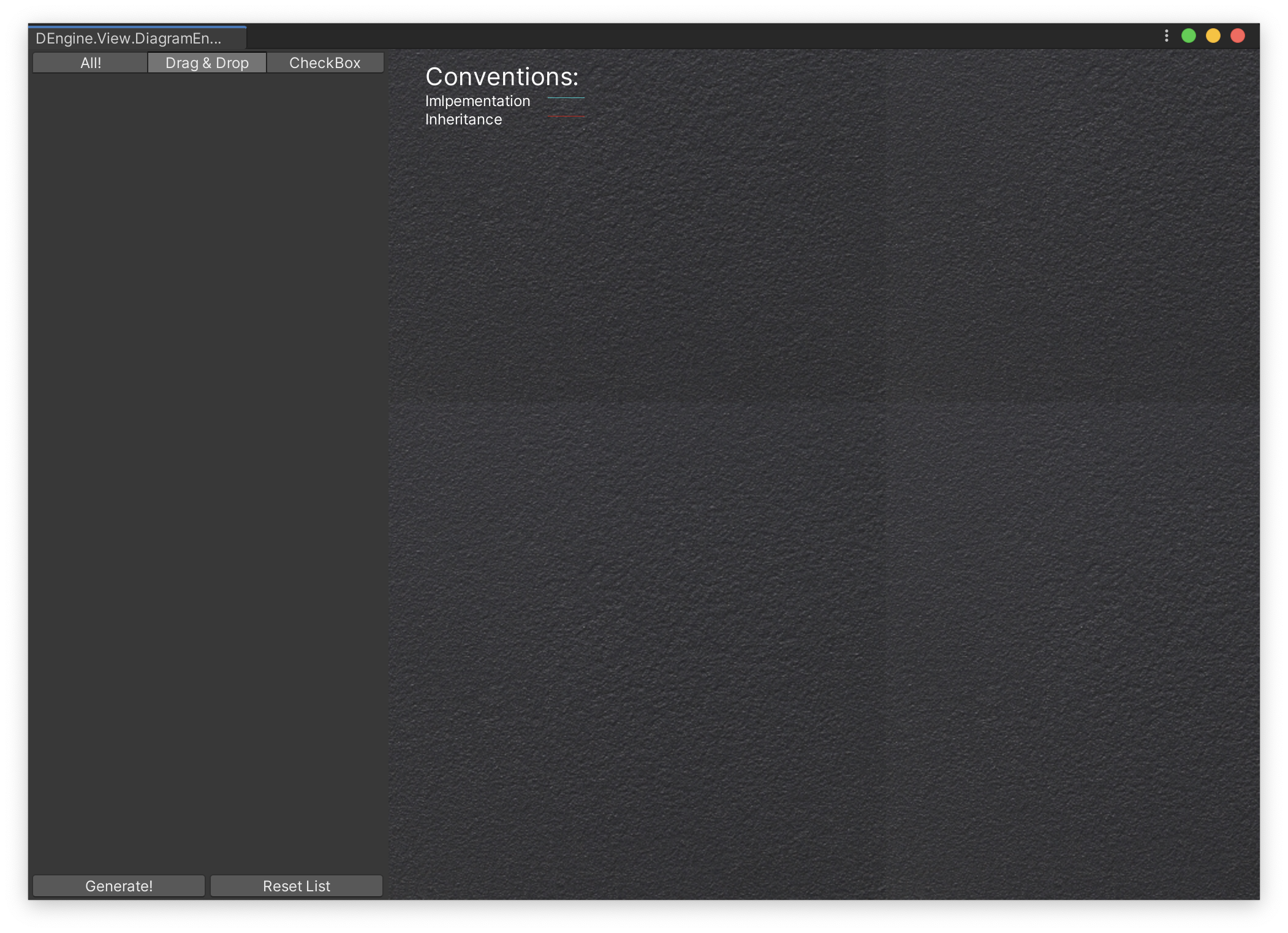
The Generate button in the bottom of the left panel diagrams all entities identified by the engine, and the Reset List button clears the entities list.
The tabs on the top of the left panel correspond to different ways of identifying entities to diagram. The All tab scans the whole project and reads all C# source code files scanning for all the entities supported. The Drag & Drop tab allows to select C# surce code files .cs files for individual processing. By default, the All tab is selected.
To generate a Diagram simply press the Generate button and all entities on the left panel will be visible on the right panel as nodes. If you use the Drag & Drop feature, simply drag the .cs files into the left panel and entities will be detected automatically.

Relations between entities will be represented as bezier lines between two nodes. Red lines represent inheritance/implementation relationships and light blue lines represent reference relations.

Nodes can be resized and moved around like any typical node based editor.
To clean the right panel, just click the Reset List button on the bottom right panel and then click Generate again. This will display an empty diagram.
By default the engine serializes the current diagram and stores it on the diagram.dat file, located in the DiagramEngine folder on the project. This file is used to read from the next time the engine window is opened, so the information can be read again.